


Leaderboard
-
S line 2006
Members1Points11Posts
.thumb.jpg.ec2a7fe1ca7ced8ed3932430e3a0c876.jpg)
Popular Content
Showing content with the highest reputation on 02/08/2019 in Posts
-
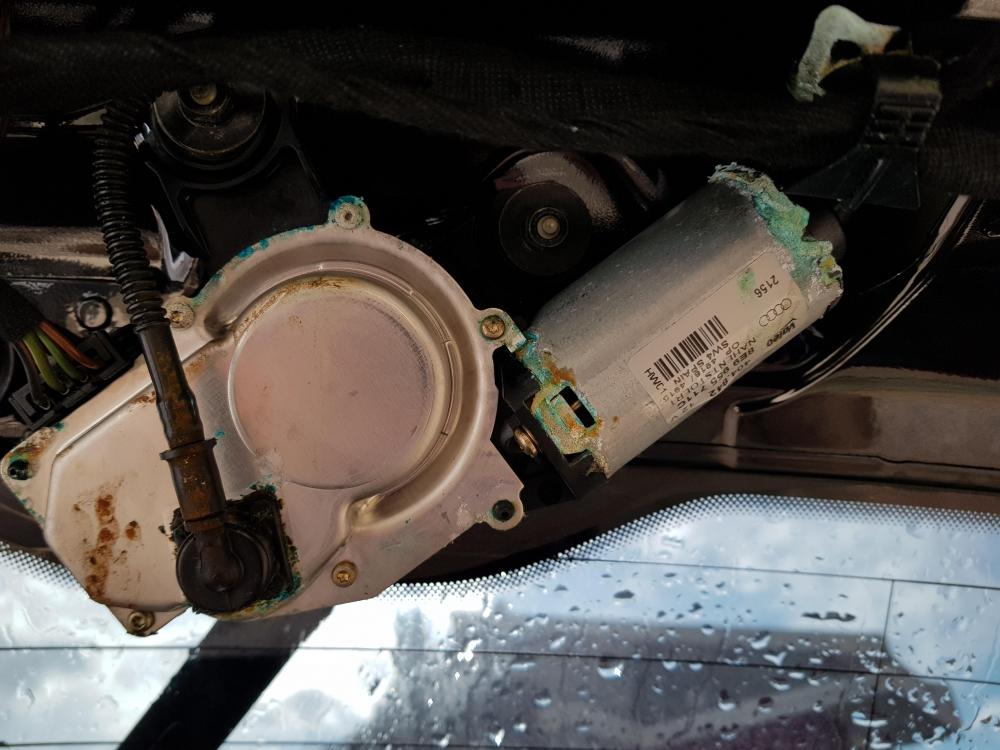
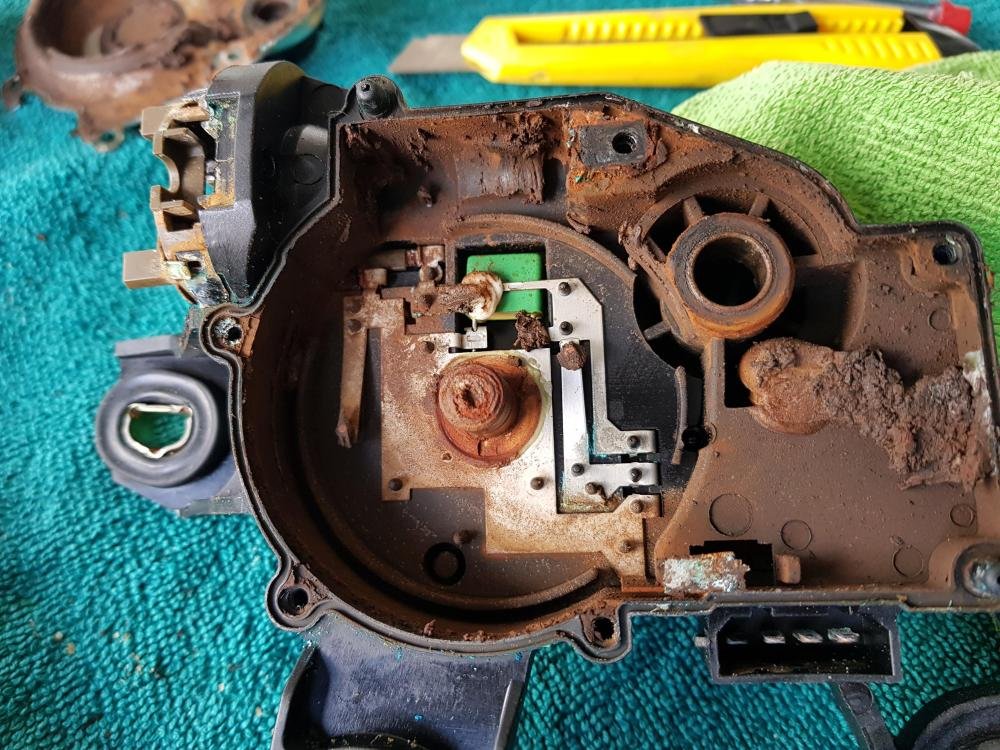
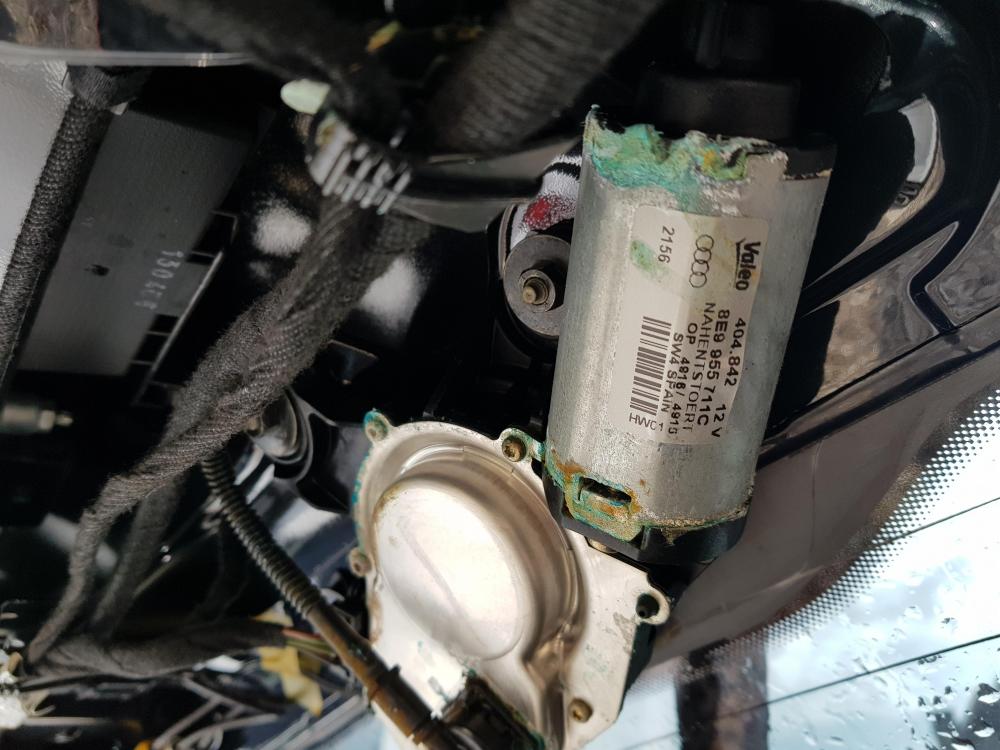
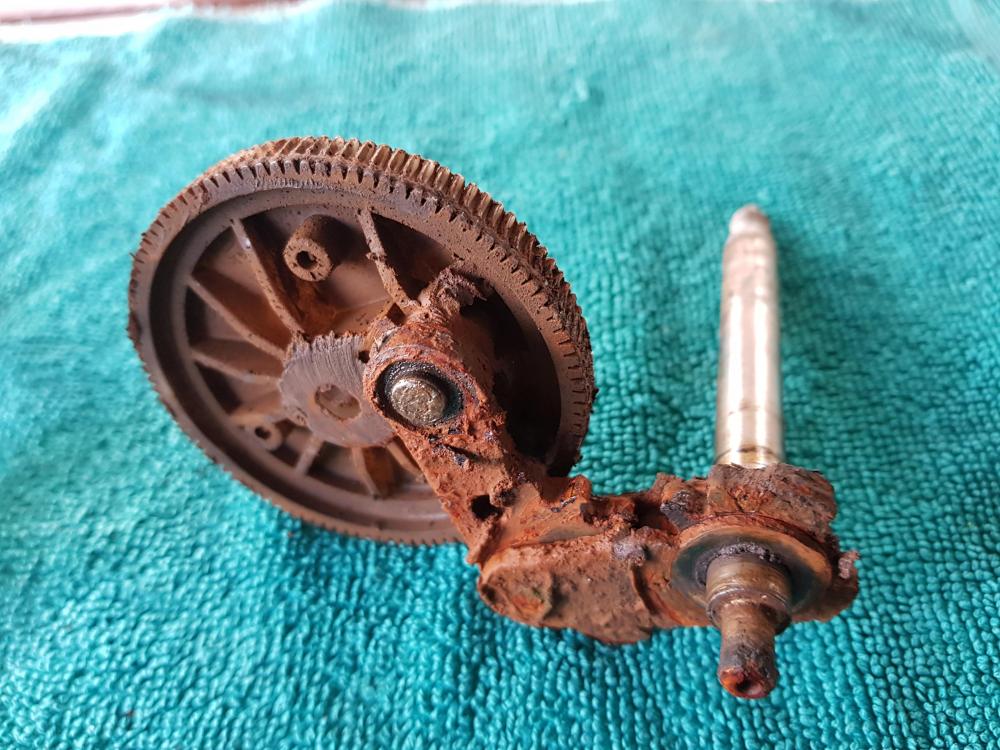
1 pointHi, I suffered the same issue. I think we can never keep away from that problem. I removed the wiper motor by removing the plastic trim covering the area first (just undo the two screws inside the both handles that could not be seen unless you bend over) and then by pulling the trim backwards. You can easily remove the motor by undoing the three 10 mm nuts, motor connector and thin water hose, after removing the 13 mm nut under the wiper arm. Remember that you should gently remove the plastic cover to see the 13 mm nut under the cover. Remember to wiggle the wiper arm to get the motor assembly from the tailgate. Place the wiper on the bench. Remove the electric motor from the wiper section in which the gear placed. And, undo the 6 torx screws from the wiper section. You will see water, rust and contaminated grease remains inside other than a worm gear, a gear, and an arm that moving the wiper. Clean everything and lubricate using a thin grease and then reassemble everything. It is not complicated job and after fixing the wiper motor, I have been using it for almost two months and had no problem with that. Good luck...
 1 point


