Illya
Members
-
Joined
-
Last visited
Everything posted by Illya
-
Thanks Steve. Kind Regards Illya
-
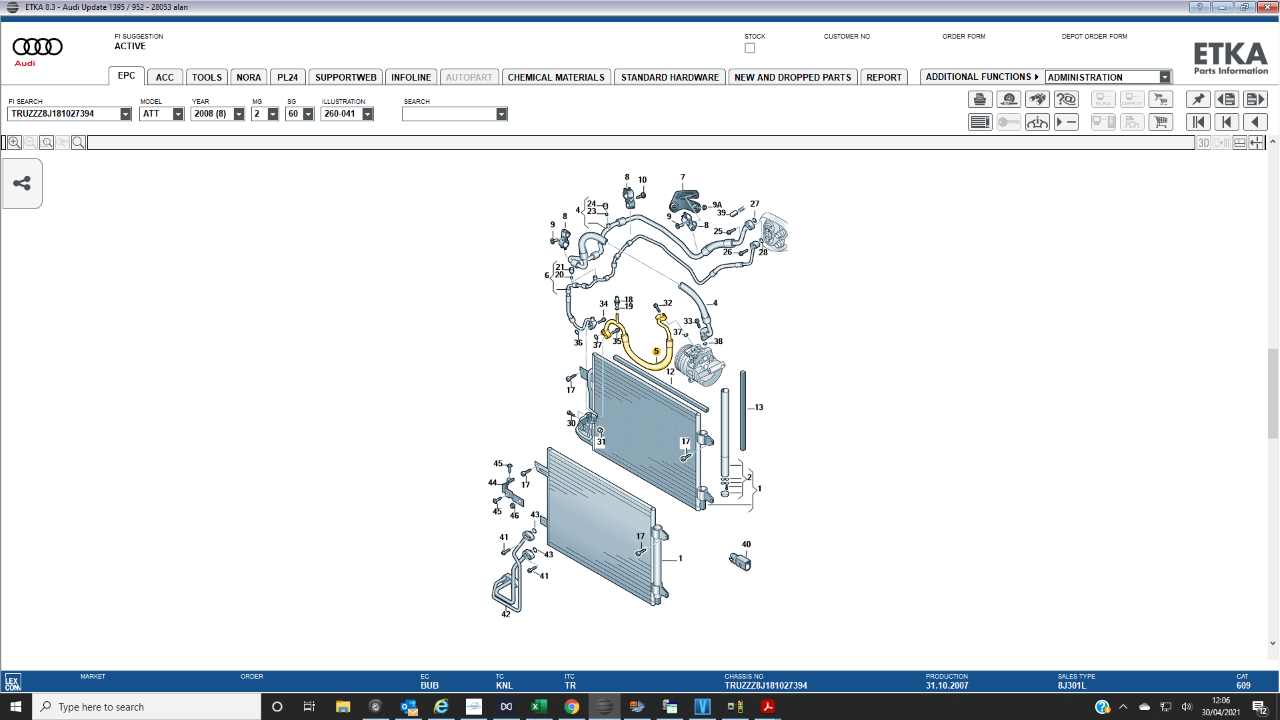
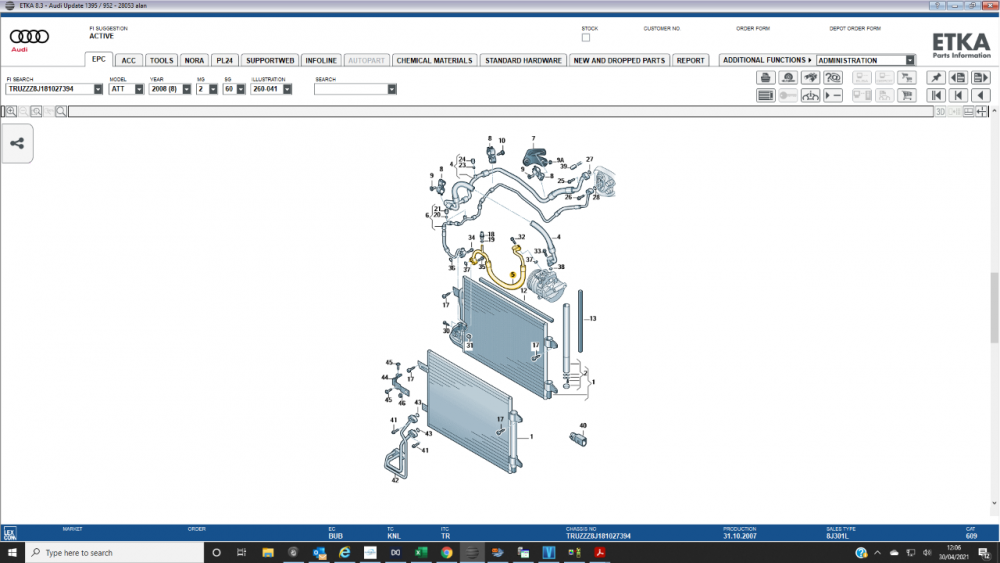
Hi Everyone, I hope that you are all keeping well. I wonder if some of you may be able to help me? I have a 2008 TT 3.2 Coupe (Auto) I have had an on-going issue with the air conditioning. Several local garages have had a go at fixing it, but the problem keeps coming back. The problem has now been traced to a leaky pipe. The garage have ordered one byt Audi are saying that they are back orderd with no short term prospect of a delivery. I have attatched a diagram of the air con and the pipe (highlighted in yellow) that I need to replace. Do any of you have a suggestion where I might be able to buy one? Many thanks guys Illya
-
Hi Guys, I am hoping one of you might be able to advise me about a possible stereo head upgrade. I own a 2008 TT 3.2 s-Tronic Coupe, I have had the car for six months and love it! The car has an Ipod dock in the glove compatment and Bose speakers, but a fairly standard Audi Concert head. I would like to upgrade the head, but keep the car fairly 'original' so, I have been looking at Audi Navigation Plus heads of a similar age. My questions are; Is this as simple as a plug in and play? Should I not bother with an older unit and just get a new unit - if so, what would you recommend? Are there any tips for removal and replacement of the head unit? Thanks for taking the time to read this, I look forward to hearing from some of you. Illya