


langley241
Members
-
Joined
-
Last visited
Everything posted by langley241
-
So I decided some time ago for the x pipe and res delete to give the vehicle a noise it needed, whilst the noise on the whole is great, pops and bangs are extreme, there is a very annoying downside.... Below 2000 rpm at light throttle there is a hissing cracking noise,sounds like crows squawking on the passenger side rear, It was suggested that unplugging the valve control would stop this, but no luck. Has anyone got any ideas what this is and how to stop it...??
-
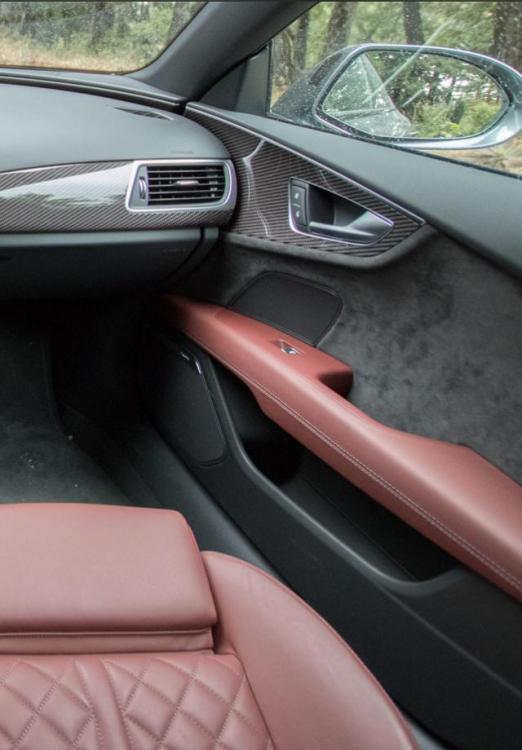
Its not aftermarket. Ist the speaker between the window switches and the handle
-
I have the Bose audio system fitted to my car, however there appears to be another unbranded speaker above the window controls, can anyone shed any light..??
-
Audi seemed quite unhelpful, i have seen some others but they are expensive, i have also been speaking with Totally Dynamic and they have quoted to recreate the black pack with a mixture of painting and wraps, its over a £1000 though

