Skip to content
View in the app

A better way to browse. Learn more.

Audi Owners Club (UK)

A full-screen app on your home screen with push notifications, badges and more.

To install this app on iOS and iPadOS
  1. Tap the Share icon in Safari
  2. Scroll the menu and tap Add to Home Screen.
  3. Tap Add in the top-right corner.
To install this app on Android
  1. Tap the 3-dot menu (⋮) in the top-right corner of the browser.
  2. Tap Add to Home screen or Install app.
  3. Confirm by tapping Install.


Clairemarie

Members
  • Joined

  • Last visited

Everything posted by Clairemarie

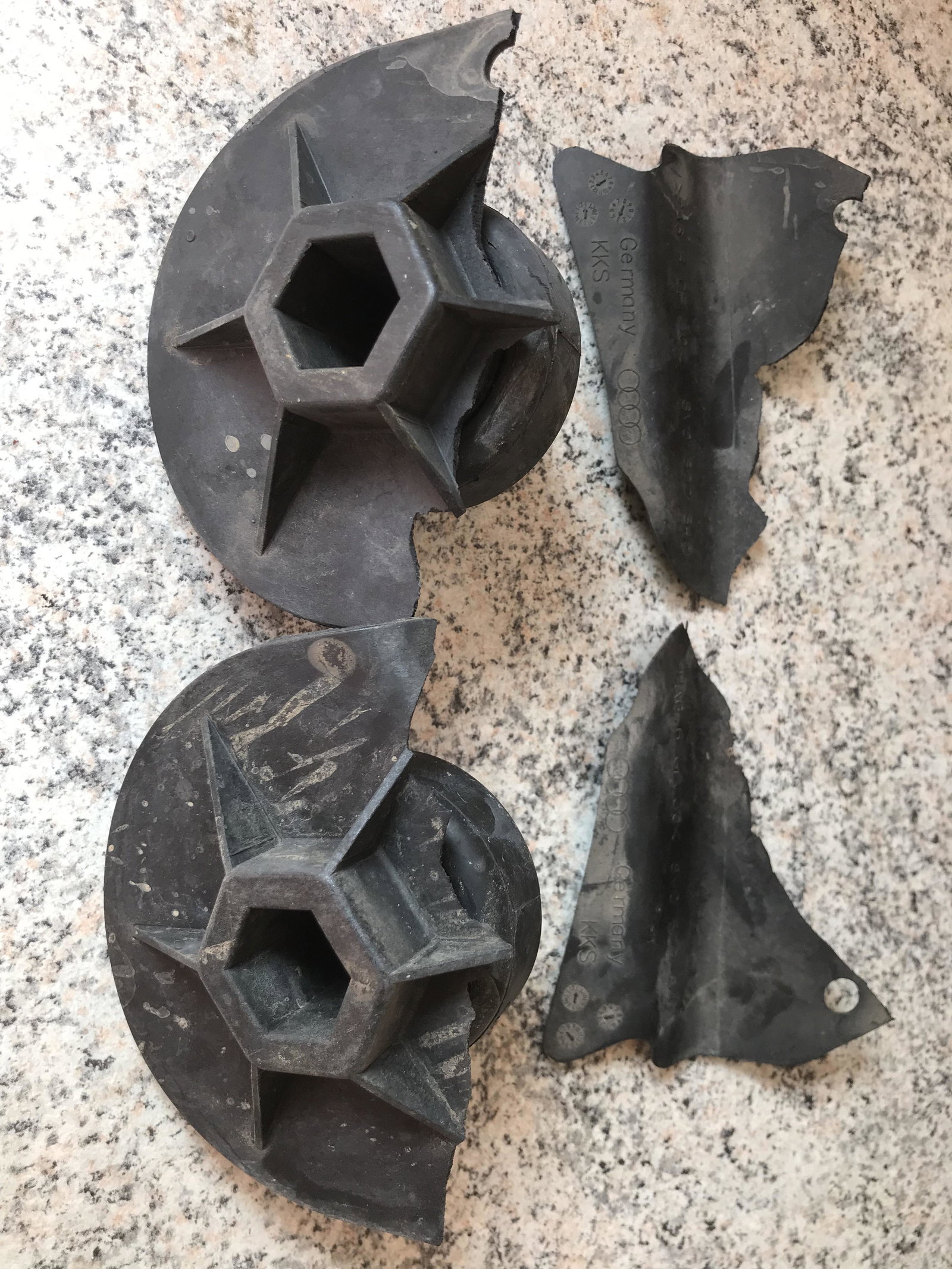
  1. Thanks all for your replies 😊 they are indeed jack point parts , I took it to my local Audi dealer today and someone kindly put it up on the ramp for us to have a look . Nothing else damaged apart from these so put back the ‘bung’ type part for now and I’ll order some new ones. Always just a worry when like you say you can’t see the extent of damage , but it’s all ok . Thanks again for the help 👌🏻
  2. I have googled and all that seems to come up is front jack socket ?! Ian trying to contact Audi but just need to know if it’s safe to drive really . thank you
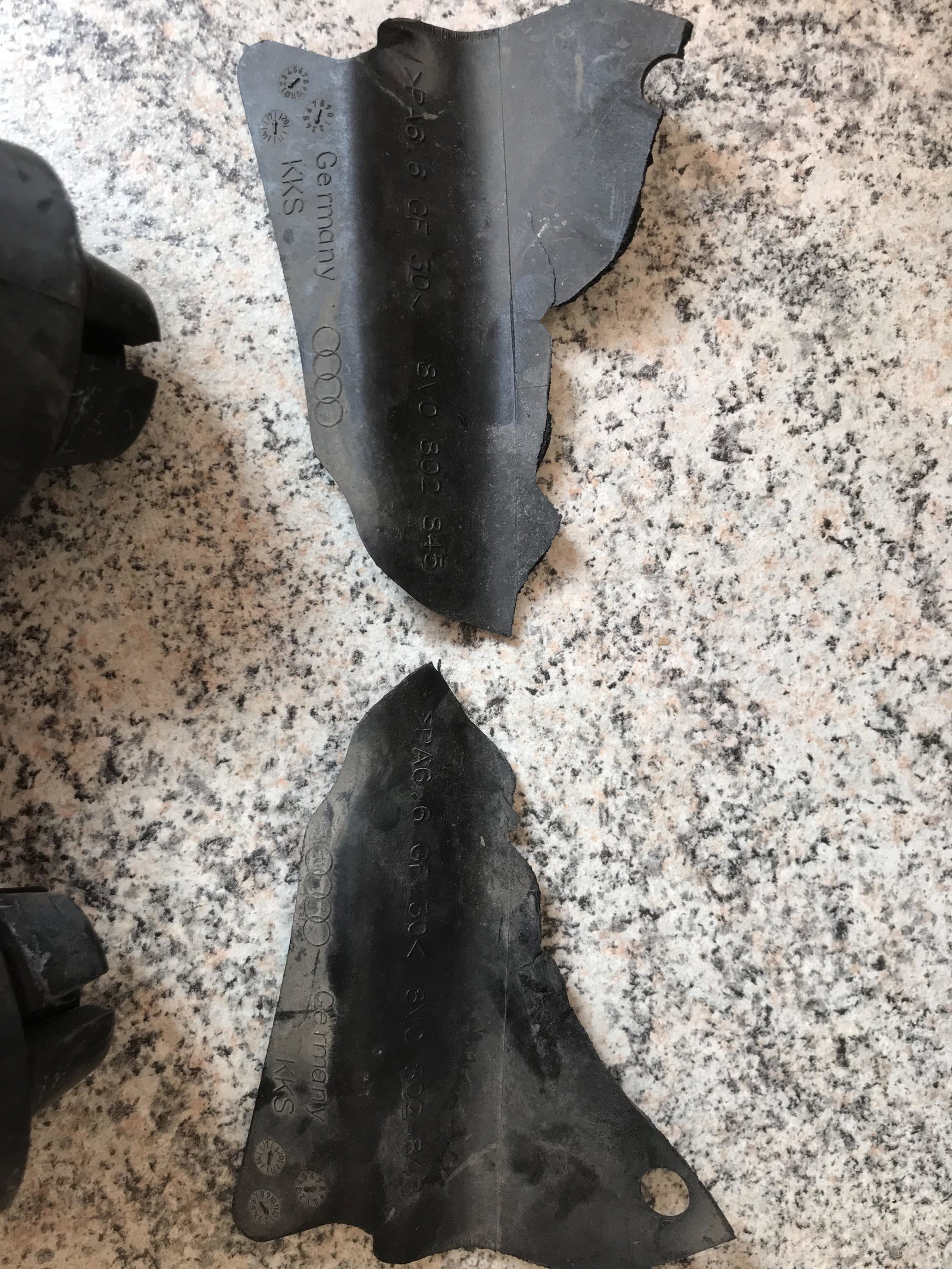
  3. Stamped on the part is this PA6.6 GF30 8VO 802 846
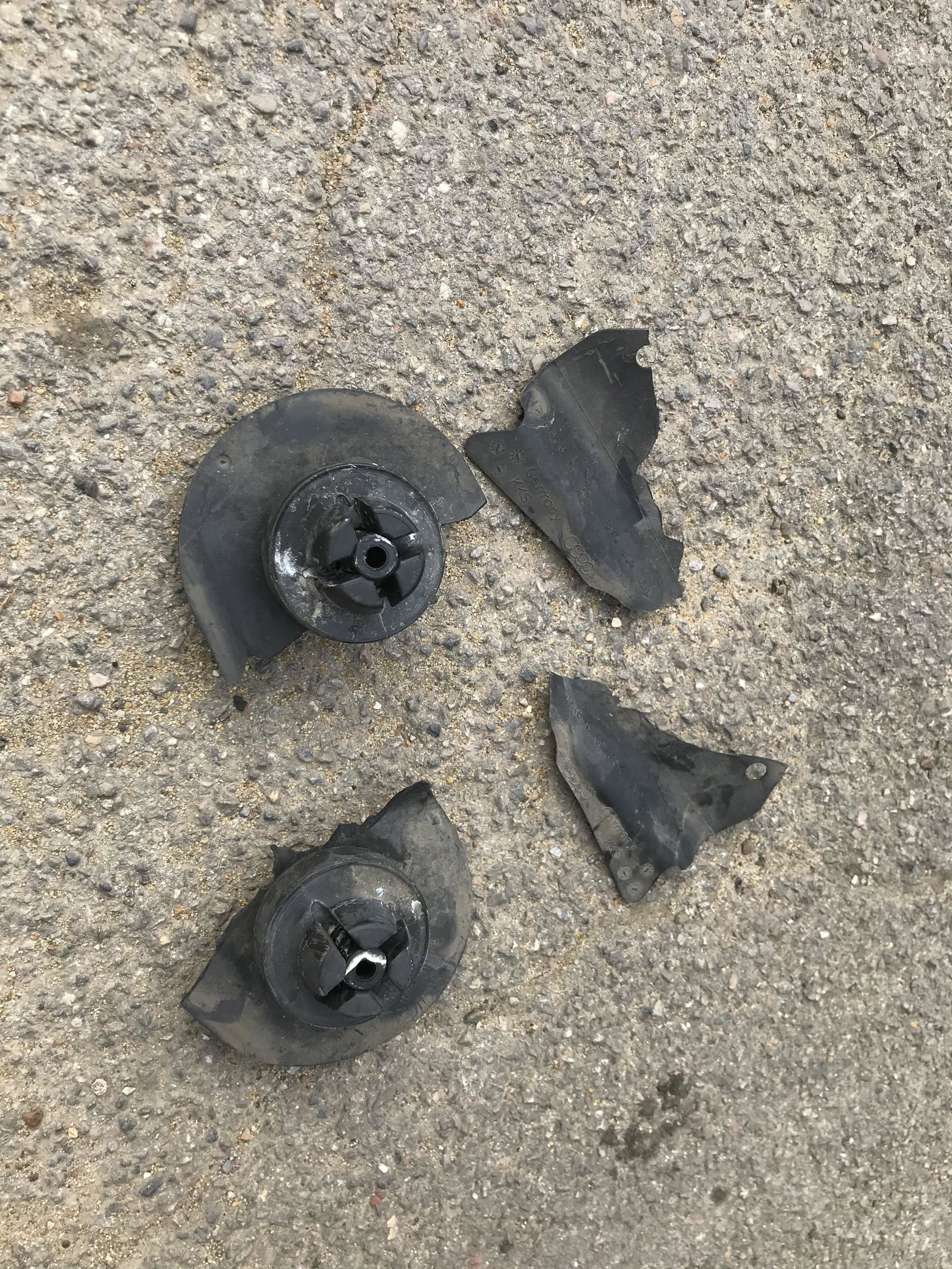
  4. Hi Gareth , thanks for your reply . These are off the bottom of my Audi A3 sportback 2018 . here are the photos of the other side
  5. Hi , not sure where to post this for help so apologies if wrong area! Can anyone tell me what these parts are please that have ripped off my A3 by going over a rubber speed bump like a snail ?


Background Picker
Customize Layout

Account

Navigation

Search

Search

Configure browser push notifications

Chrome (Android)
  1. Tap the lock icon next to the address bar.
  2. Tap Permissions → Notifications.
  3. Adjust your preference.
Chrome (Desktop)
  1. Click the padlock icon in the address bar.
  2. Select Site settings.
  3. Find Notifications and adjust your preference.