


Parmageddon
Members
-
Joined
-
Last visited
Everything posted by Parmageddon
-
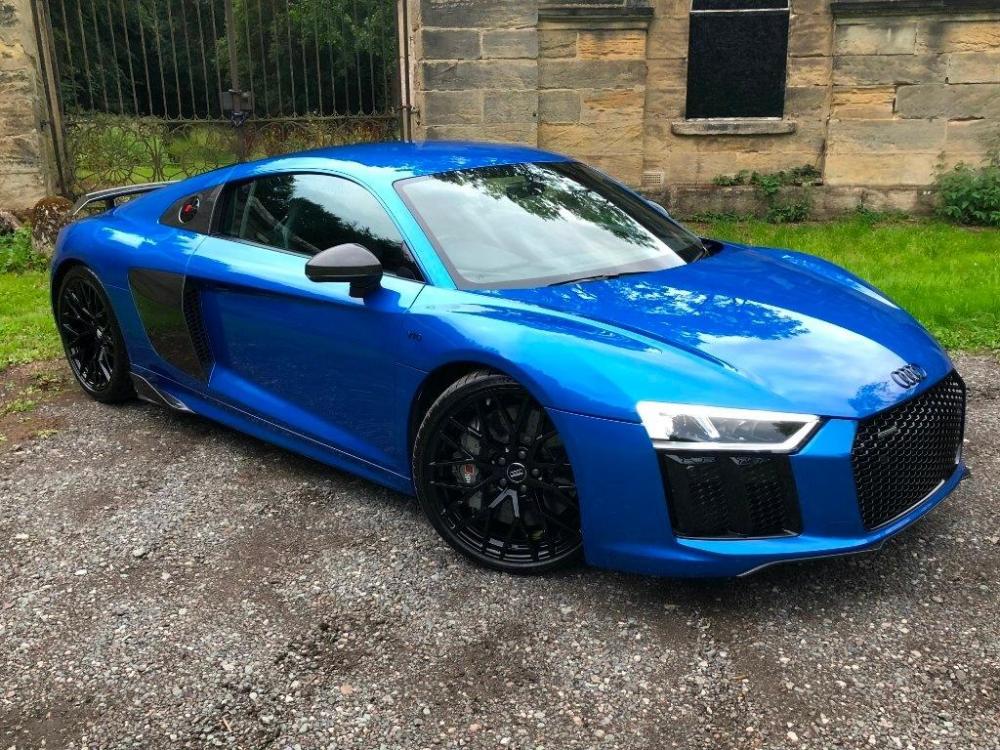
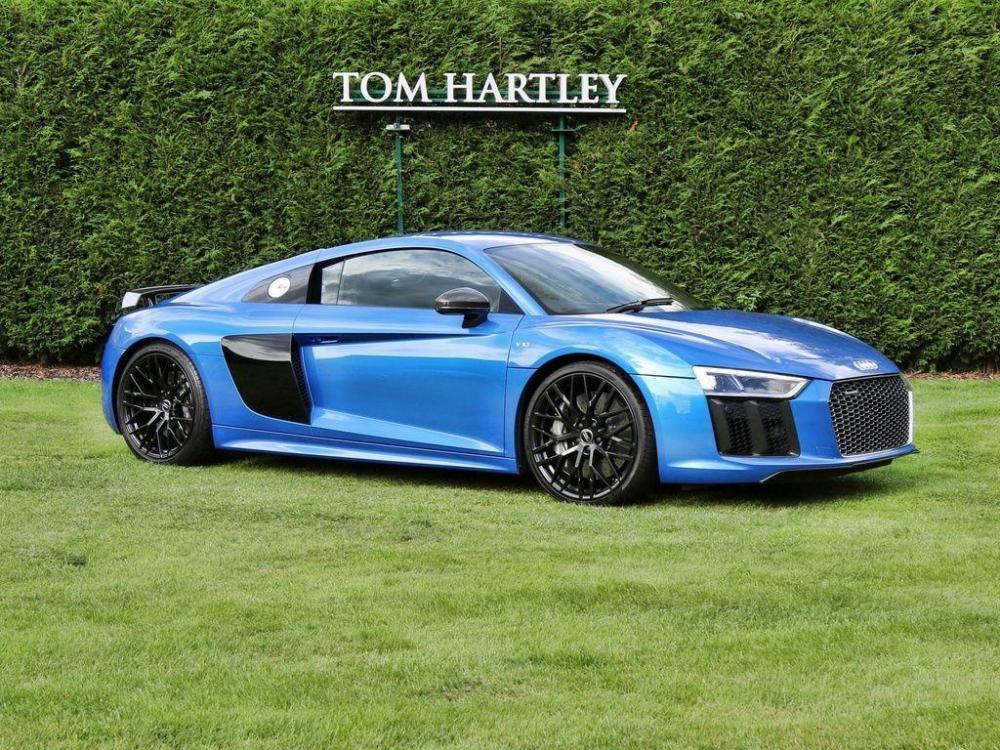
Hello everyone! All going well, i'll be the excited and happy owner of a V10 Plus come next week. I appreciate it's a slightly premature hello! However I have a question for the experienced R8 owners here. The picture below is the car i'm about to purchase. Though the colour looks a little different to the other Ara Blue examples i've seen. (I've not seen this one in person yet) could be the seller's camera, could be the black mods he's added I guess? though the seller is adamant it's Ara blue. Comparing that to another example i am also looking at (which I have seen in person) Which looked exactly as I'd imagine Ara blue to look.u What do you guys think? Is it just my eyes, or could the first one be wrapped? that'd probably kill the deal for me. thanks, P
-
Hello everyone! All going well, i'll be the excited and happy owner of a V10 Plus come next week. I appreciate it's a slightly premature hello! However I have a question for the experienced R8 owners here. The picture below is the car i'm about to purchase. Though the colour looks a little different to the other Ara Blue examples i've seen. (I've not seen this one in person yet) could be the seller's camera, could be the black mods he's added I guess? though the seller is adamant it's Ara blue. Comparing that to another example i am also looking at (which I have seen in person) Which looked exactly as I'd imagine Ara blue to look.u What do you guys think? Is it just my eyes, or could the first one be wrapped? that'd probably kill the deal for me. thanks, P

