




Skip to content
View in the app

A better way to browse. Learn more.

Audi Owners Club (UK)

A full-screen app on your home screen with push notifications, badges and more.

To install this app on iOS and iPadOS
  1. Tap the Share icon in Safari
  2. Scroll the menu and tap Add to Home Screen.
  3. Tap Add in the top-right corner.
To install this app on Android
  1. Tap the 3-dot menu (⋮) in the top-right corner of the browser.
  2. Tap Add to Home screen or Install app.
  3. Confirm by tapping Install.


Stuart lister

Members
  • Joined

  • Last visited

Everything posted by Stuart lister

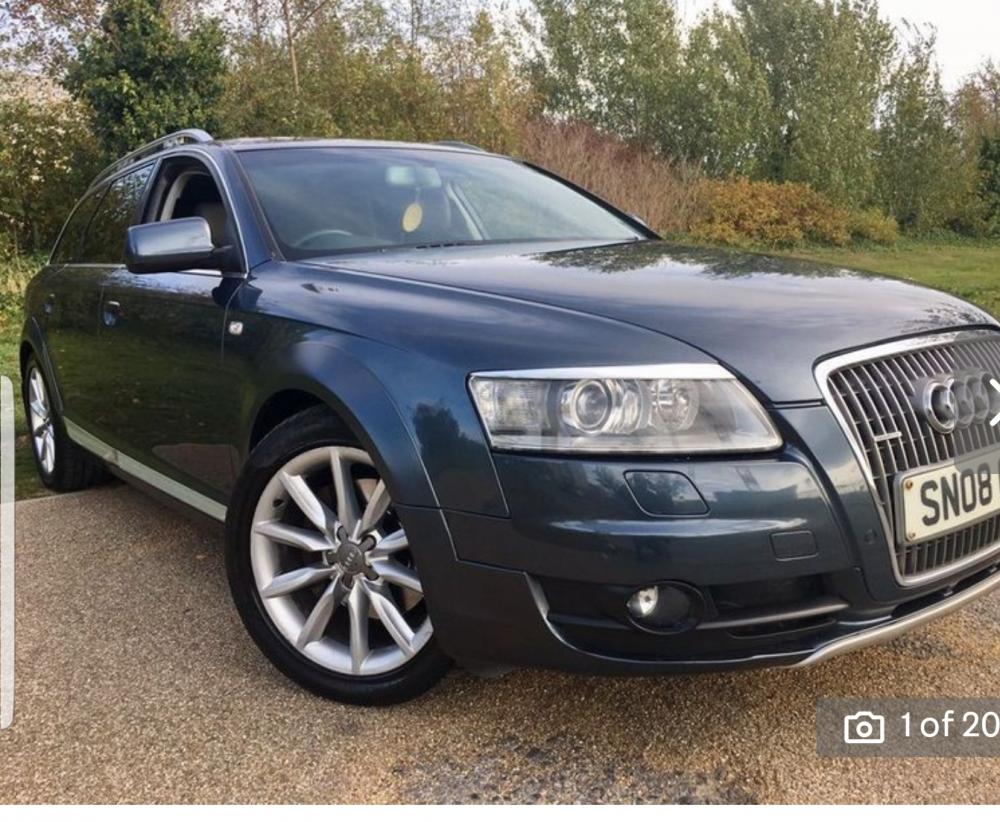
  1. Hi there, I'm new to this site as well as Audi. I have recently brought an Audi A6 allroad (2008), I love the car and it drives great. Just checking if there's anything I need to look our for, there are a couple of things I need to do. 1st fit satnav, there doesn't appear to be a DVD drive in the luggage compartment so i need to source one or fit an aftermarket head unit ( still thinking about that). The other thing is there is a knocking noise coming from the front , think this might be anti roll bar linkage rubber as that was an adviser on the last mot.


Background Picker
Customize Layout

Account

Navigation

Search

Search

Configure browser push notifications

Chrome (Android)
  1. Tap the lock icon next to the address bar.
  2. Tap Permissions → Notifications.
  3. Adjust your preference.
Chrome (Desktop)
  1. Click the padlock icon in the address bar.
  2. Select Site settings.
  3. Find Notifications and adjust your preference.