Skip to content
View in the app

A better way to browse. Learn more.

Audi Owners Club (UK)

A full-screen app on your home screen with push notifications, badges and more.

To install this app on iOS and iPadOS
  1. Tap the Share icon in Safari
  2. Scroll the menu and tap Add to Home Screen.
  3. Tap Add in the top-right corner.
To install this app on Android
  1. Tap the 3-dot menu (⋮) in the top-right corner of the browser.
  2. Tap Add to Home screen or Install app.
  3. Confirm by tapping Install.

Garymc

Members
  • Joined

  • Last visited

Everything posted by Garymc

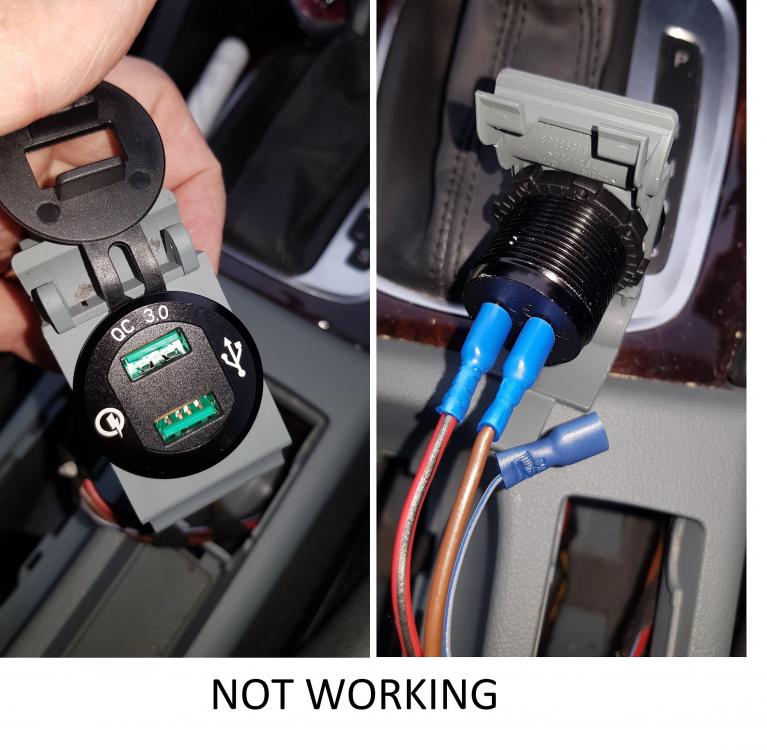
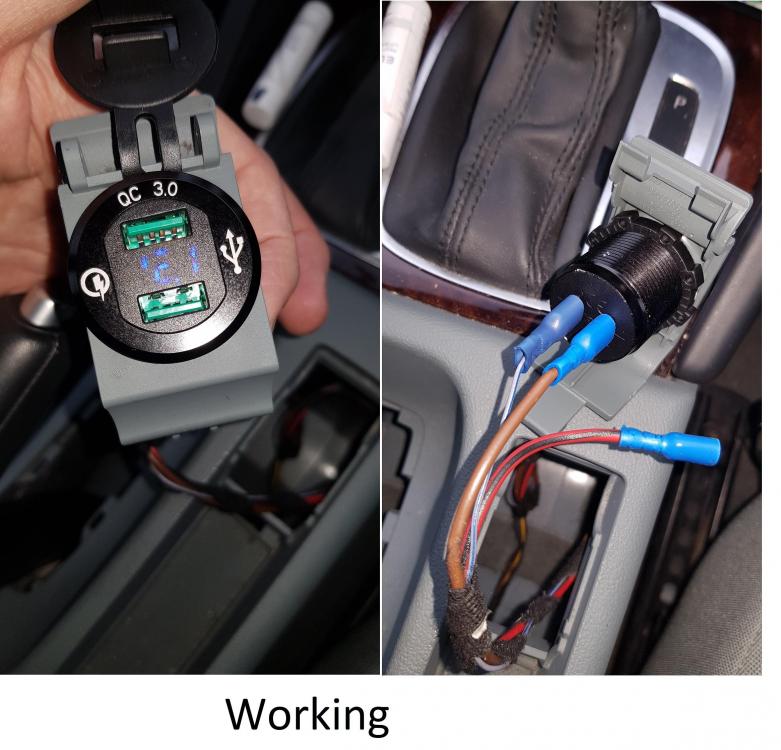
  1. Hi all So I manage to drop a bit of metal into the cigarette lighter of my A3 and blue the fuse, which was easy to replace. Unfortunately, although the boot cigarette lighter is now working, the front cigarette lighter still wasn't working and I thought I had damaged it. I decided to upgrade to a CHGeek QC3.0 Dual USB Charger Socket but still having problems and wonder if there could be a deeper problem. When I wire in the usb charge socket, the only way I can get it to work is with the grey blue wire plugged in as +12v and the brown wire as -12v AND the lights on. I think I shouldn't be running this as I think the grey/blue it only to provide the illumination on the old cigarette lighter. No other combination works and the red/black wire doesn't do anything. Can anyone provide some suggestions? Thanks


Background Picker
Customize Layout

Account

Navigation

Search

Search

Configure browser push notifications

Chrome (Android)
  1. Tap the lock icon next to the address bar.
  2. Tap Permissions → Notifications.
  3. Adjust your preference.
Chrome (Desktop)
  1. Click the padlock icon in the address bar.
  2. Select Site settings.
  3. Find Notifications and adjust your preference.