




Skip to content
View in the app

A better way to browse. Learn more.

Audi Owners Club (UK)

A full-screen app on your home screen with push notifications, badges and more.

To install this app on iOS and iPadOS
  1. Tap the Share icon in Safari
  2. Scroll the menu and tap Add to Home Screen.
  3. Tap Add in the top-right corner.
To install this app on Android
  1. Tap the 3-dot menu (⋮) in the top-right corner of the browser.
  2. Tap Add to Home screen or Install app.
  3. Confirm by tapping Install.

Wrighty ST

Members
  • Joined

  • Last visited

Everything posted by Wrighty ST

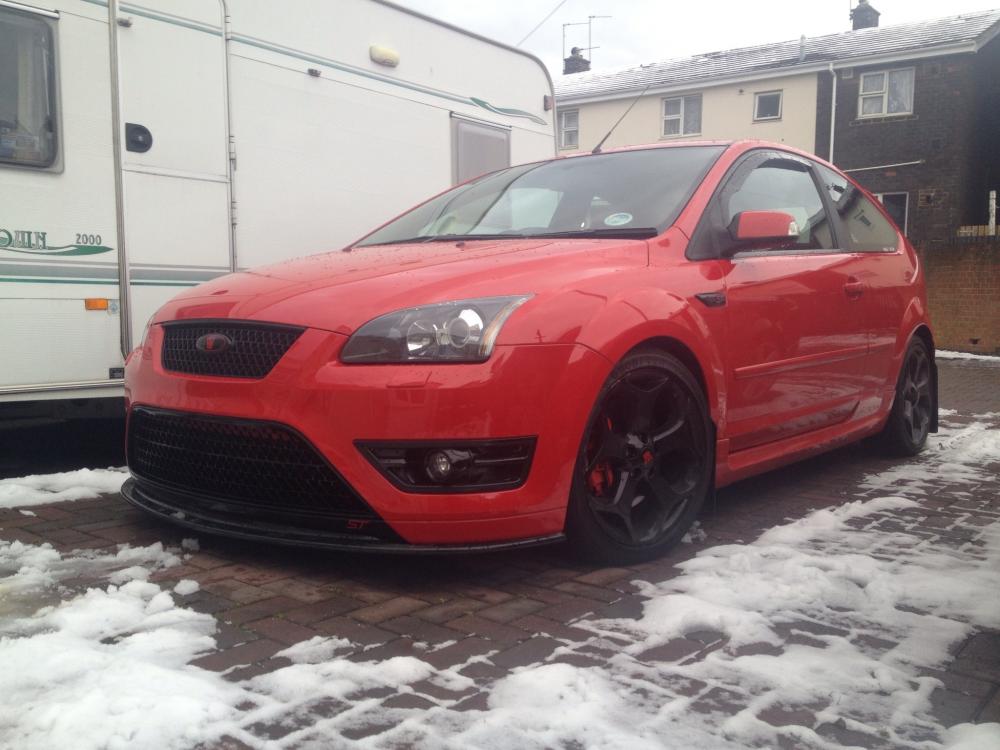
  1. Hello everyone. I've just signed up because I have a problem on my Audi A4 and the forum I use for my other car is very helpful. My a4 is a 2006 S line auto tdi. And hasn't missed a beat since I bought it until now. It's absolutely brilliant on a long drive. My other car is a ford focus ST. It's currently running 324BHP and 411lb/ft. It's got I/C, 3" turbo back exhaust. DSCI induction kit, 440cc injectors and forge re-circ valve. Here it is.
  2. Hi can anyone help me please. The display on my 2006 A4 diesel (auto) went off a few weeks ago and I cannot find any info on line. The car drives fine in auto and semi-auto. Has anyone had this problem before. And help will be much appreciated.


Background Picker
Customize Layout

Account

Navigation

Search

Search

Configure browser push notifications

Chrome (Android)
  1. Tap the lock icon next to the address bar.
  2. Tap Permissions → Notifications.
  3. Adjust your preference.
Chrome (Desktop)
  1. Click the padlock icon in the address bar.
  2. Select Site settings.
  3. Find Notifications and adjust your preference.