




Skip to content
View in the app

A better way to browse. Learn more.

Audi Owners Club (UK)

A full-screen app on your home screen with push notifications, badges and more.

To install this app on iOS and iPadOS
  1. Tap the Share icon in Safari
  2. Scroll the menu and tap Add to Home Screen.
  3. Tap Add in the top-right corner.
To install this app on Android
  1. Tap the 3-dot menu (⋮) in the top-right corner of the browser.
  2. Tap Add to Home screen or Install app.
  3. Confirm by tapping Install.

caldersey

Members
  • Joined

  • Last visited

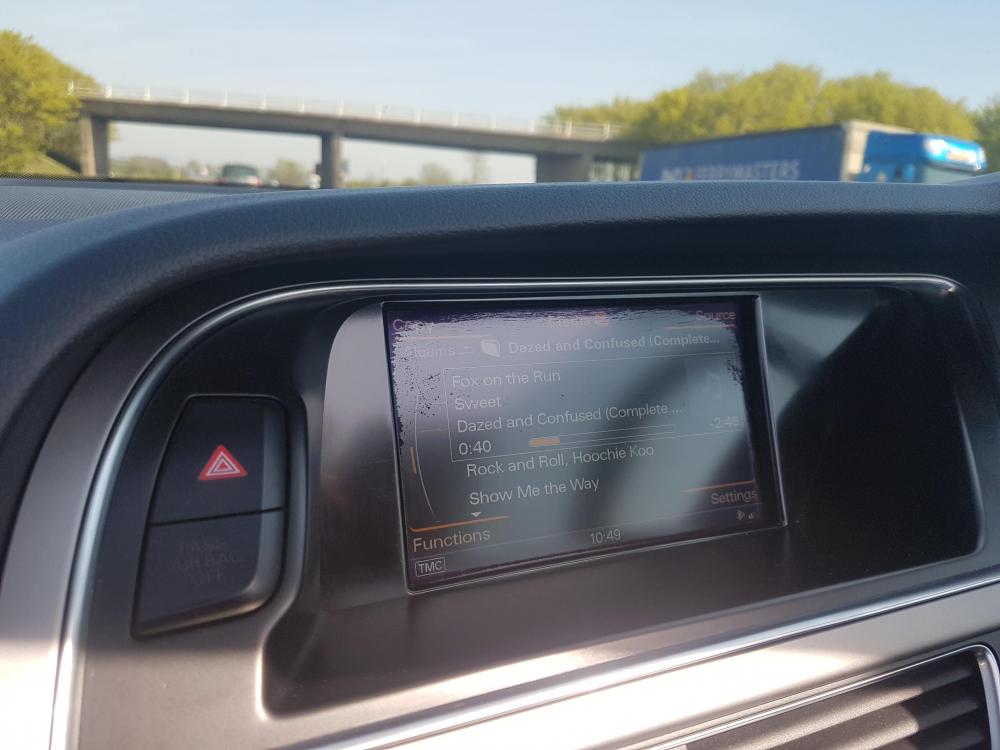
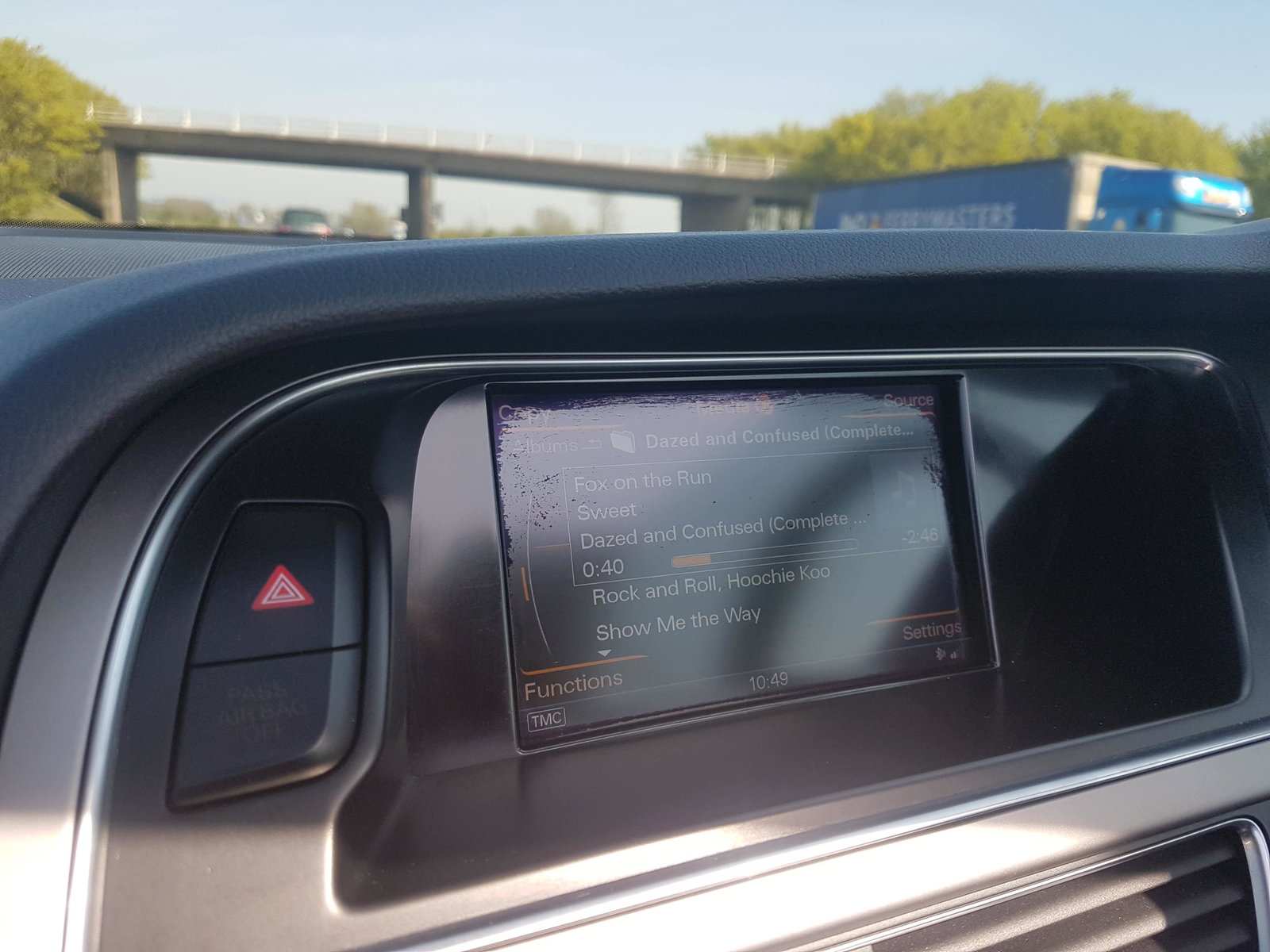
  1. Recently bought my first Audi and there were some scratch marks on the screen. The salesman managed to remove them with a cleaner and cloth. I later found out it was the anti glare coating that was scratched and the salesman actually took the rest of the coating off, which is fine as it would have had to come off anyway as the screen looked a mess. However, this has left anther type of mark, mainly around the top and sides of the screen as you can see in the picture. This is only noticetable when light is shining on the screen and I have the roof down (it's a cabriolet) but it's quite annoying. I've tried using screen cleaner but it hasn't made any difference. Does anyone know what the marks are or how to get rid of them? Cheers


Background Picker
Customize Layout

Account

Navigation

Search

Search

Configure browser push notifications

Chrome (Android)
  1. Tap the lock icon next to the address bar.
  2. Tap Permissions → Notifications.
  3. Adjust your preference.
Chrome (Desktop)
  1. Click the padlock icon in the address bar.
  2. Select Site settings.
  3. Find Notifications and adjust your preference.