




Skip to content
View in the app

A better way to browse. Learn more.

Audi Owners Club (UK)

A full-screen app on your home screen with push notifications, badges and more.

To install this app on iOS and iPadOS
  1. Tap the Share icon in Safari
  2. Scroll the menu and tap Add to Home Screen.
  3. Tap Add in the top-right corner.
To install this app on Android
  1. Tap the 3-dot menu (⋮) in the top-right corner of the browser.
  2. Tap Add to Home screen or Install app.
  3. Confirm by tapping Install.


Della

Members
  • Joined

  • Last visited

Everything posted by Della

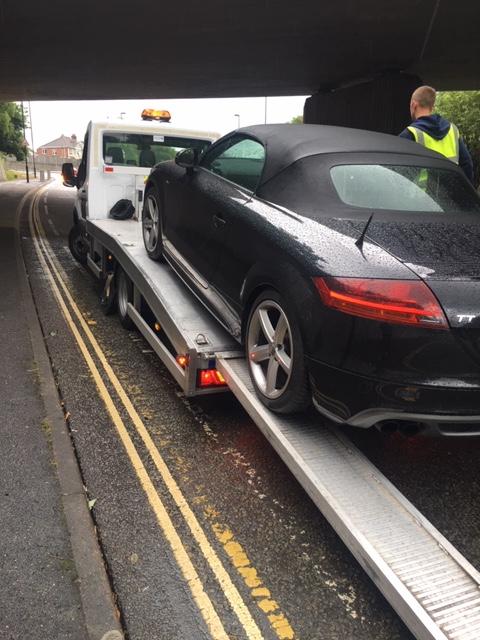
  1. Hi New Member here! Just thought I'd see if i can get any help? My TT came up with 'Emissions control system' light but the car was running fine. i took it to the garage and they said the fault was something to do with fuel and reset the light. I drove away but It came back on quite quickly but ran OK for 3 days then decided to just die on me. No warning just a jolt and the car came to a halt. I managed to start it but it would move forward 4 feet and die again. I took it back to the garage and they replaced the fuel pump. When i collected the car the light was still on but the car ran really smoothly for about 10 miles then did exactly the same! I have taken it back to the garage this morning and after leaving it over night it did run OK? Any ideas?


Background Picker
Customize Layout

Account

Navigation

Search

Search

Configure browser push notifications

Chrome (Android)
  1. Tap the lock icon next to the address bar.
  2. Tap Permissions → Notifications.
  3. Adjust your preference.
Chrome (Desktop)
  1. Click the padlock icon in the address bar.
  2. Select Site settings.
  3. Find Notifications and adjust your preference.