




Skip to content
View in the app

A better way to browse. Learn more.

Audi Owners Club (UK)

A full-screen app on your home screen with push notifications, badges and more.

To install this app on iOS and iPadOS
  1. Tap the Share icon in Safari
  2. Scroll the menu and tap Add to Home Screen.
  3. Tap Add in the top-right corner.
To install this app on Android
  1. Tap the 3-dot menu (⋮) in the top-right corner of the browser.
  2. Tap Add to Home screen or Install app.
  3. Confirm by tapping Install.


Deeside A4

Members
  • Joined

  • Last visited

Everything posted by Deeside A4

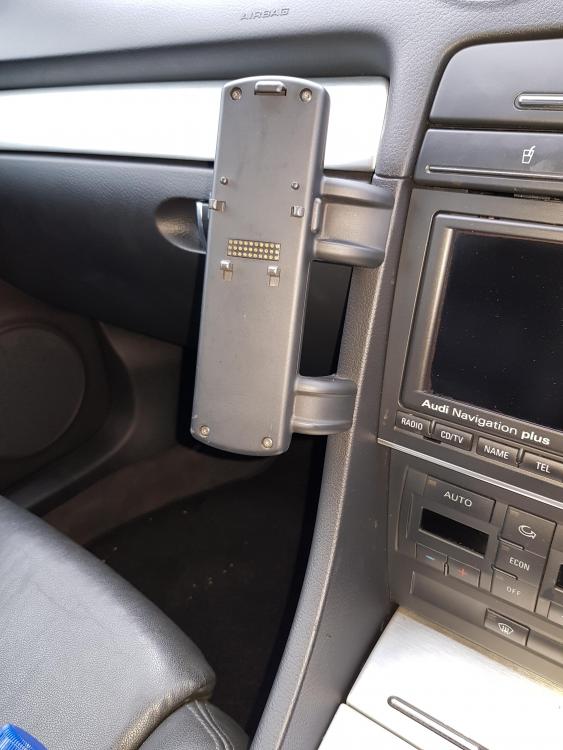
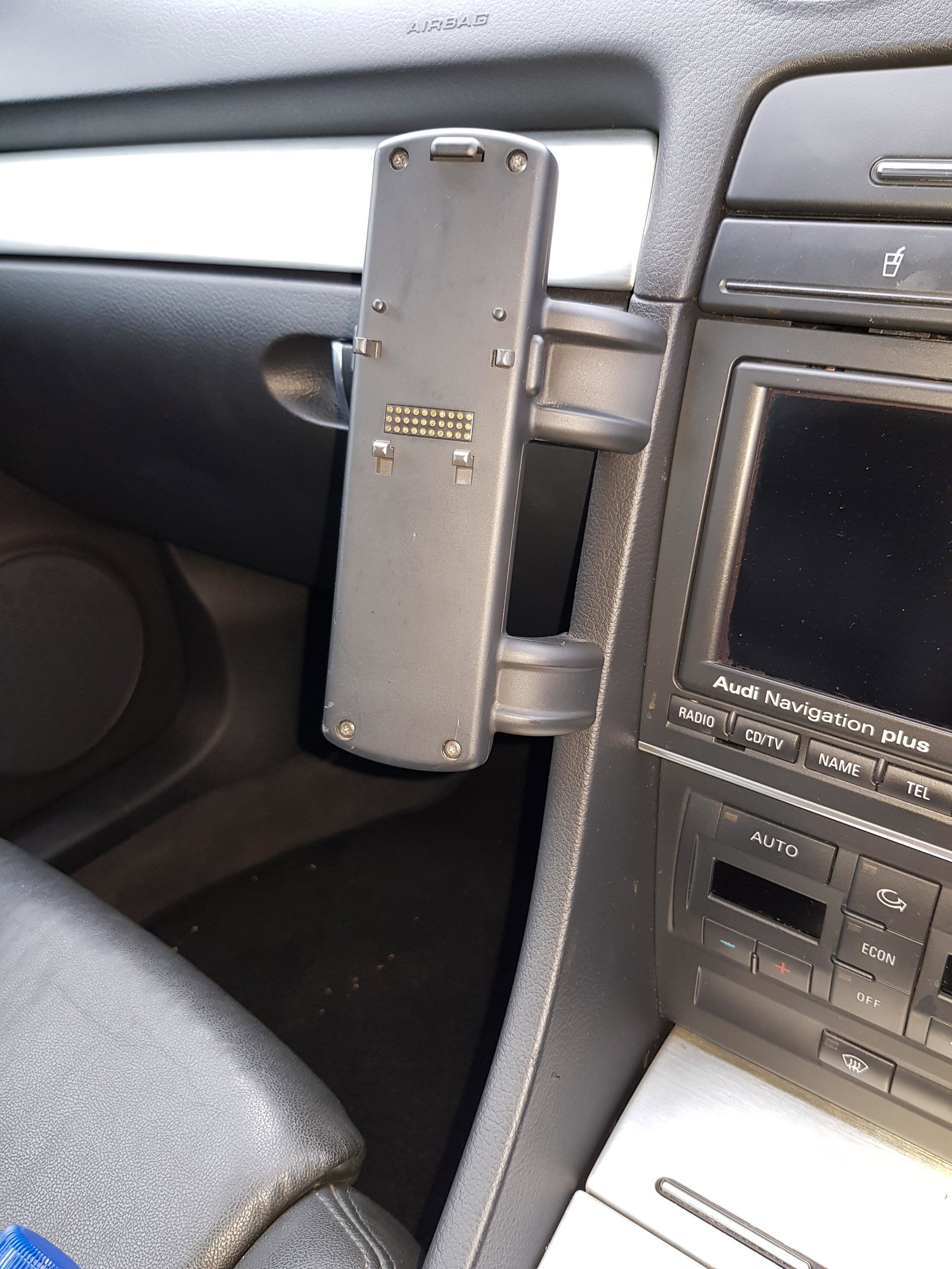
  1. Hi, Getting to know the Audi and its quirks, but I have a question regarding what appears to be a mobile phone cradle. I tried to remove today but it would cause unsightly damage where it has been fitted. It is a genuine Audi unit and I'm wondering what phone this would be for and if there is anything missing to enable me to use it? Any advise would be appreciated.
  2. Thanks Trevor, will have a look 😉
  3. Hi, new to the Audi scene.. Just PX'd the wifes 2001 Octavia VRS for a 2007 A4 2.0 TDi Convertible. Completely different drive, not as pokey but definitely a smoother ride. Got a few niggles such as air con needs a charge and there is a smell of exhaust fumes in the cab when the roof is up.. but I'm sure I'll find some answers on here.. Cheers


Background Picker
Customize Layout

Account

Navigation

Search

Search

Configure browser push notifications

Chrome (Android)
  1. Tap the lock icon next to the address bar.
  2. Tap Permissions → Notifications.
  3. Adjust your preference.
Chrome (Desktop)
  1. Click the padlock icon in the address bar.
  2. Select Site settings.
  3. Find Notifications and adjust your preference.