Db1994
Members
-
Joined
-
Last visited
Everything posted by Db1994
-
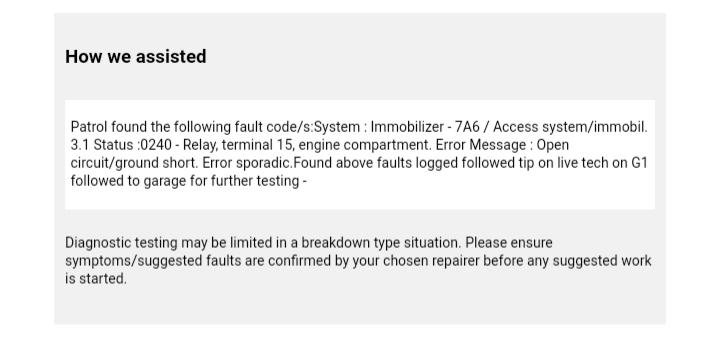
Hi all a little stuck left the car for three days when I returned it was a hot day so I used the unlock button on the remote for all four windows to come down when I went to start the car there was no ignition checked the battery and fuses etc all fine had to call the AA he struggled for around an hour or so but he could not find the issue either eventually it just started so I managed to get home it then did it again pulling into the petrol station called AA again this guy followed his steps on his computer and he ended up fusing a wire from the top of the fuse board to the bottom and it starts fine like that had it to my local garage and it runs fine for a day with the codes cleared but error keeps coming eventually searched the forums for stuff and can see a few people having the same issue some saying relays,immobiliser, steering column actuator just wondered if anyone could shed some light on it before I start the process of elimination I've attached the read out the breakdown recovery had found..