Q5BE
Members
-
Joined
-
Last visited
Everything posted by Q5BE
-
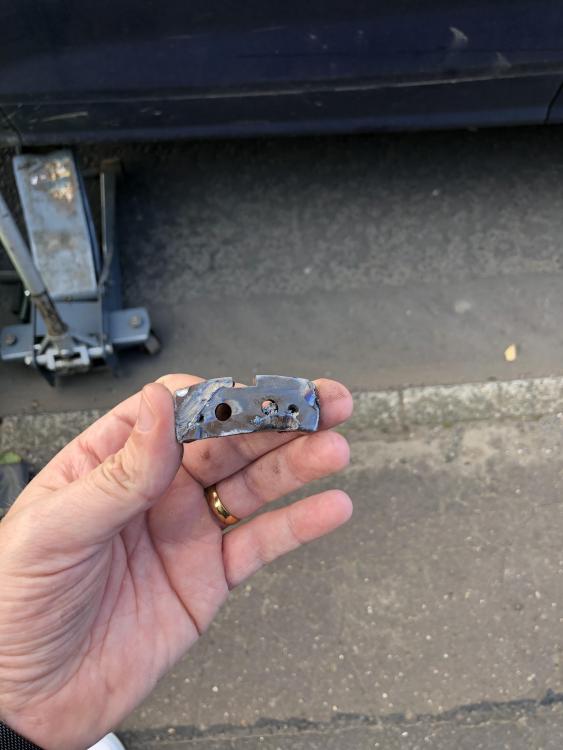
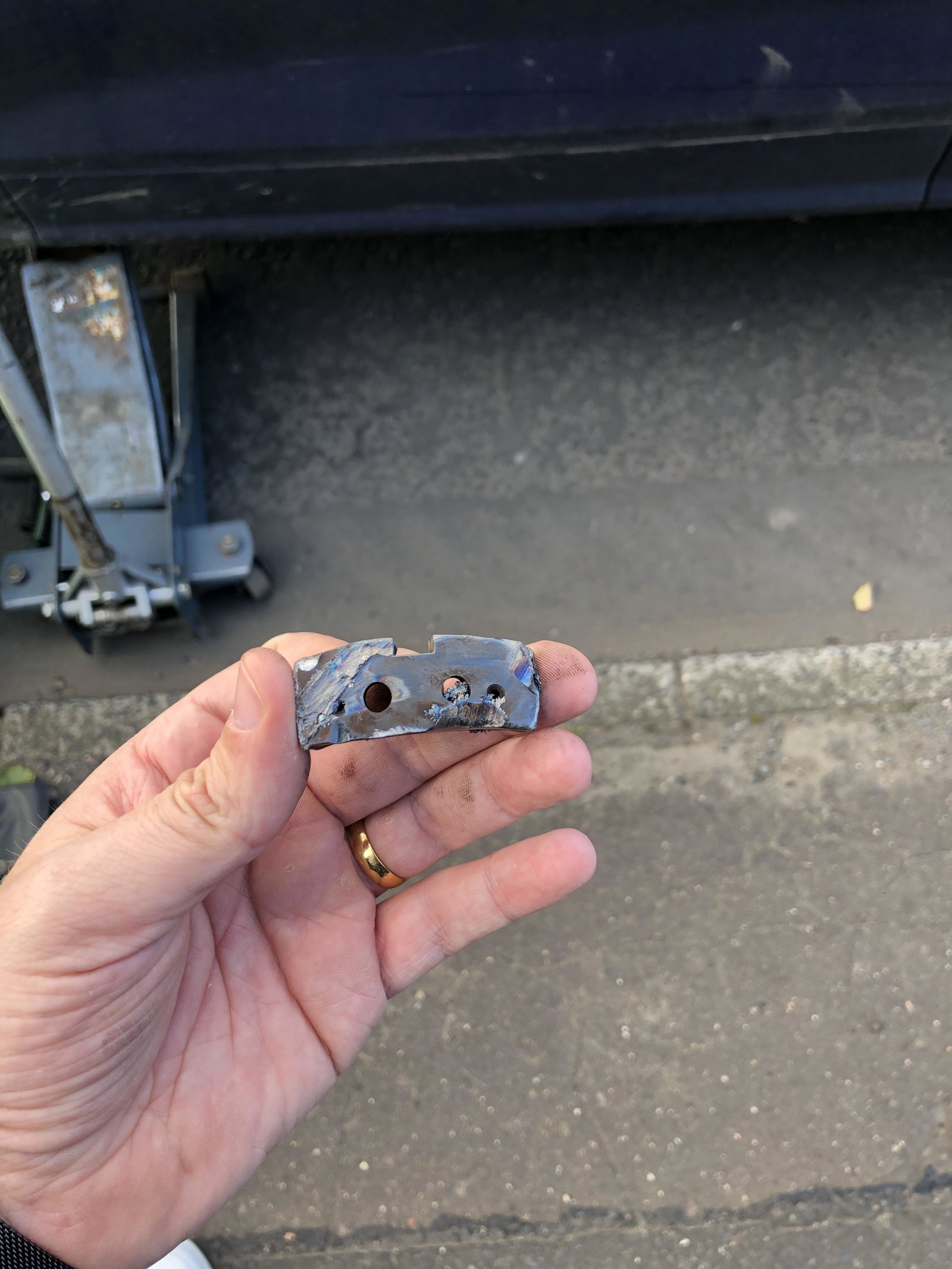
Hi All, Can any Audi technicians validate or give me a clue if this part would be part of the braking system of a Q5 Black Edition 68 plate? Long story that it’s been stuck in my front passenger wheel between the disc etc and trying to determine if it’s part of the car or not? Fairly heavy, very durable piece of metal. someone told me it looks like part of the braking calliper or braking system. someone else told me it’s not part of my car and picked up off the road which I’m finding it difficult to understand for a start, then totally puzzled how It could have got inside. A stone yes, but high grade piece of metal scratching my head. its the same width or a little less than the height shown in the picture. in order to remove it the roadside technician had to remove calliper and this bad boy was jammed in there somewhere. car only done 4K miles or so thanks