PaulManalishi
Members
-
Joined
-
Last visited
-
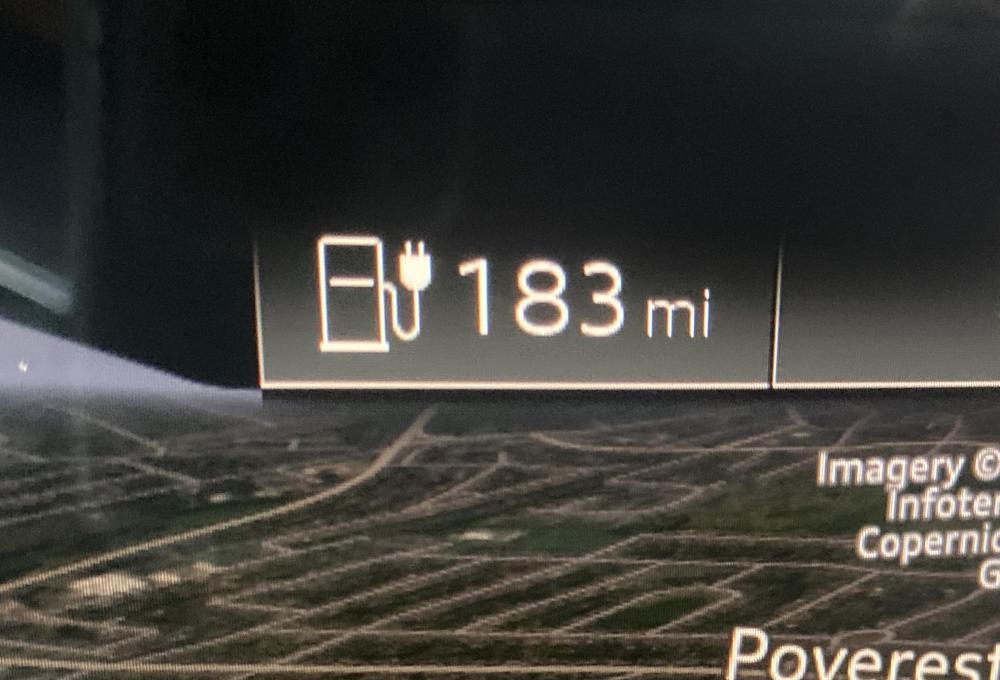
Hi Magnet Yes I understand the pinch of salt thing. It’s not the real world range in fussed about really it’s the fact that they quote a distance yet the cars default distance is different and significantly lower. I was wondering if anyone had the answer for that in particular? Picture attached.
-
Hello New to the forum having just picked up my Audi e-Tron Quattro 55 a few weeks back. Having just sold my Audi Q7 (which I loved) I am now fully electric which is great (especially BIK for company car tax). The issue I am having is, of course, range related. The car is advertised as having a range upto 240 miles or so. Now obviously that depends on lots of things, like petrol/diesel does, such as occupancy, how you drive it etc etc. That's a given. However on a full charge and set to 'efficiency' mode the range is coming out at 300km/186 miles. This is displayed on the control panel in the car and on my MyAudi app. I haven't had the car long enough to work out my actual range etc but alot of the reviews online report ranges of circa 200 miles or so. My question is that why would the car display a range of just 300km? Regardless of what I actually get, why would the car tell me my range is less? It's very odd and concerning as if the range starts only getting to 160-180 miles then longer trips are going to become more of a pain than I had planned. Has anyone got experience of this issue? Thank you Paul