Skip to content
View in the app

A better way to browse. Learn more.

Audi Owners Club (UK)

A full-screen app on your home screen with push notifications, badges and more.

To install this app on iOS and iPadOS
  1. Tap the Share icon in Safari
  2. Scroll the menu and tap Add to Home Screen.
  3. Tap Add in the top-right corner.
To install this app on Android
  1. Tap the 3-dot menu (⋮) in the top-right corner of the browser.
  2. Tap Add to Home screen or Install app.
  3. Confirm by tapping Install.


Nickmc

Members
  • Joined

  • Last visited

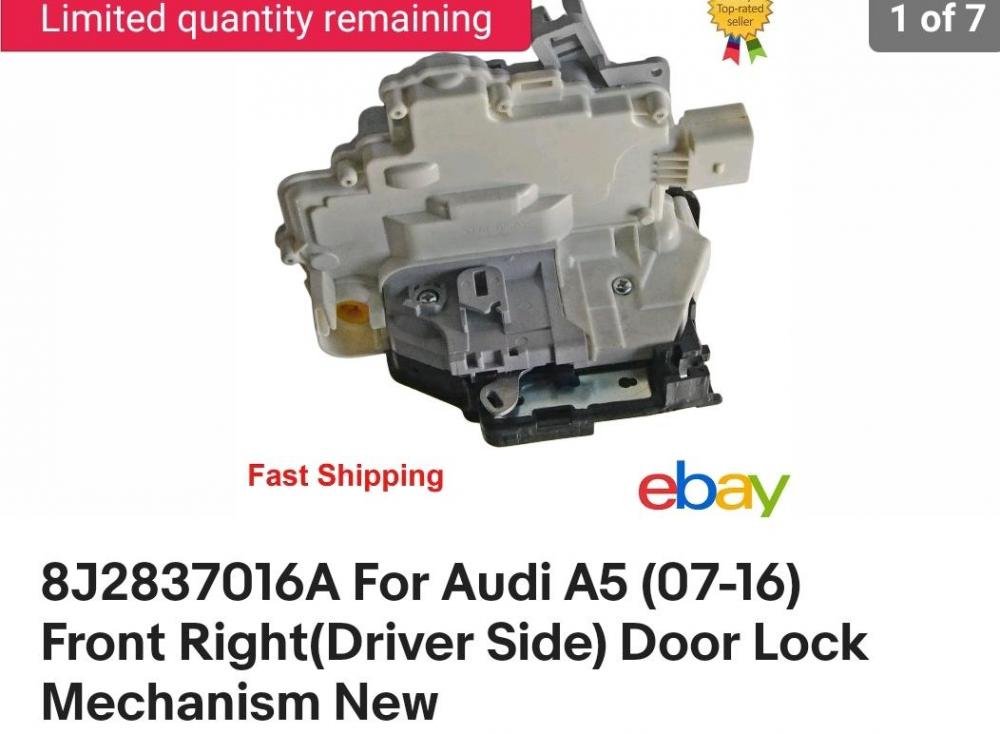
  1. Thanks for your interest Steve Not changed it as of yet as not sure if I have the right part number 8J2837016A is the 9 pin one and there seems to be a 7 pin one as well So still trying to find out which one it is If you have any ideas I would be greatful Thanks
  2. Hi new to here, after a bit of advice,i have the remote and door lock intermittently not working or not locking or unlocking both driver's door and boot, also key was working for a bit then stopped locking and unlocking and opening window, door handle went to so couldn't open from outside (door handle working now 🙄) so I've decided to change the driver's door lock, (Actuator) does anyone know if I have the right part for the spec and year of my car, A5 8t3 2.7tdi 57 reg, 8J2837016A which is the 9 pin one, Would appreciate anyone's help


Background Picker
Customize Layout

Account

Navigation

Search

Search

Configure browser push notifications

Chrome (Android)
  1. Tap the lock icon next to the address bar.
  2. Tap Permissions → Notifications.
  3. Adjust your preference.
Chrome (Desktop)
  1. Click the padlock icon in the address bar.
  2. Select Site settings.
  3. Find Notifications and adjust your preference.