




Skip to content
View in the app

A better way to browse. Learn more.

Audi Owners Club (UK)

A full-screen app on your home screen with push notifications, badges and more.

To install this app on iOS and iPadOS
  1. Tap the Share icon in Safari
  2. Scroll the menu and tap Add to Home Screen.
  3. Tap Add in the top-right corner.
To install this app on Android
  1. Tap the 3-dot menu (⋮) in the top-right corner of the browser.
  2. Tap Add to Home screen or Install app.
  3. Confirm by tapping Install.

A5BHOY

Members
  • Joined

  • Last visited

  1. Hi Trevor and Steve, thanks for the welcome. 👍
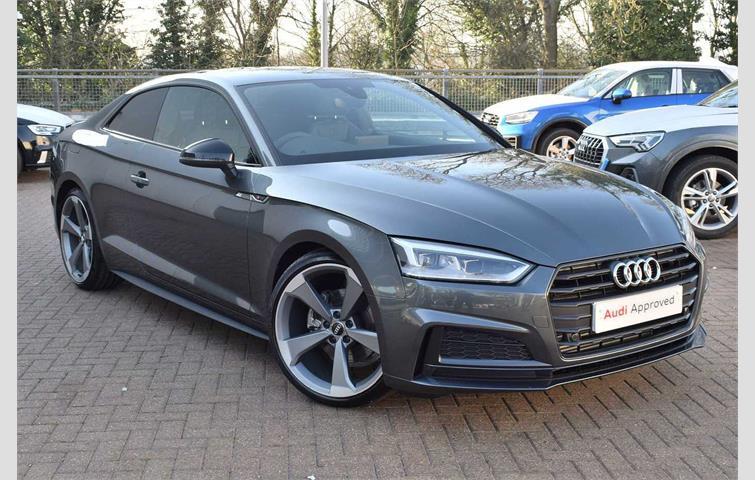
  2. Hi everyone, I'm new on here and just finding my way around the site. I recently bought a 2016 A5 S-Line plus coupe Black Edition 2.0 Auto in Dakota Grey. Before that I had a 2006 A4 2.0 SE Quattro (170). I love my new car, but due to the ongoing lockdown and travel restrictions, I've not been able to take it for a proper drive. I'm into my football and I've had a season ticket at Celtic Park for 10 years. I skydive as a hobby, but like the football and driving the new car, I'm unable to participate in any of the above at the moment.



Background Picker
Customize Layout

Account

Navigation

Search

Search

Configure browser push notifications

Chrome (Android)
  1. Tap the lock icon next to the address bar.
  2. Tap Permissions → Notifications.
  3. Adjust your preference.
Chrome (Desktop)
  1. Click the padlock icon in the address bar.
  2. Select Site settings.
  3. Find Notifications and adjust your preference.