




Skip to content
View in the app

A better way to browse. Learn more.

Audi Owners Club (UK)

A full-screen app on your home screen with push notifications, badges and more.

To install this app on iOS and iPadOS
  1. Tap the Share icon in Safari
  2. Scroll the menu and tap Add to Home Screen.
  3. Tap Add in the top-right corner.
To install this app on Android
  1. Tap the 3-dot menu (⋮) in the top-right corner of the browser.
  2. Tap Add to Home screen or Install app.
  3. Confirm by tapping Install.

Savvyb123

Members
  • Joined

  • Last visited

Everything posted by Savvyb123

  1. My stop start is definitely activated and worked once, however, whenever I am now getting it to work it just comes up with the stop start sign with a line through it on my dashboard, as if it’s telling me it’s not doing it. Any advice?
  2. Thank you Steve, will this work the same with a chorus instead of concert?
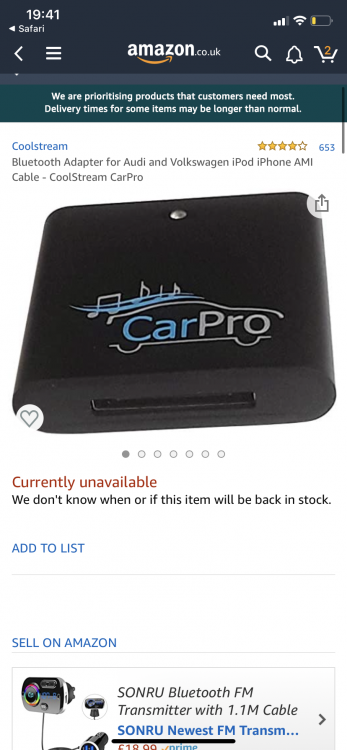
  3. I have an Audi A3 cabriolet, 2010, obviously the 30 pin iPod plug is a thing of the past and I want to use an adapter lead to make it a aux in, would this work if I were to plug in a Bluetooth device? or if it wouldn’t work and go straight to a female 30 pin Bluetooth plug in? Such as the one I’m tagging a photo of. Thanks x


Background Picker
Customize Layout

Account

Navigation

Search

Search

Configure browser push notifications

Chrome (Android)
  1. Tap the lock icon next to the address bar.
  2. Tap Permissions → Notifications.
  3. Adjust your preference.
Chrome (Desktop)
  1. Click the padlock icon in the address bar.
  2. Select Site settings.
  3. Find Notifications and adjust your preference.