tam200
Members
-
Joined
-
Last visited
-
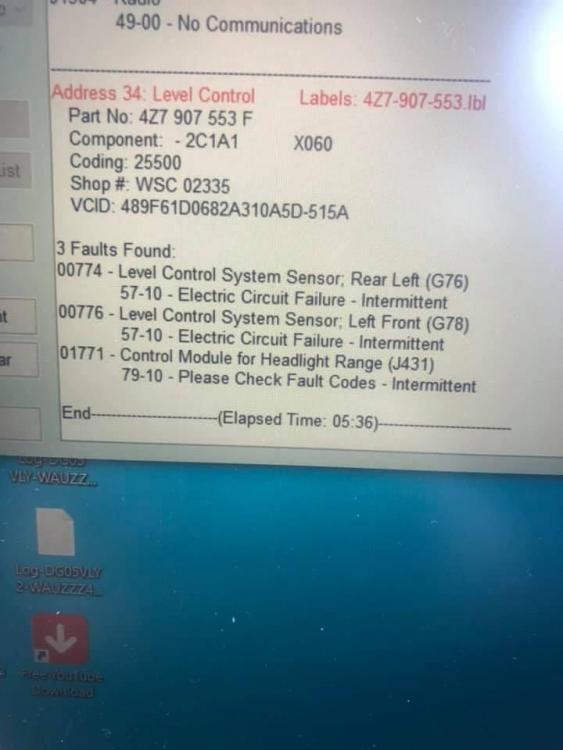
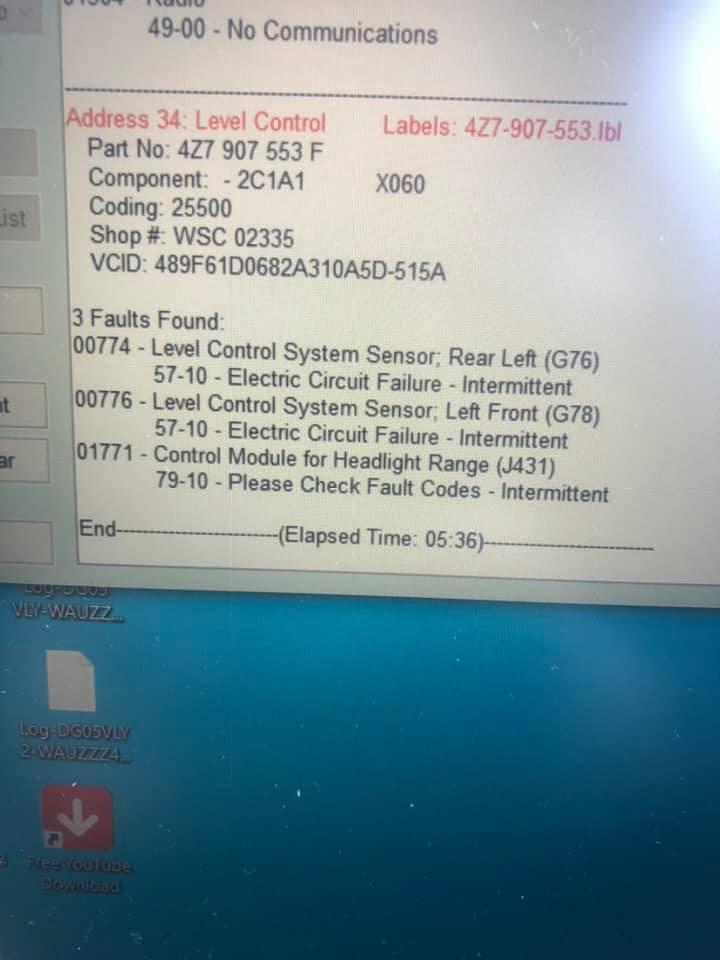
hi all, i am new to this forum and i am looking for some advice. I have a 2005 c5 all road quattro which has a suspension issue and headlight range fault the issue is its lower on the passenger side than it is on the drivers side. and also the headlight range control warning light on the dash. before we bought the car all the suspension was fixed or so we were told. after running diganostic i found the following errors: Address 34 level control 3 faults found: 00774 level control system sensor rear left, 57-10 electric circuit failure- intermittent 00776 level control system sensor left front, 57-10 electric circuit failure- intermittent 01771- control module for headlight range, 79-10 please check fault codes- intermittent i done so research online i found out the front left sensor is a common to go faulty so i have replaced it cleared the fault codes and nothing had changed so i have replaced the headlight range control module cleared the faults and the above faults cleared but the suspension is still low on the passenger side and the headlight warning light is still on the dash i done a rescan and found no faults. I tried to do the re-calibration using vcds but when i tried to do it after checking front left i was getting 450mm and when i tried to enter it then test it the progam crashed and i could not get it to accept. can anyone help?