James RS4
Members
-
Joined
-
Last visited
Everything posted by James RS4
-
Well we do all "Feel the Force" .. Its a symbol. Txs!!
-
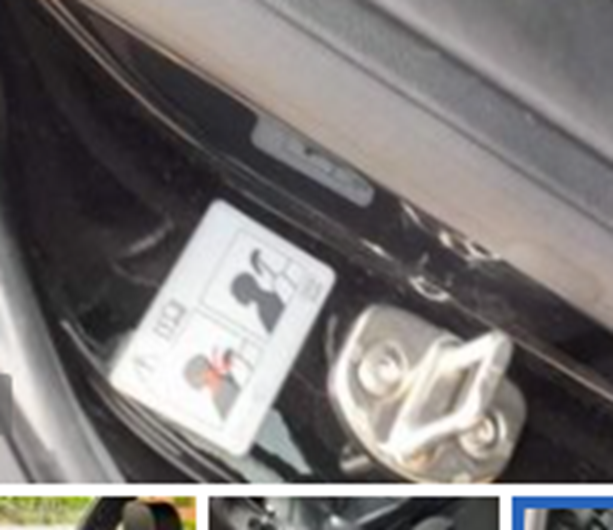
Hi there - does anyone know why some B7's have a Data warning label inside the rear doors? was it just production year related?
-
Hi there - does any know the part number for Wingback leather seat covers .. I see a few covers for sale on Ebay + whole seats, however I haven't been able to locate the original part number to see if its still available to order. Txs.
-
Hi Steve - 2017 was a typo.. sorry.. indeed its a 2007 model. Thxs
-
Thanks Steve
-
Hi There - can anyone advise on the OEM part number for mudflaps for a 2017 S Line Cabriolet - all the ones I see seem to be be for the saloon and Avant? - Thanks.
-
Hi there - If anyone can give advise on the following I'd be very grateful. We own a 2017 Audi 2.oT Sline Cabriolet that's fitted with Audio Concert Audio system. 1) I'm looking to upgrade to BOSE with used parts . Can anyone tell me where the Amplier should be installed , would the wiring already be in place.. Any watch outs with doing this ? 2) Would be to the same with the head unit - to replace it the Navigation plus RNS -E.. to install SatNav to the car.. If we wanted to also add BlueTooth hands free does anyone know what else would be needed? Thanks