SynonymForTree
Members
-
Joined
-
Last visited
Everything posted by SynonymForTree
-
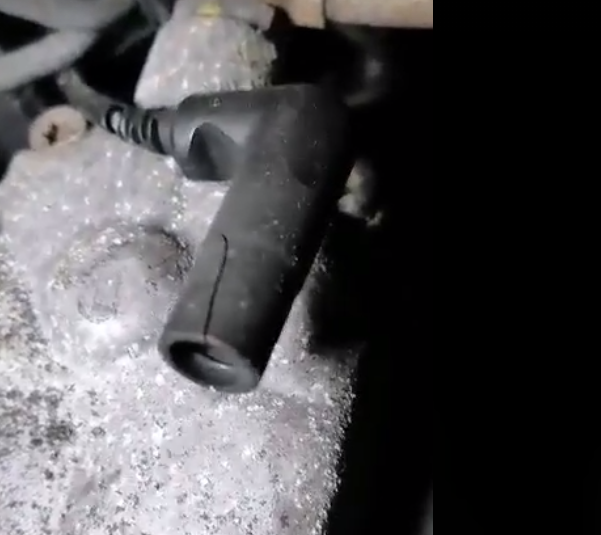
I'm also considering gluing some plastic bits together... the electrical connector are fine, I think it just needs this to sit tightly on the glow plug
-
I'm now thinking of finding a breaking AVG engine and taking them off that Anyone know what these need to be rated too or done this ?
-
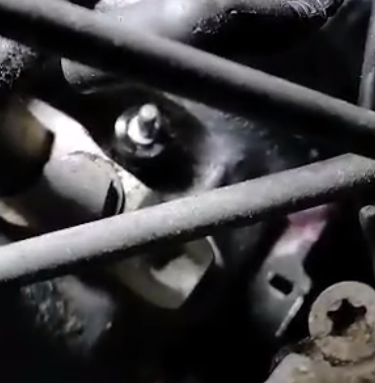
Hi, I was going to change my glow plugs tonight - first time doing this. I've taken off the first wires on the first plug and its come off OK but I noticed the plastic was a bit cracked, on the next one I've taken off part of the plastic has stayed on the plug. Is this just because they are brittle and old - I assume the wiring has never been changed and got weak - or is it something I've done wrong? Anyway, wondering of my next best steps - can anyone recommend what parts to go for from here? I can't find an exact part match so far
-
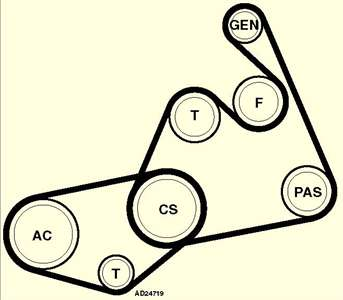
Got a squeaky noise when turning wheel and first job will be to try changing the belt (A6 2001, 110bhp 1.9 tdi) Looks like there is two belts, one wrapping around the main shaft and powering the AC with a tensioner and another wrapping around the main shaft and driving the alternator, power steering and a fan. I obviously want to change the drive belt but it looks like I'll have to taken the AC one off anyway to get that one off - not sure how I'll deal with the fan. Has anyone changes this without taking the front off?