




Skip to content
View in the app

A better way to browse. Learn more.

Audi Owners Club (UK)

A full-screen app on your home screen with push notifications, badges and more.

To install this app on iOS and iPadOS
  1. Tap the Share icon in Safari
  2. Scroll the menu and tap Add to Home Screen.
  3. Tap Add in the top-right corner.
To install this app on Android
  1. Tap the 3-dot menu (⋮) in the top-right corner of the browser.
  2. Tap Add to Home screen or Install app.
  3. Confirm by tapping Install.

Steve2702

Members
  • Joined

  • Last visited

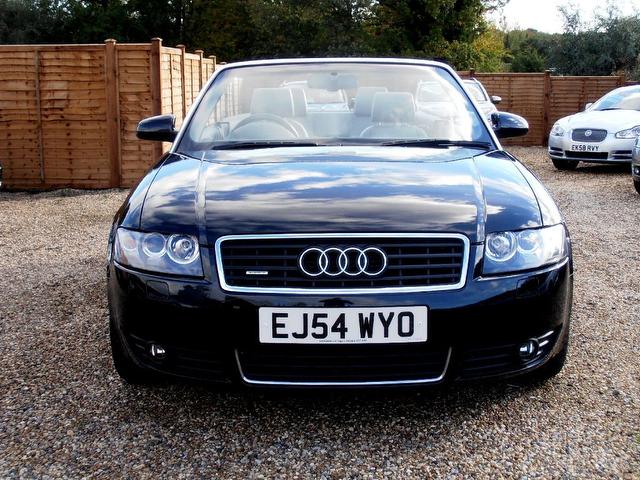
  1. Just purchased my first Audi the A4 3.0 Quattro Tiptronic and must say am very impressed. so joined the club too. So nope no questions and no problems (yet!!) and looking forward to having the car. Not sure how often the Soft top will be down. Looking out of the window now and hoping for some localised global warming so I can give it a go. Failing that Scuba diving in Hurghada in a couple of weeks should help
  2. Hi!

    Steve2702 replied to mel's topic in New Members Introductions
    I have just bought the A4 3.0 Quattro Auto on a 54 plate. I do not have the problems you are having and the Auto box is really smooth. also not a Mechanic so cannot help but just wanted to say that I don't have the same problem



Background Picker
Customize Layout

Account

Navigation

Search

Search

Configure browser push notifications

Chrome (Android)
  1. Tap the lock icon next to the address bar.
  2. Tap Permissions → Notifications.
  3. Adjust your preference.
Chrome (Desktop)
  1. Click the padlock icon in the address bar.
  2. Select Site settings.
  3. Find Notifications and adjust your preference.