amr1th
Members
-
Joined
-
Last visited
Everything posted by amr1th
-
Found some injectors for £100
-
Ive already changed the fuel pump/sender!!
-
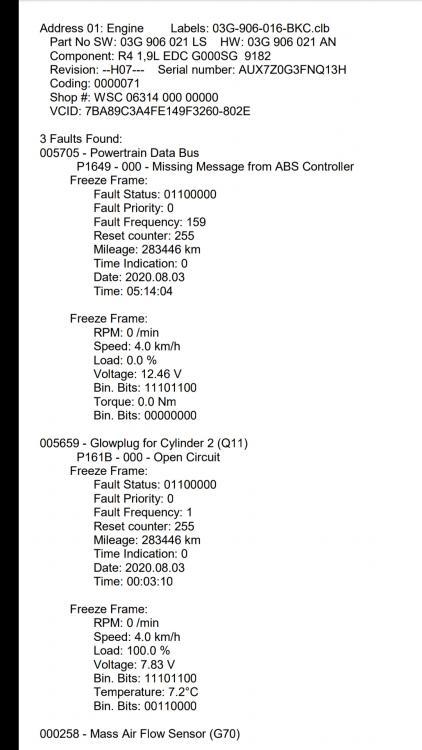
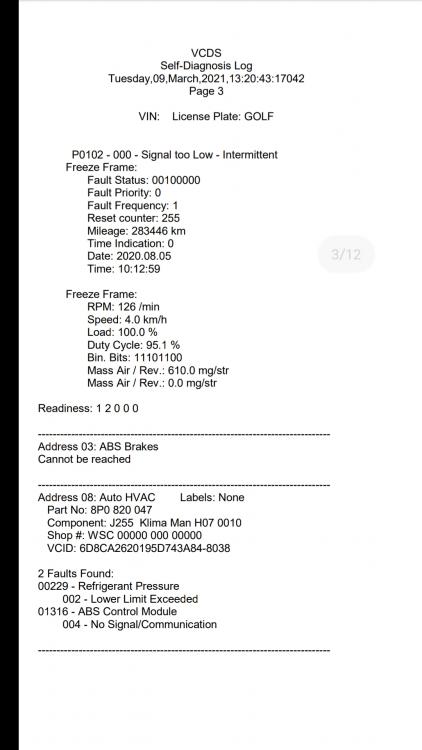
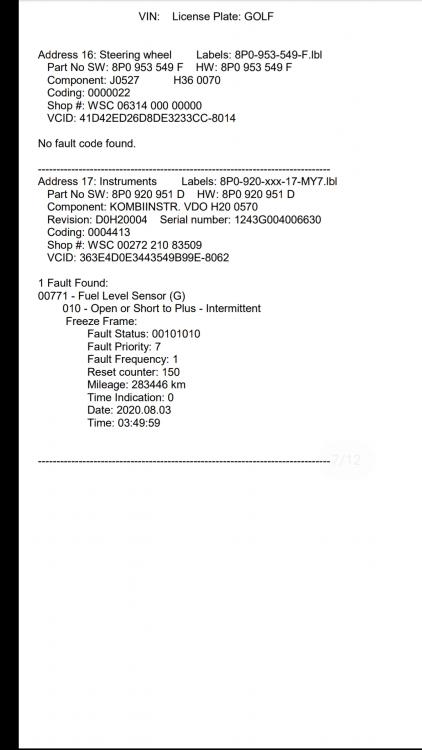
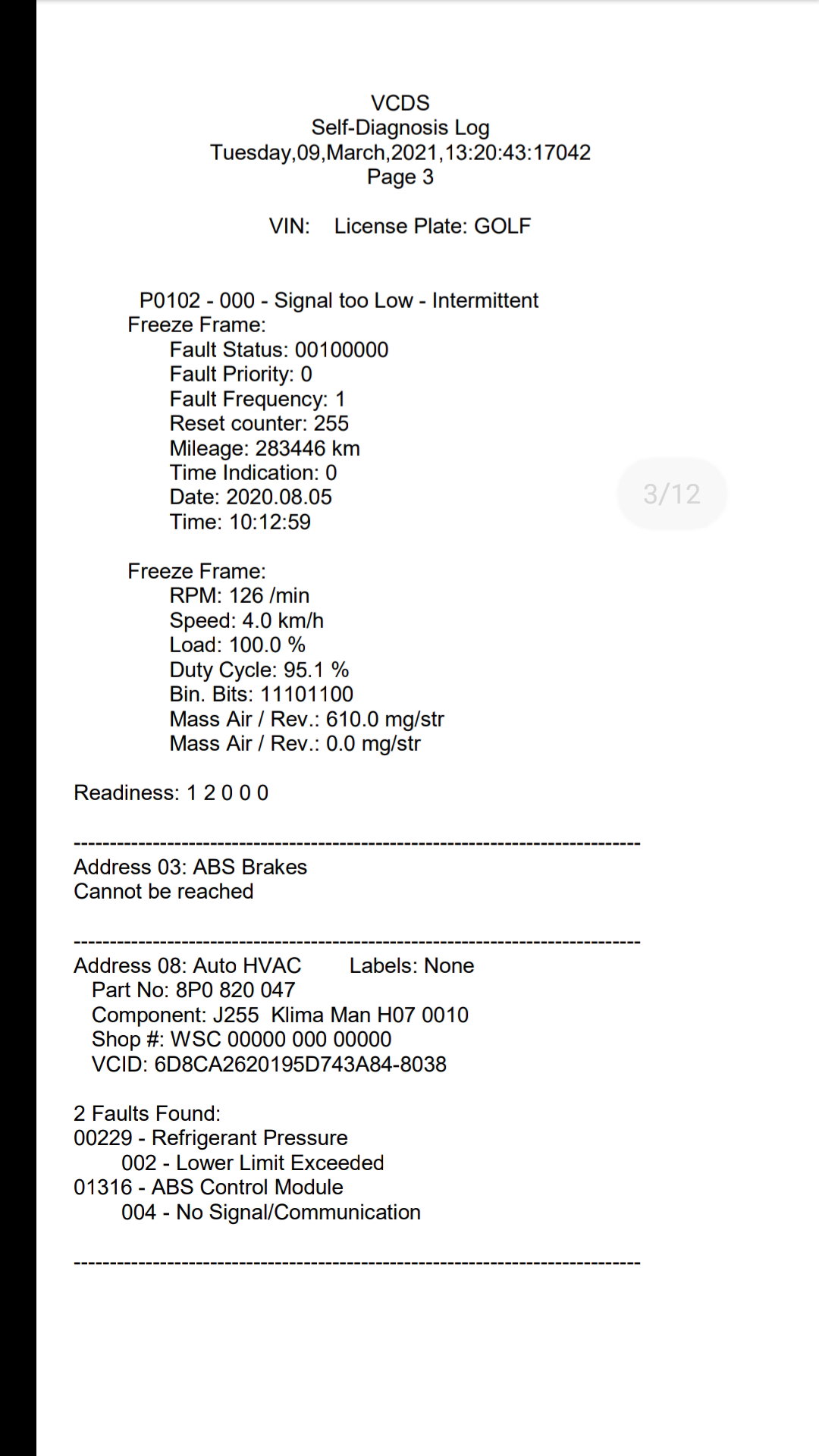
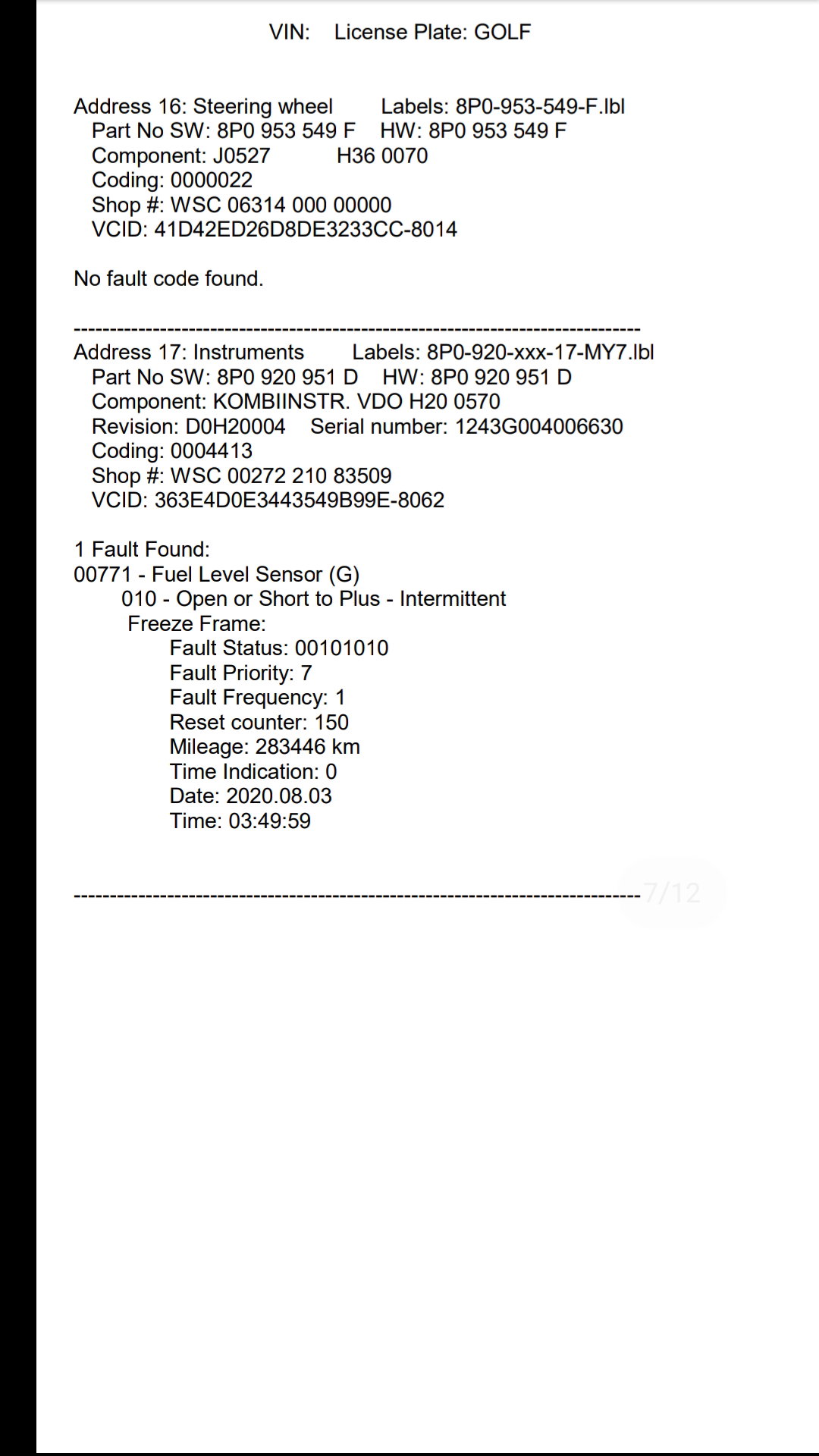
Hi there guys im new on here and was hoping to get some great advice of a silly incident which happend to me couple weeks ago and its now frying my brain cells. Any advice would be a life saver. So whats happend is my friend put £20 petrol in the car and when he realised whats he done we move the car to a side. We took most the fuel out the tank of the garage courts and put in £60 diesal and pray for the best. Cars a high milage but before the misfuel car drove strong apart from other issue's. Now we have changed the fuel sender and changed the maf sensor since it came up on the vag! It will crank no start. Once it starts after alot of cranking or easy start it will run smooth no issues!!! But once you drive for 10mins it will die out and take ages to start again? I honestly dont know the issue i forgot to mention we did service the car and change fuel filter still no luck, blew the starter motor cranking it so got a new one put in same issue maybe change the filter again and tank the car and try fuel injector cleaner i duno? I might have missed some details but if anyone can help honestly you would bea actual life safer thank you for reading my pea!