Skip to content
View in the app

A better way to browse. Learn more.

Audi Owners Club (UK)

A full-screen app on your home screen with push notifications, badges and more.

To install this app on iOS and iPadOS
  1. Tap the Share icon in Safari
  2. Scroll the menu and tap Add to Home Screen.
  3. Tap Add in the top-right corner.
To install this app on Android
  1. Tap the 3-dot menu (⋮) in the top-right corner of the browser.
  2. Tap Add to Home screen or Install app.
  3. Confirm by tapping Install.

Eric Morris

Members
  • Joined

  • Last visited

Everything posted by Eric Morris

  1. Thanks! Guess this is an Audi Main Agent issue so costly?
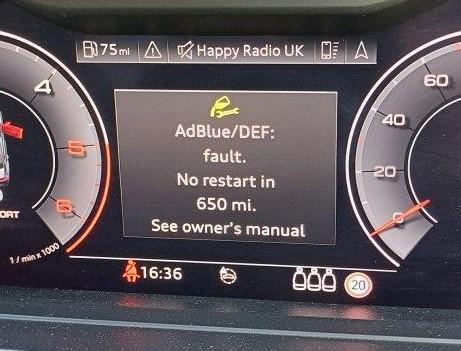
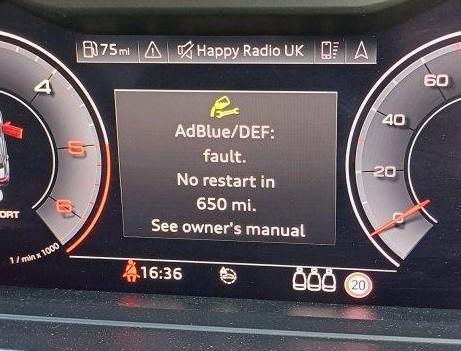
  2. Any advice? What does this mean? Solutions? TIA.
  3. My issue is the reverse ie. On start up intermittently the passenger door mirror does not unfold. If I relock and unlock it unfolds on ignition! Frustrating.
  4. Apologies, Technophobe! Is there a 12v socket in the boot? Where can I find it? Has anyone used a plug in cool bag/box? Does it remain active when the engine is turned off? Any recommendations? TIA


Background Picker
Customize Layout

Account

Navigation

Search

Search

Configure browser push notifications

Chrome (Android)
  1. Tap the lock icon next to the address bar.
  2. Tap Permissions → Notifications.
  3. Adjust your preference.
Chrome (Desktop)
  1. Click the padlock icon in the address bar.
  2. Select Site settings.
  3. Find Notifications and adjust your preference.