




Skip to content
View in the app

A better way to browse. Learn more.

Audi Owners Club (UK)

A full-screen app on your home screen with push notifications, badges and more.

To install this app on iOS and iPadOS
  1. Tap the Share icon in Safari
  2. Scroll the menu and tap Add to Home Screen.
  3. Tap Add in the top-right corner.
To install this app on Android
  1. Tap the 3-dot menu (⋮) in the top-right corner of the browser.
  2. Tap Add to Home screen or Install app.
  3. Confirm by tapping Install.

Krasnowski

Members
  • Joined

  • Last visited

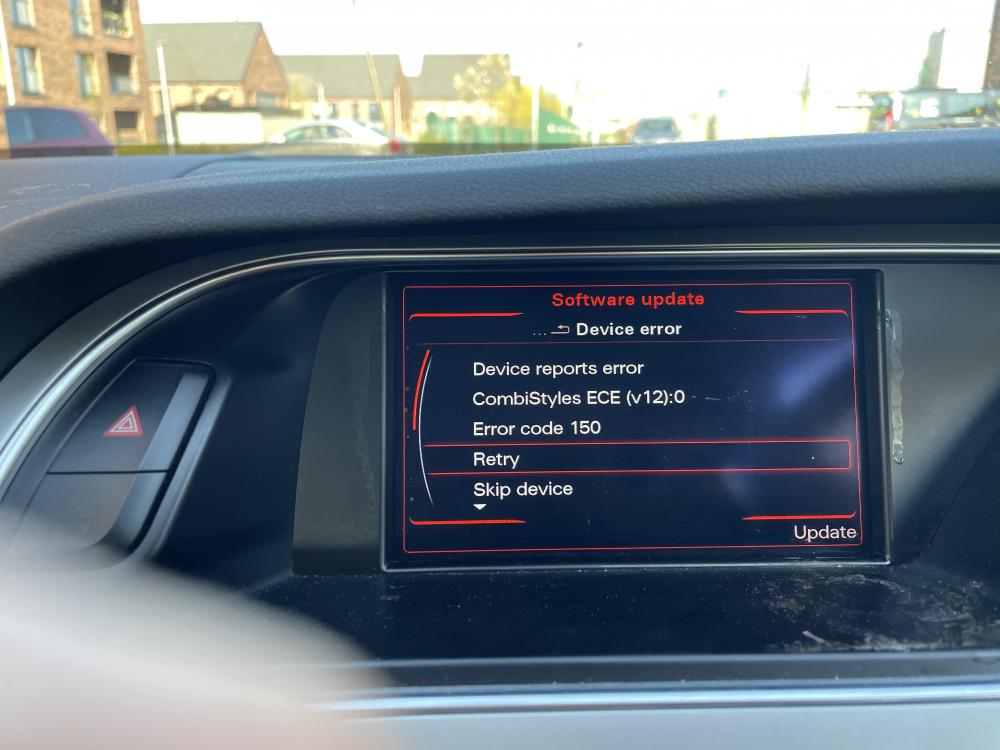
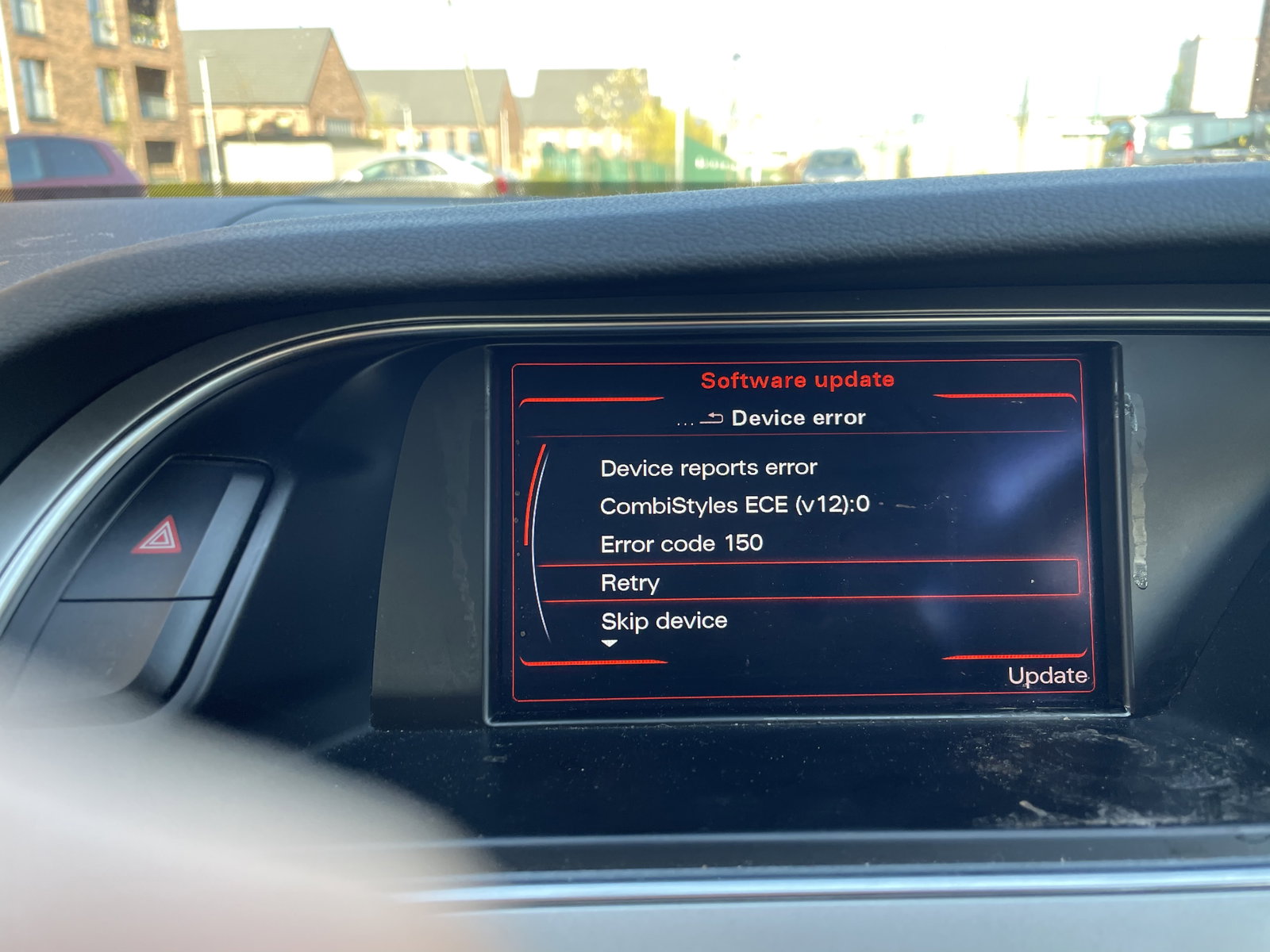
  1. Hi I've got a audio a4 b8 and I recently tried to update the software and it didn't work now the unit has crashed and is stuck on the update menu and I can't do anything, the unit always stays on even if the car is off. I tried to restart the unit and it didn't do anything also cleared any error codes with an odb11 and nothing still the same issue and got the error code of 150 on the screen. Is there anything I can try that isn't buying a new unit?


Background Picker
Customize Layout

Account

Navigation

Search

Search

Configure browser push notifications

Chrome (Android)
  1. Tap the lock icon next to the address bar.
  2. Tap Permissions → Notifications.
  3. Adjust your preference.
Chrome (Desktop)
  1. Click the padlock icon in the address bar.
  2. Select Site settings.
  3. Find Notifications and adjust your preference.