




Skip to content
View in the app

A better way to browse. Learn more.

Audi Owners Club (UK)

A full-screen app on your home screen with push notifications, badges and more.

To install this app on iOS and iPadOS
  1. Tap the Share icon in Safari
  2. Scroll the menu and tap Add to Home Screen.
  3. Tap Add in the top-right corner.
To install this app on Android
  1. Tap the 3-dot menu (⋮) in the top-right corner of the browser.
  2. Tap Add to Home screen or Install app.
  3. Confirm by tapping Install.


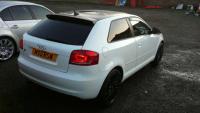
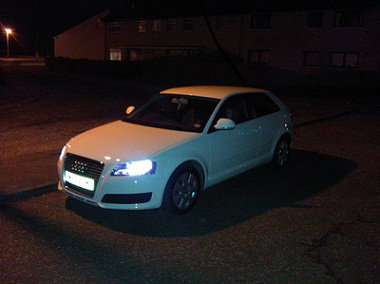
2009 White Audi A3 1.6

Members
  • Joined

  • Last visited

  1. Very nice. Currently got the 2009 model and can see myself trading it in towards this or the saloon version. Great looking cars.
  2. Hi there. Do you have a picture of these lights?
  3. Thanks. Right now I'm just concentrating on how the car looks. It was just a basic SE when I bought it back in December but since then I've added the S Line spoiler & badges, chrome mirrors, tinted rear windows, chrome exhaust tip, Falken tyres & Kei Racing alloys. Next on the list is making the roof & spoiler black (Probably just with a vinyl) The idea from the start was to have it looking like a Black Edition. Coming on pretty well! Check out my pics & if anyone has any other suggestions share them :) cheers!
  4. Hi, I'm Mark! I Joined a couple of days ago. Bought an 2009 A3 back in December & love it It's only the 1.6 petrol version so I'm going to be looking to make it a little quicker! I've thought about the K&N stuff & maybe even a remap. Would it be worth it?

Background Picker
Customize Layout

Account

Navigation

Search

Search

Configure browser push notifications

Chrome (Android)
  1. Tap the lock icon next to the address bar.
  2. Tap Permissions → Notifications.
  3. Adjust your preference.
Chrome (Desktop)
  1. Click the padlock icon in the address bar.
  2. Select Site settings.
  3. Find Notifications and adjust your preference.