




Skip to content
View in the app

A better way to browse. Learn more.

Audi Owners Club (UK)

A full-screen app on your home screen with push notifications, badges and more.

To install this app on iOS and iPadOS
  1. Tap the Share icon in Safari
  2. Scroll the menu and tap Add to Home Screen.
  3. Tap Add in the top-right corner.
To install this app on Android
  1. Tap the 3-dot menu (⋮) in the top-right corner of the browser.
  2. Tap Add to Home screen or Install app.
  3. Confirm by tapping Install.

meoldyucca

Members
  • Joined

  • Last visited

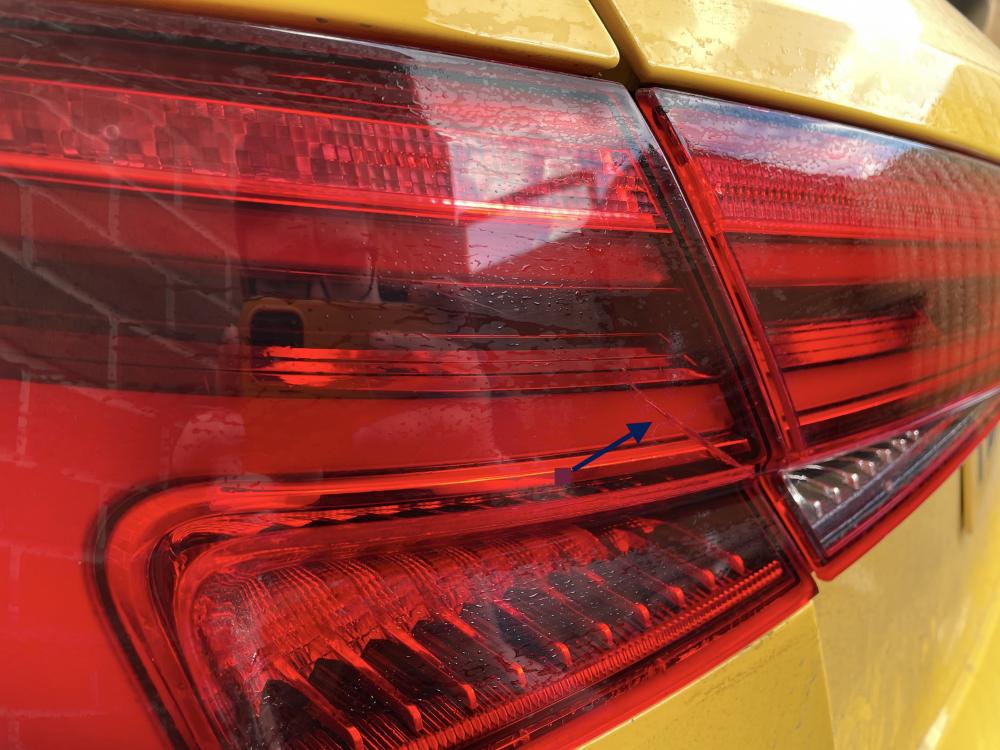
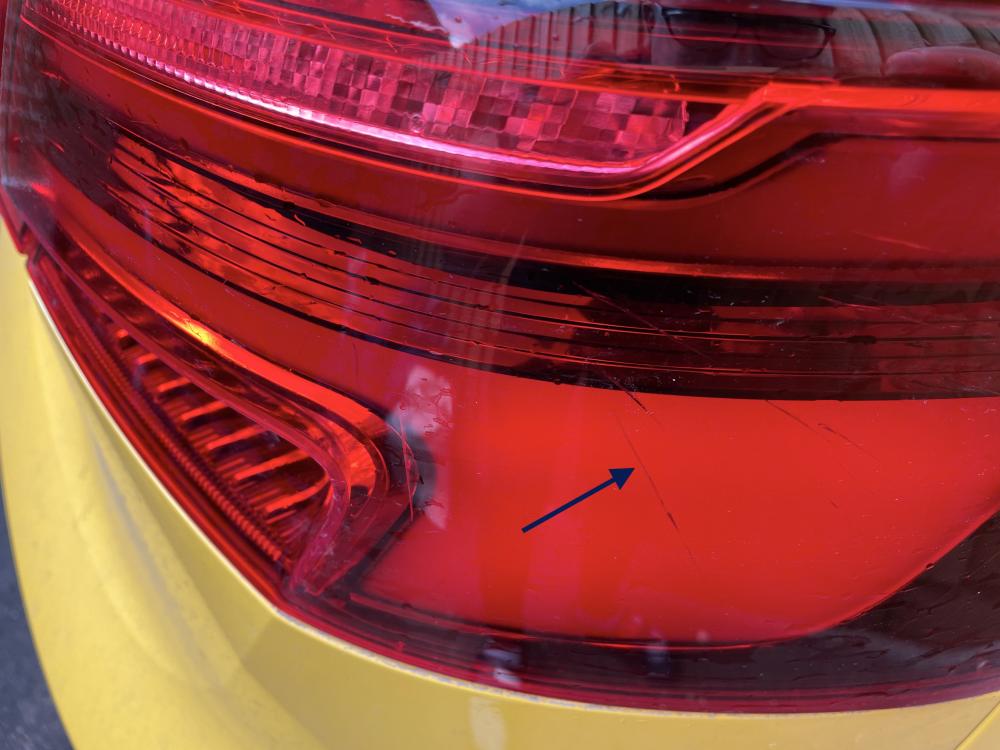
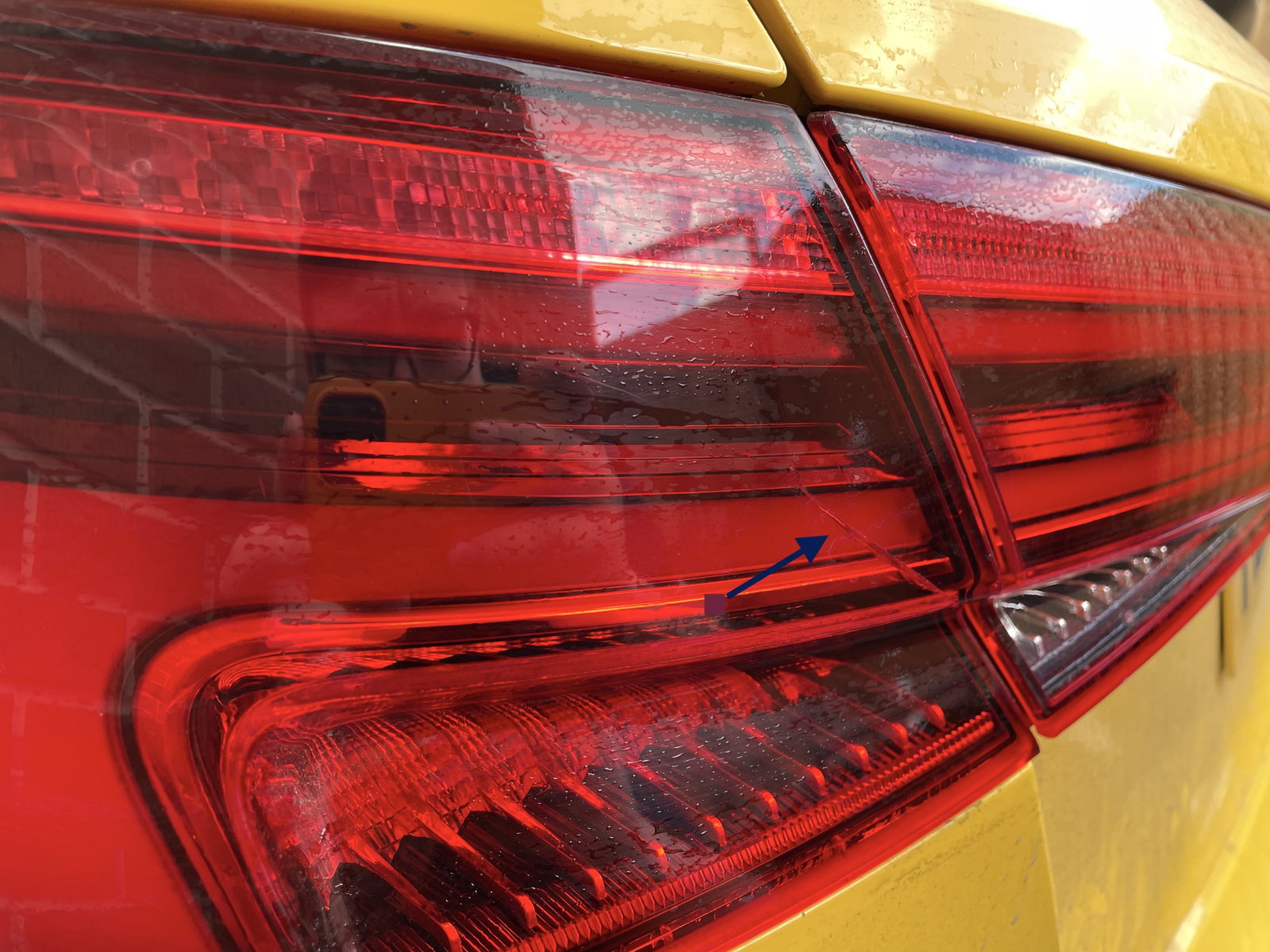
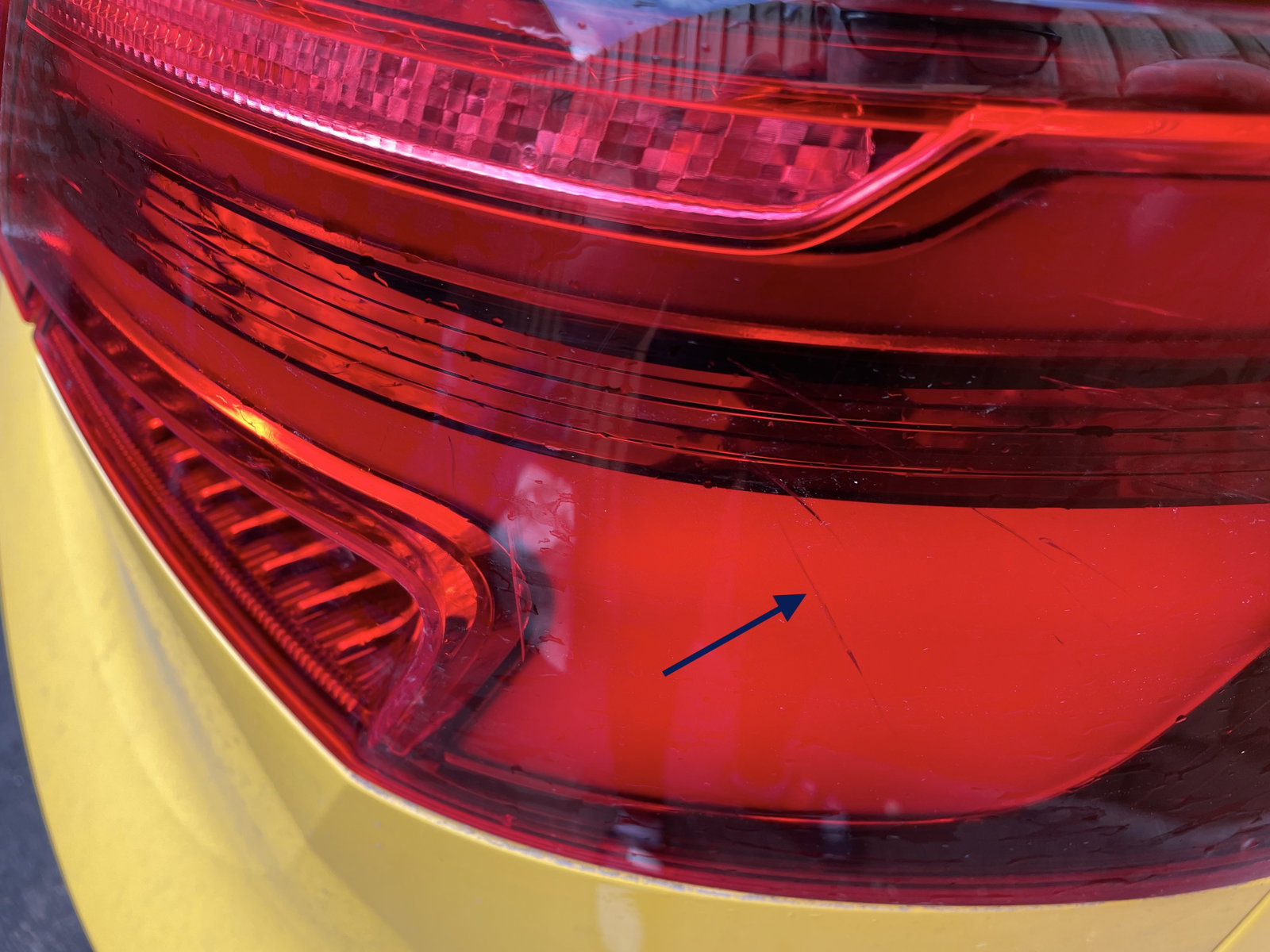
  1. Hi Guys, I've got a 2017 a3 and the warranty expired last august. Recently I've become aware of cracking in the rear lights, but only in the plastic which is part of the body, not the boot (hope that makes sense). I will post some pics below with arrows and hopefully you can see the cracks, they are quite a few cracks on both lights. Im looking for some opinions as to how to go about this as the car is now out of warranty. The cracking is on both rear lights and the car has had 0 impacts. Any help is appreciated, Cheers, Waz
Background Picker
Customize Layout

Account

Navigation

Search

Search

Configure browser push notifications

Chrome (Android)
  1. Tap the lock icon next to the address bar.
  2. Tap Permissions → Notifications.
  3. Adjust your preference.
Chrome (Desktop)
  1. Click the padlock icon in the address bar.
  2. Select Site settings.
  3. Find Notifications and adjust your preference.