




Skip to content
View in the app

A better way to browse. Learn more.

Audi Owners Club (UK)

A full-screen app on your home screen with push notifications, badges and more.

To install this app on iOS and iPadOS
  1. Tap the Share icon in Safari
  2. Scroll the menu and tap Add to Home Screen.
  3. Tap Add in the top-right corner.
To install this app on Android
  1. Tap the 3-dot menu (⋮) in the top-right corner of the browser.
  2. Tap Add to Home screen or Install app.
  3. Confirm by tapping Install.


Shirty

Members
  • Joined

  • Last visited

  1. Shirty replied to Shirty's topic in Audi Technical
    Yes i did be cause the engine wouldnt turn off ?
  2. Shirty posted a topic in Audi Technical
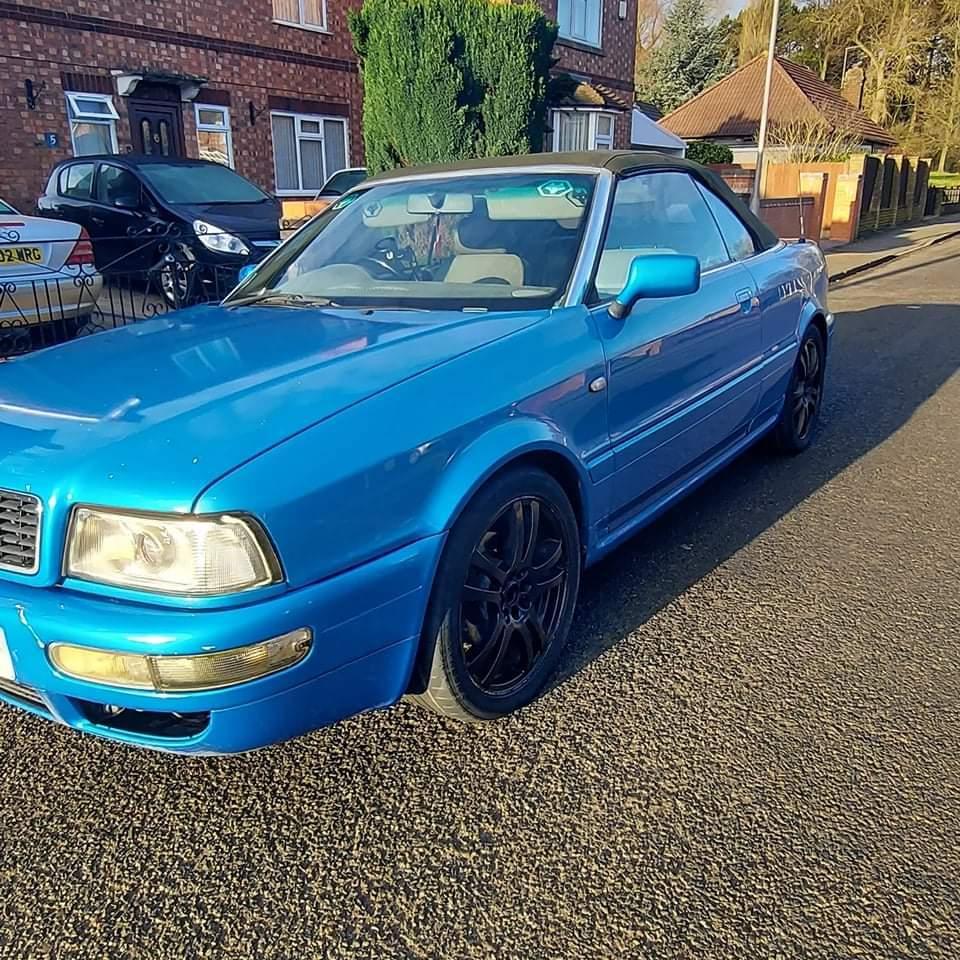
    hi i have just brought a 2000 80 cabriolet 1.8 petrol i noticed the cigarette lighter was missing the radio didnt work and the interior light didnt work so i checked fuse box the index states number 4 15 amp fuse that was missing so i put 1 in the light and radio then worked but the rear nymber plate lights were on the key fob wudnt work and all the lights on the instrument cluster were flashin the car starts then dies after a couple of seconds this is without the key in ignition ??


Background Picker
Customize Layout

Account

Navigation

Search

Search

Configure browser push notifications

Chrome (Android)
  1. Tap the lock icon next to the address bar.
  2. Tap Permissions → Notifications.
  3. Adjust your preference.
Chrome (Desktop)
  1. Click the padlock icon in the address bar.
  2. Select Site settings.
  3. Find Notifications and adjust your preference.