Skip to content
View in the app

A better way to browse. Learn more.

Audi Owners Club (UK)

A full-screen app on your home screen with push notifications, badges and more.

To install this app on iOS and iPadOS
  1. Tap the Share icon in Safari
  2. Scroll the menu and tap Add to Home Screen.
  3. Tap Add in the top-right corner.
To install this app on Android
  1. Tap the 3-dot menu (⋮) in the top-right corner of the browser.
  2. Tap Add to Home screen or Install app.
  3. Confirm by tapping Install.


Ian Brocklesby

Members
  • Joined

  • Last visited

Everything posted by Ian Brocklesby

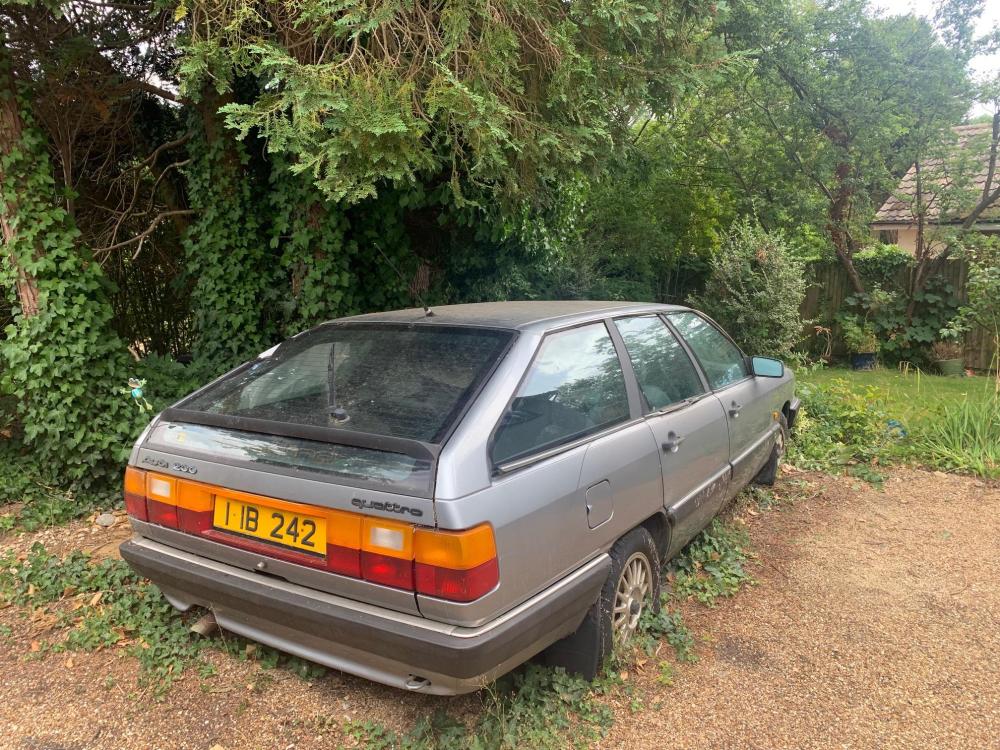
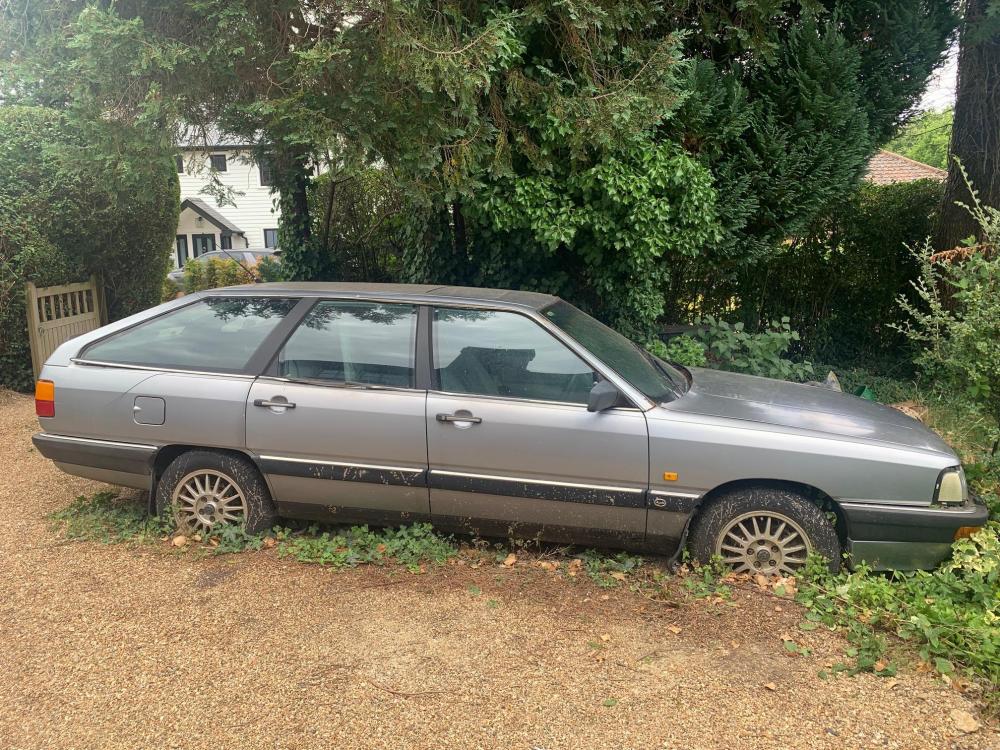
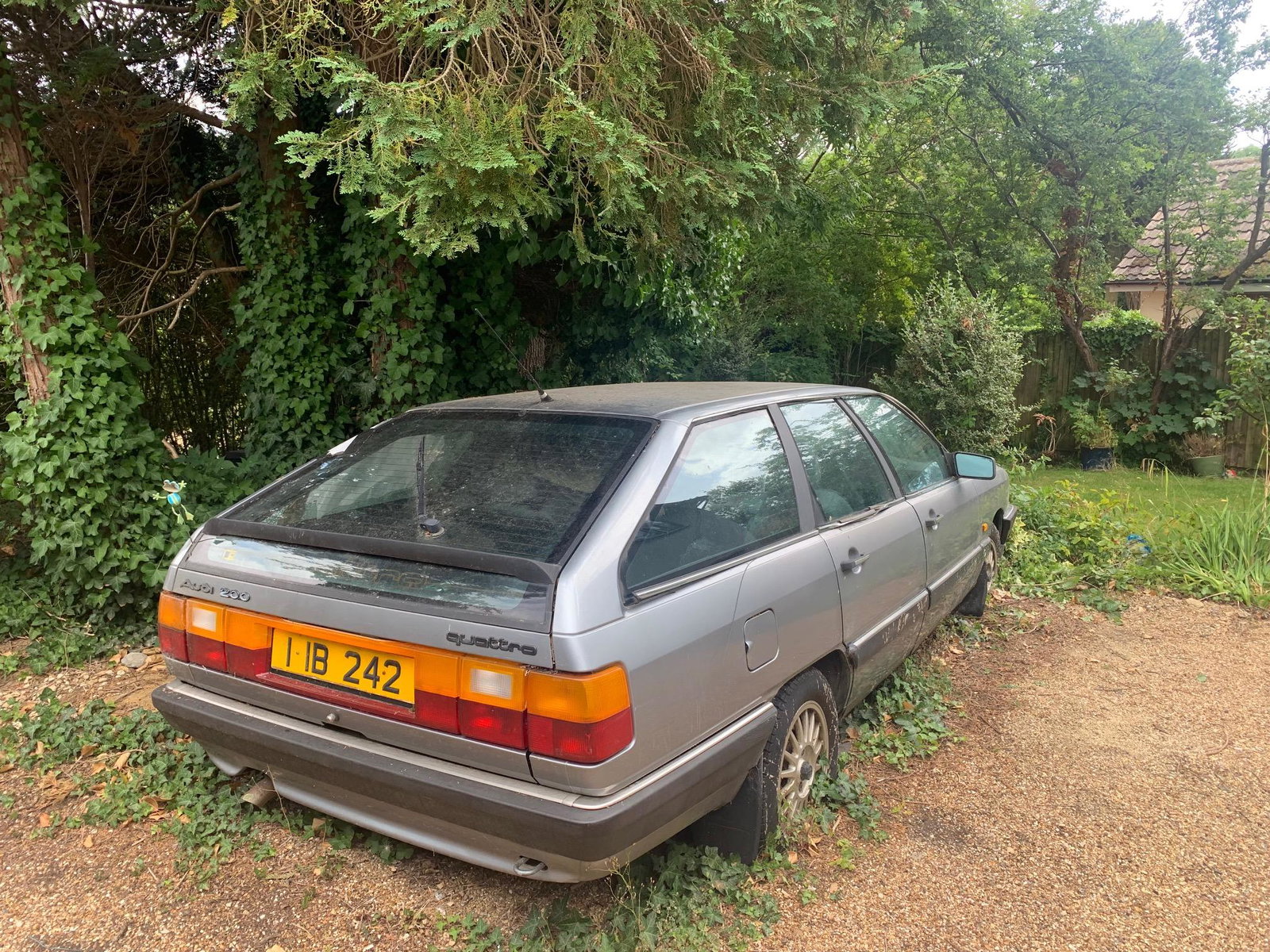
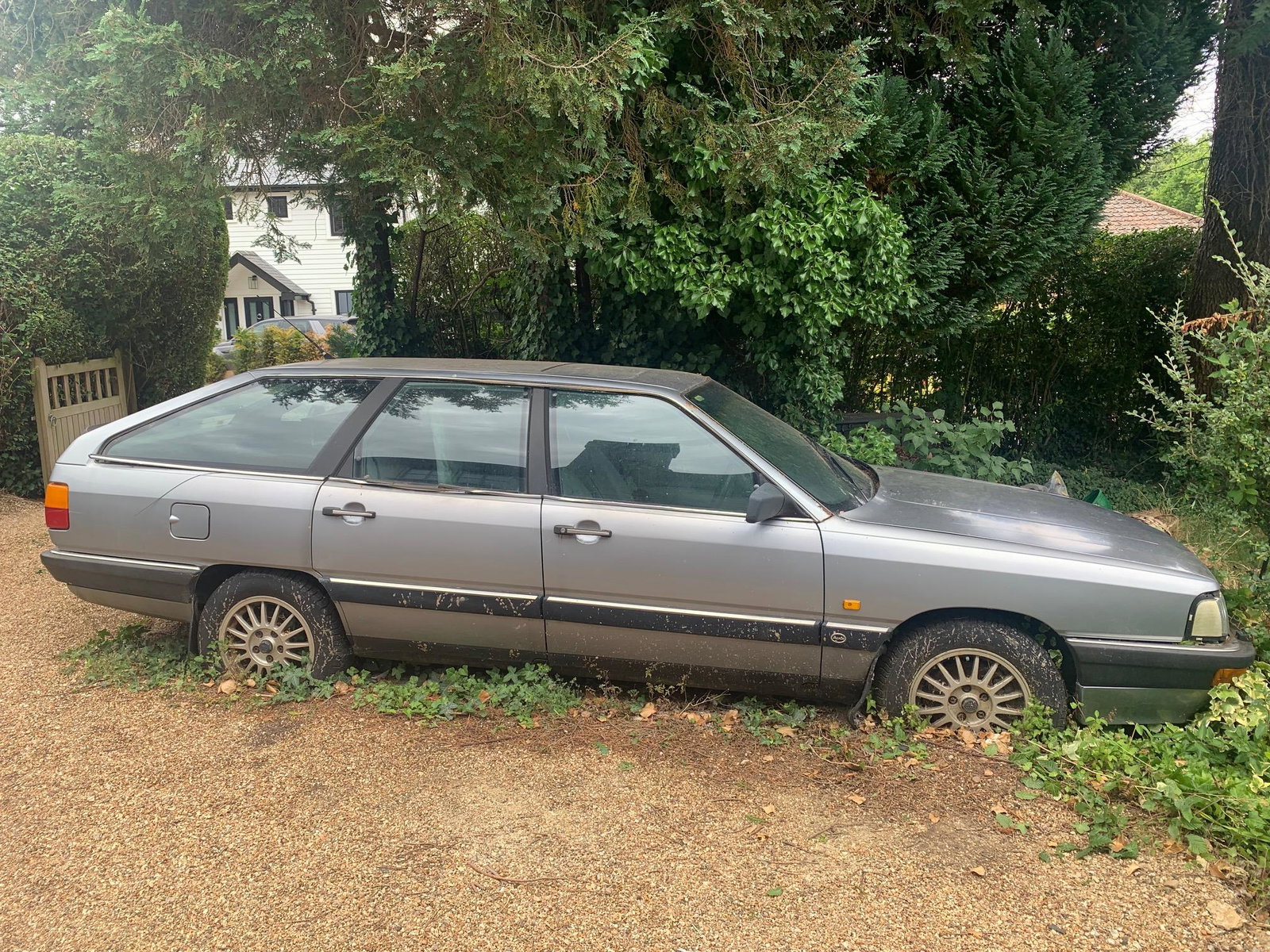
  1. Hi, this is the Audi 200 Avant Quattro I mentioned 2-3 months ago. A veritable classic as it has the deluxe leather seats and 2 further seats in the back, so a 7 seater. I think it was registered 1988. I don't think there's any other 200 Avant existing with such a specification. It hasn't run for over 20 years but there must be some enthusiast who would like the challenge to restore it. I kept the car primarily as I wanted to transfer the number plate but the DVLA always thwarted me. If nobody is interested then I will sadly have to have it destroyed, as my wife has had enormous patience putting up with it in our drive. Best wishes Ian Brocklesby
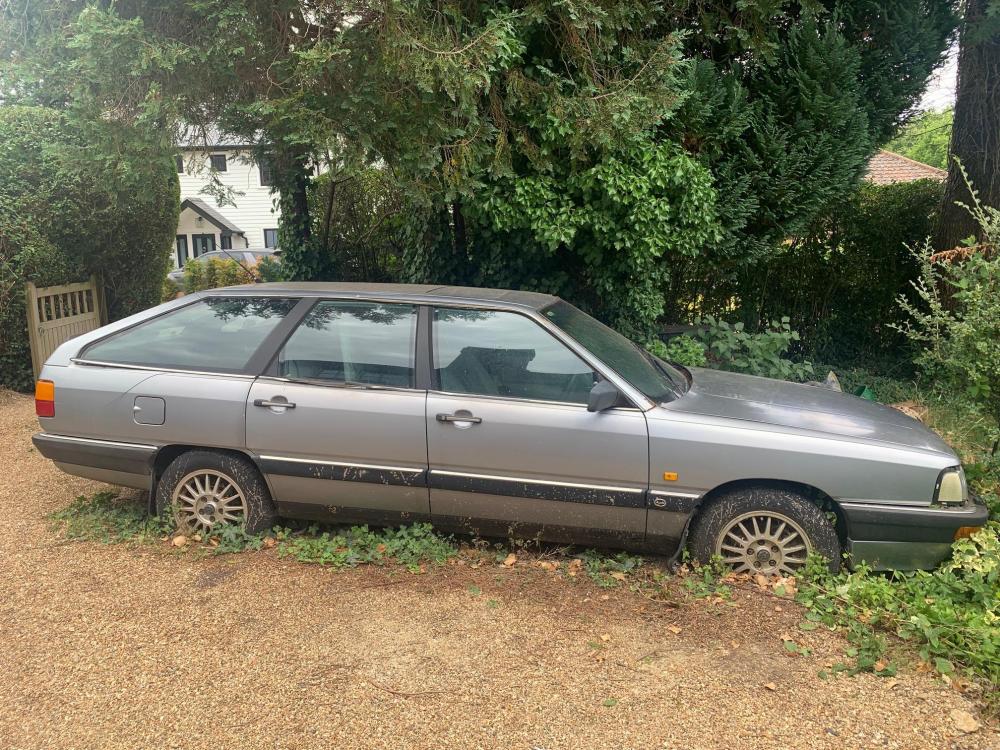
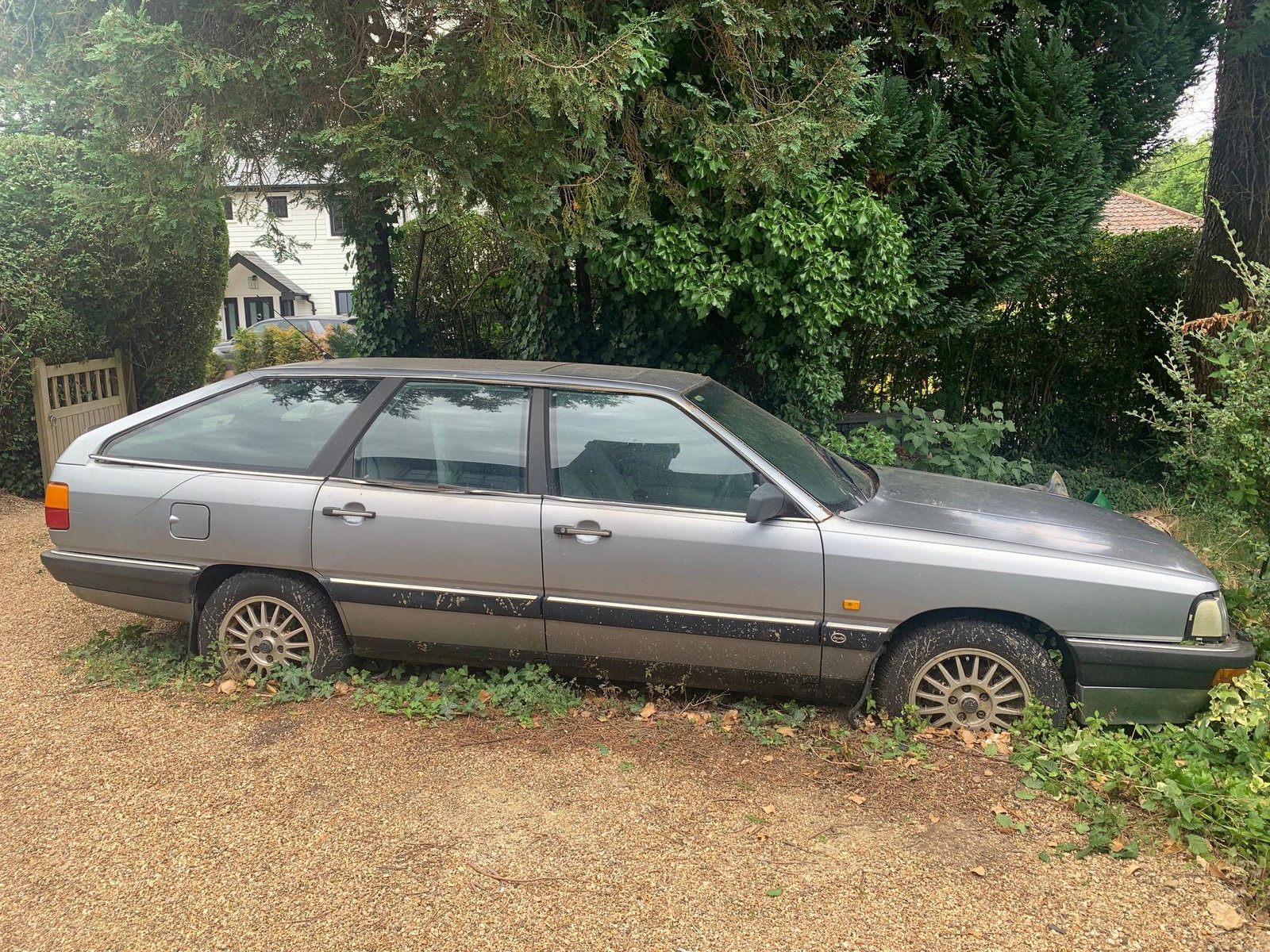
  2. I have the above rare car with 7 seats which hasn't moved for over 20 years. Would anyone be interested in buying it. Best wishes Ian

Background Picker
Customize Layout

Account

Navigation

Search

Search

Configure browser push notifications

Chrome (Android)
  1. Tap the lock icon next to the address bar.
  2. Tap Permissions → Notifications.
  3. Adjust your preference.
Chrome (Desktop)
  1. Click the padlock icon in the address bar.
  2. Select Site settings.
  3. Find Notifications and adjust your preference.