




Skip to content
View in the app

A better way to browse. Learn more.

Audi Owners Club (UK)

A full-screen app on your home screen with push notifications, badges and more.

To install this app on iOS and iPadOS
  1. Tap the Share icon in Safari
  2. Scroll the menu and tap Add to Home Screen.
  3. Tap Add in the top-right corner.
To install this app on Android
  1. Tap the 3-dot menu (⋮) in the top-right corner of the browser.
  2. Tap Add to Home screen or Install app.
  3. Confirm by tapping Install.


Roy L

Members
  • Joined

  • Last visited

  1. Thanks for the link, there two videos on the subject there, one cancels it entirely the other makes it default to OFF when you start up.
  2. Havent got it myself but a friend has VCDS, would you have a link to the coding involved? Thanks.
  3. Hi all, Is there an option to change that Stop/Start button on the dash to have it default to the OFF option all the time, i`m forever having to hit it to turn this darn thing off! Can it be coded the opposite way round so to speak? (Audi Avant Auto tdi)
  4. Bought the exact same year/model as yourself a month ago, i find my phone connects ok automatically, if you go to Media it should come up there, anything you have playing on your phone should come through the MMI system
  5. Roy L replied to ash Hussain's topic in Audi A5 Club
    Can you explain in more detail plz?
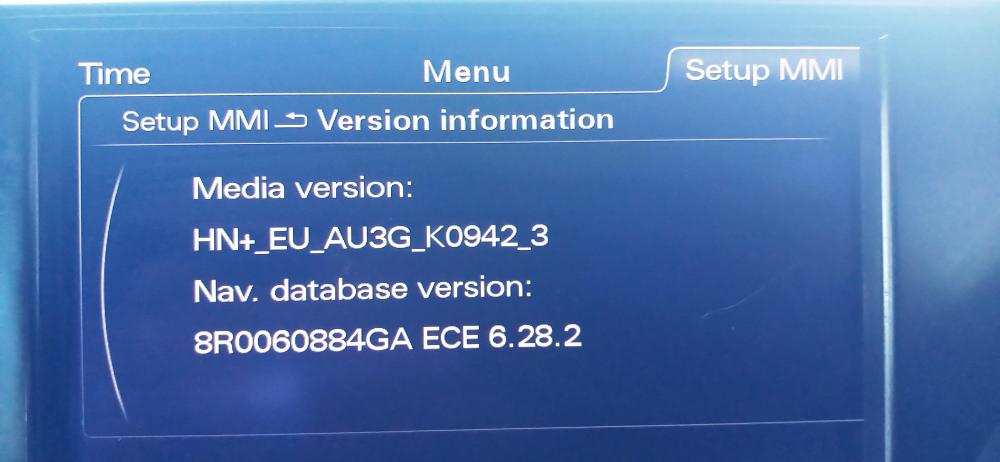
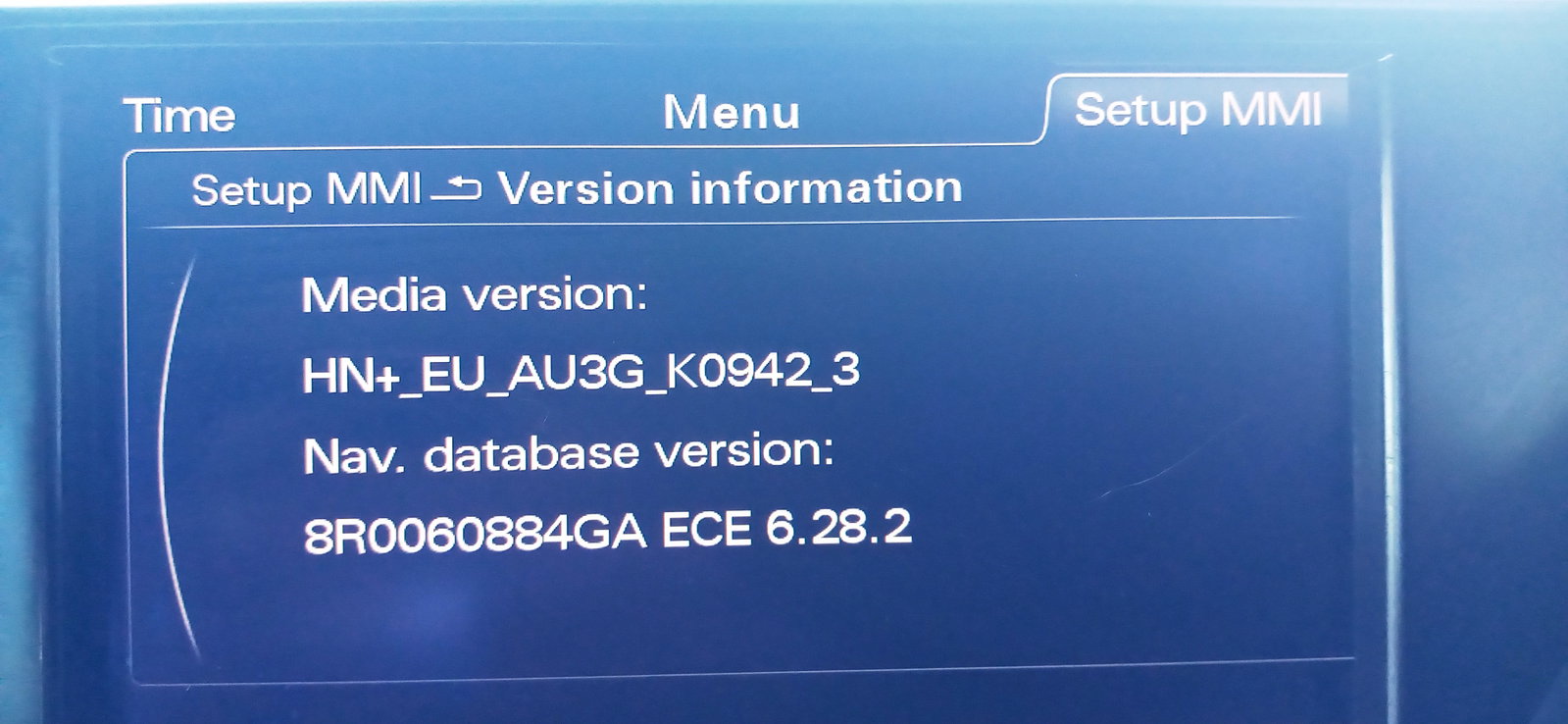
  6. Hello all, New to the world of Audi, attached is the MMI version, do you reckon it needs updated, the firmware and the SatNav??


Background Picker
Customize Layout

Account

Navigation

Search

Search

Configure browser push notifications

Chrome (Android)
  1. Tap the lock icon next to the address bar.
  2. Tap Permissions → Notifications.
  3. Adjust your preference.
Chrome (Desktop)
  1. Click the padlock icon in the address bar.
  2. Select Site settings.
  3. Find Notifications and adjust your preference.