seanlister1
Members
-
Joined
-
Last visited
-
One of them will definitely be that the brake pad wear indicator has been triggered. After this experience I have found a couple of local Audi specialists near me for future use. The car drives perfect with no other messages or warning lights so I don't think those other codes are too nasty. Sean
-
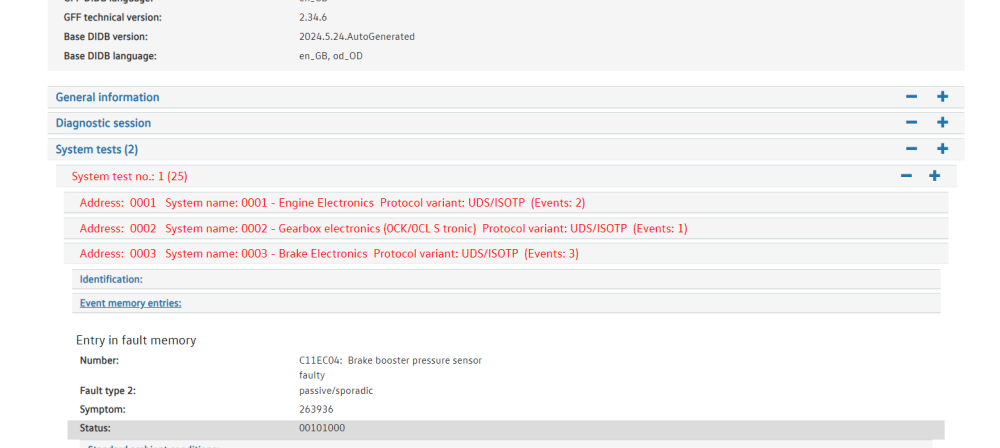
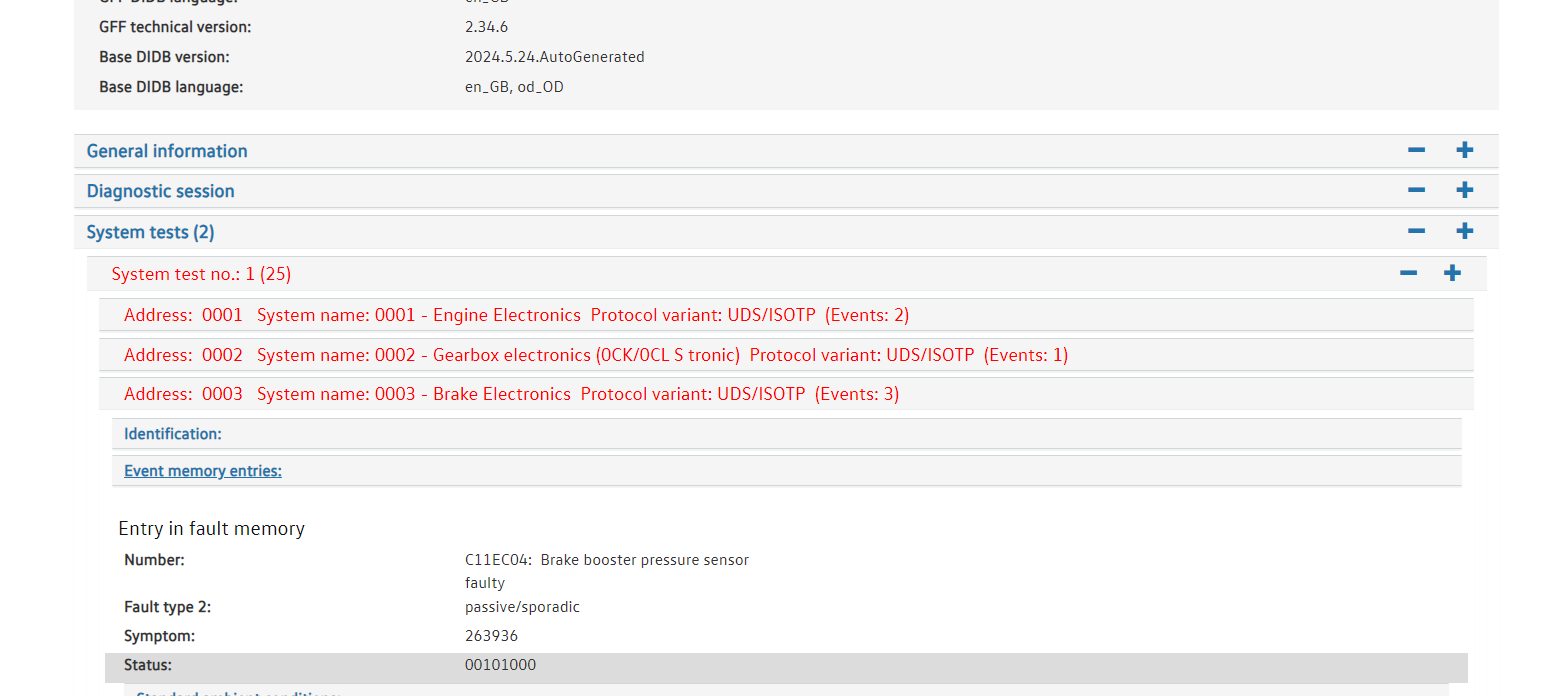
Hi all, As the title says yesterday I got the brake servo restricted message, after finishing my short drive I completely shut down the car and upon starting it again there was no message. Another thing I noticed after looking online was most people were reporting that when the servo message displayed they would also get another message stating that auto start stop was not available. This never materialised in my case for some reason. I did however take it straight to Audi which was a mistake after now realising how easy the repair is to perform yourself but I was worried about the possibility of ABS module damage. Long story short I got Audi to email me the picture of the diagnostic result from their inspection and this is what they sent, I'm hoping someone who knows their diagnostic software can explain it a little more for me. By the looks of it the code displayed is indeed the code that pertains to just the sensor being the issue however Audi are ranting on about the possibility of more parts needing replaced after the sensor, that is absolutely not happening if I have anything to say about it. They also tried to charge me over £750 for 4 new brake pads and £422 for 2 new lower spring mounts... Thanks in advance Sean