




Skip to content
View in the app

A better way to browse. Learn more.

Audi Owners Club (UK)

A full-screen app on your home screen with push notifications, badges and more.

To install this app on iOS and iPadOS
  1. Tap the Share icon in Safari
  2. Scroll the menu and tap Add to Home Screen.
  3. Tap Add in the top-right corner.
To install this app on Android
  1. Tap the 3-dot menu (⋮) in the top-right corner of the browser.
  2. Tap Add to Home screen or Install app.
  3. Confirm by tapping Install.


A4b7guy

Members
  • Joined

  • Last visited

Everything posted by A4b7guy

  1. Audi a4 b7 2.0tdi brd Any one had the error and found the problem be getting this fault on a daily basis driving along normally car will feel like it cuts out for a split second revs drop and then cokes back to life with the coil light flashing for about 10 seconds then goes away car drives fine after anyone know or had the issue
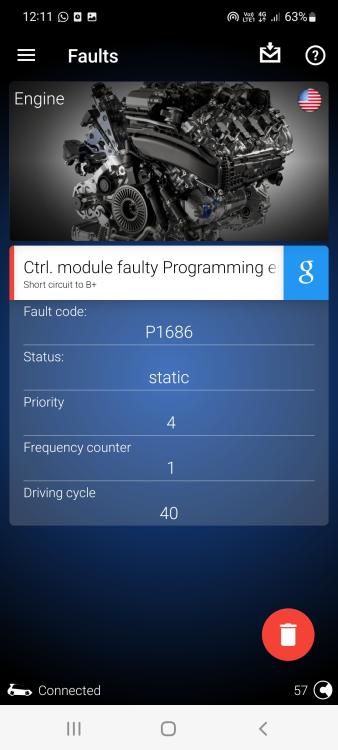
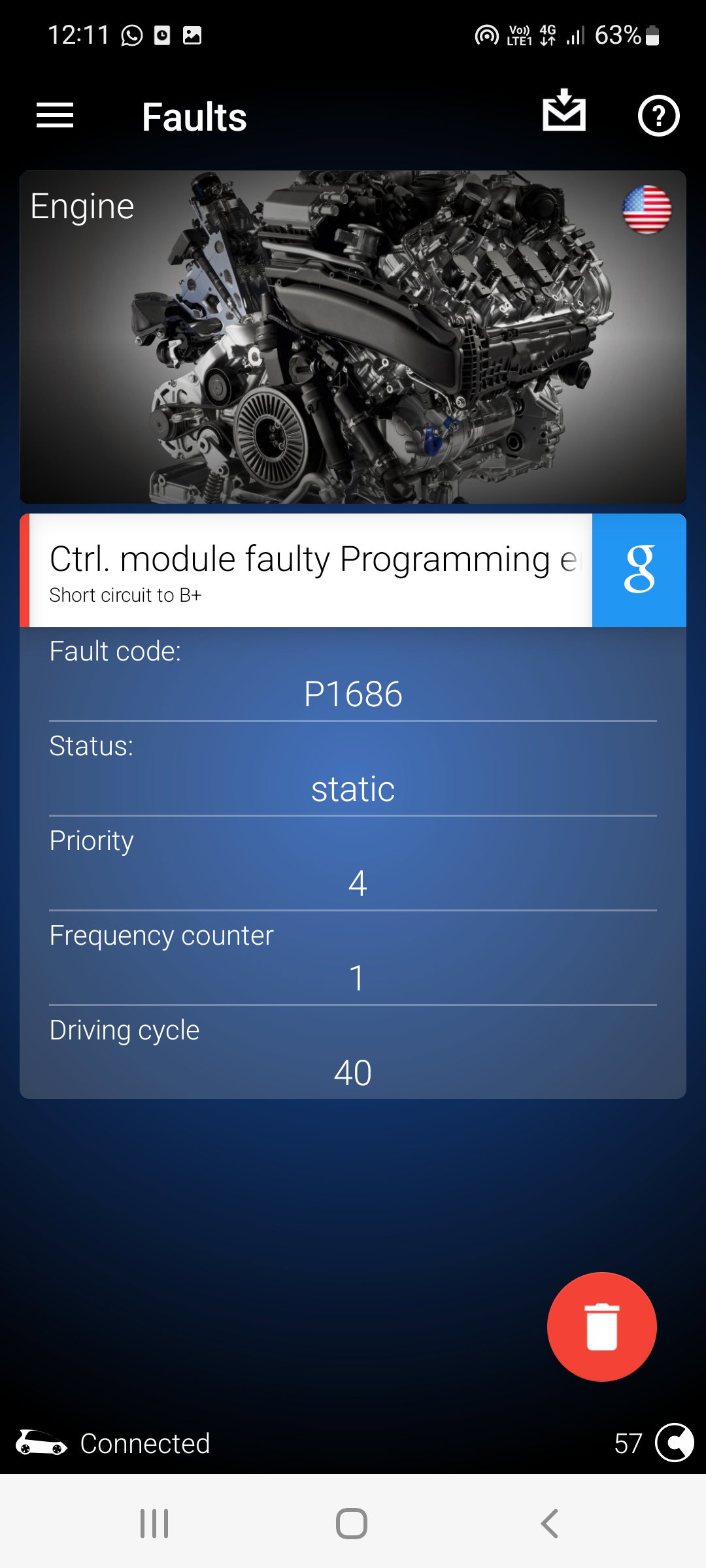
  2. p1686 control module faulty programming a4 b7 2.0tdi brd Any one had the error and found the problem be getting this fault on a daily basis driving along normally car will feel like it cuts out for a split second revs drop and then cokes back to life with the coil light flashing for about 10 seconds then goes away car drives fine after anyone know or had the issue



Background Picker
Customize Layout

Account

Navigation

Search

Search

Configure browser push notifications

Chrome (Android)
  1. Tap the lock icon next to the address bar.
  2. Tap Permissions → Notifications.
  3. Adjust your preference.
Chrome (Desktop)
  1. Click the padlock icon in the address bar.
  2. Select Site settings.
  3. Find Notifications and adjust your preference.