Jazzyjazz123
Members
-
Joined
-
Last visited
-
Thanks Steve, unfortunately not as it's doesn't really over that Nav in that much detail. Was just wondering if anyone had noticed the same frustrations
-
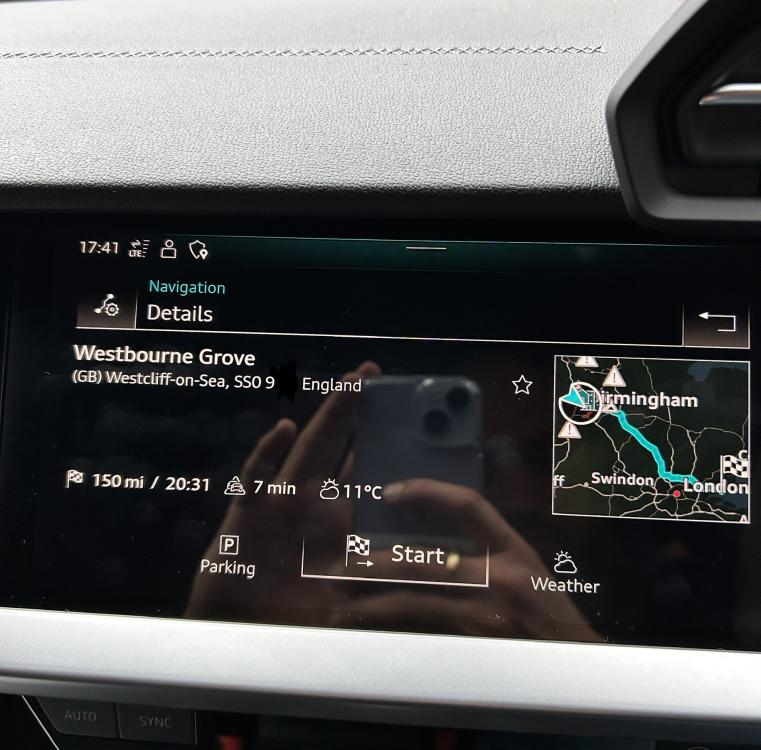
Hi all, I’m sure I’m not going mad but thought I would ask the question as I can’t find any other way. Just got my new A3 having formally had the 2014 A3. I’ve noticed on the Sat Nav entering your destination using a postcode, you don’t get the option to add the house number and it just default to the centre point, is that right or am just simply missing an hidden option that’s not on screen? Example attached as to what is displayed after selection the option from the search results I’m assuming that’s just the way it is old and if i want to be specific I have to do it the long way by typing the full address etc? Shame a backwards step as previous version to give you that additional step after entering the postcode.