Lloydj
Members
-
Joined
-
Last visited
Everything posted by Lloydj
-
Hope this helps. Yours is a C6 I believe models (2007-2011) then C7 Is (2012-2018) 👍
-
Hi, I don’t think I did but I noticed you said you’re working on a C6 generation so it might differ slightly, good luck
-
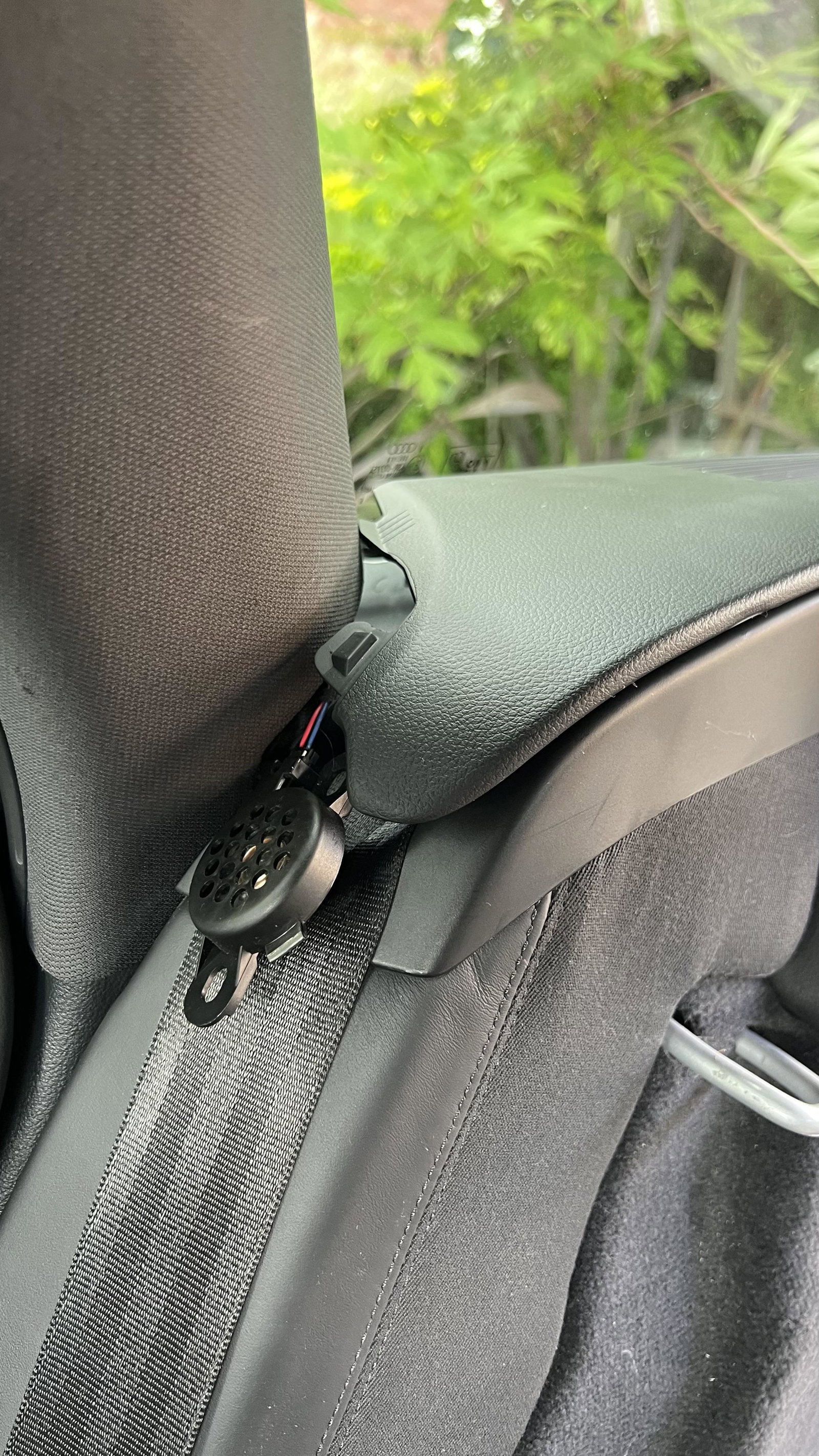
Hi Les, from memory I think the parking assist light flashes instead of constant and a I received a permanent beep when putting it into reverse. I ordered a replacement speaker from eBay for a few quid (Parking Sensor Warning Buzzer Speaker Buzzer 8E0919279) Then it really is as simple as unplug the old one and plug in the new one. I The speaker wasn’t fixed to anything on mine, it’s just sitting loose behind the driver side rear seatbelt cover. I’m sure there is a few YouTube tutorials on how to remove the plastic coverings but I don’t remember it being too challenging. Good luck 🤞
-
Just stripped out all the passenger side rear boot panels only to find the “passenger side” location is for the LHD model 🤦🏻♂️ so it’s drivers side UK. hope that saves people some time 👍 Part number: Parking Sensor Warning Buzzer Speaker Buzzer 8E0919279
-
Replaced the 3 nozzle standard ones for these fan jets. https://www.ebay.co.uk/itm/123584312395?mkcid=16&mkevt=1&mkrid=711-127632-2357-0&ssspo=00iPa9PYQoG&sssrc=4429486&ssuid=kAR9yP3-TXa&var=&widget_ver=artemis&media=COPY Had to flush the tank several times as there was so much Sh*t in there.. probably what blocked the originals.
-
I have the same problem here 😭, did you hear back from Audi, Germany?