




Skip to content
View in the app

A better way to browse. Learn more.

Audi Owners Club (UK)

A full-screen app on your home screen with push notifications, badges and more.

To install this app on iOS and iPadOS
  1. Tap the Share icon in Safari
  2. Scroll the menu and tap Add to Home Screen.
  3. Tap Add in the top-right corner.
To install this app on Android
  1. Tap the 3-dot menu (⋮) in the top-right corner of the browser.
  2. Tap Add to Home screen or Install app.
  3. Confirm by tapping Install.

Coco

Members
  • Joined

  • Last visited

Everything posted by Coco

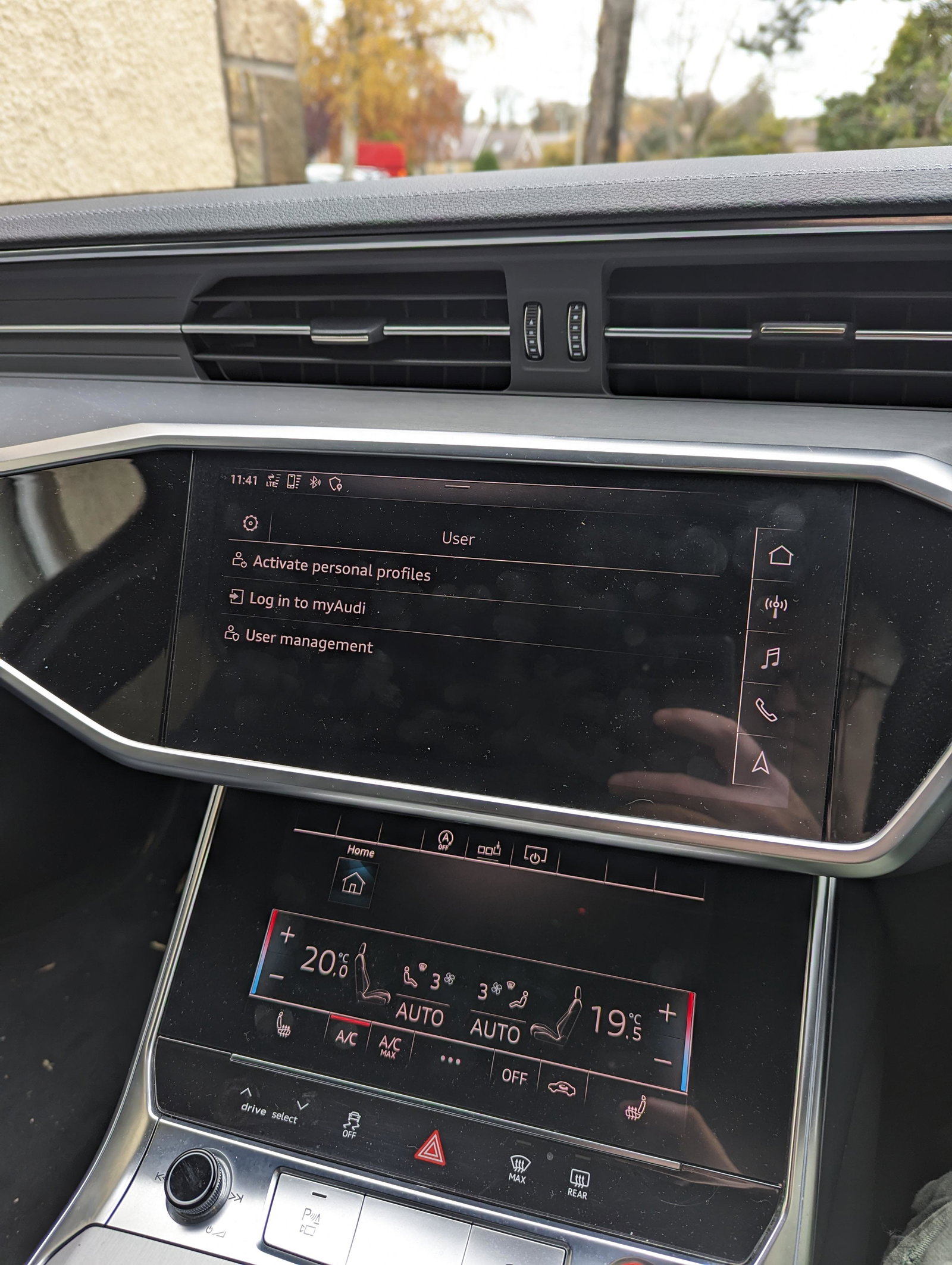
  1. Found it! Off the main screen go to user then user management then remove all users. It does cut off my access to Audi connect but it removes the message.
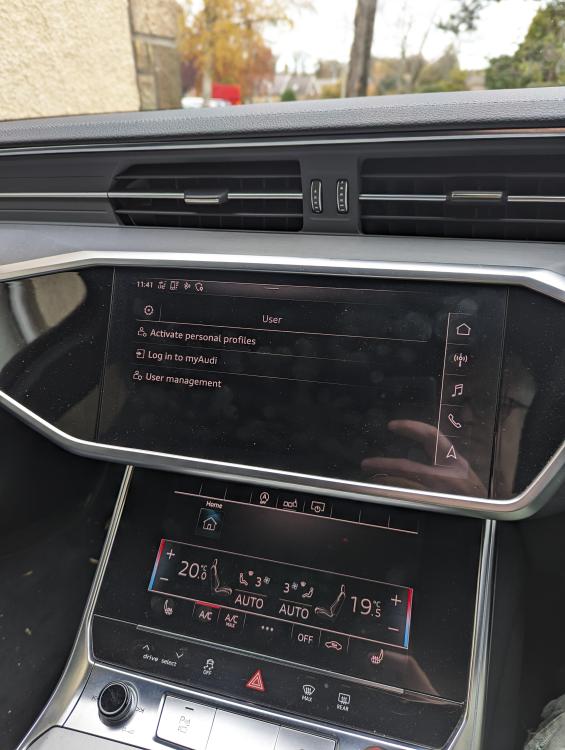
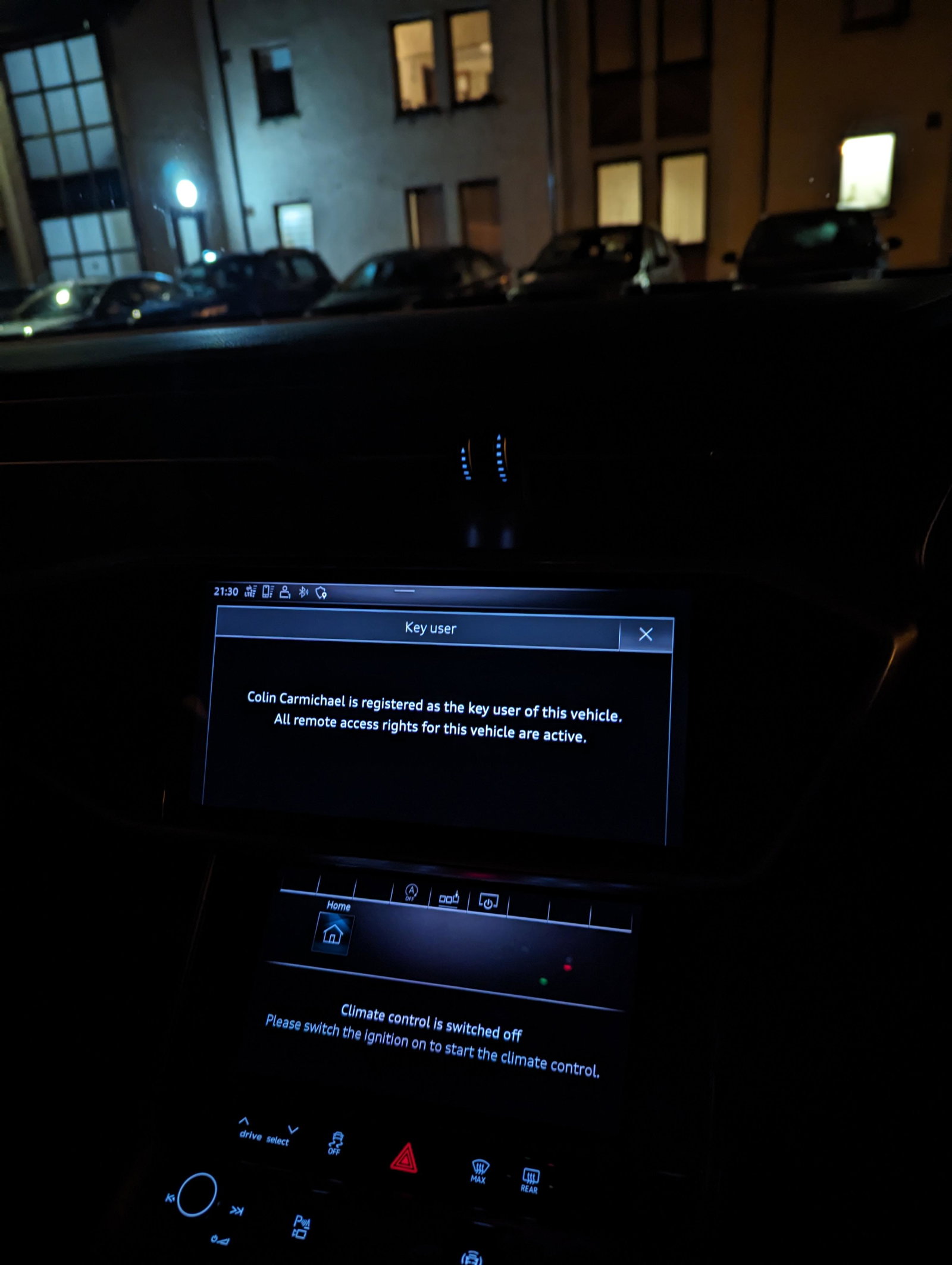
  2. Thanks for your replies. I have contacted the dealer to see what can be done. Picture attached for K200CWC, I get this when I turn off the engine.
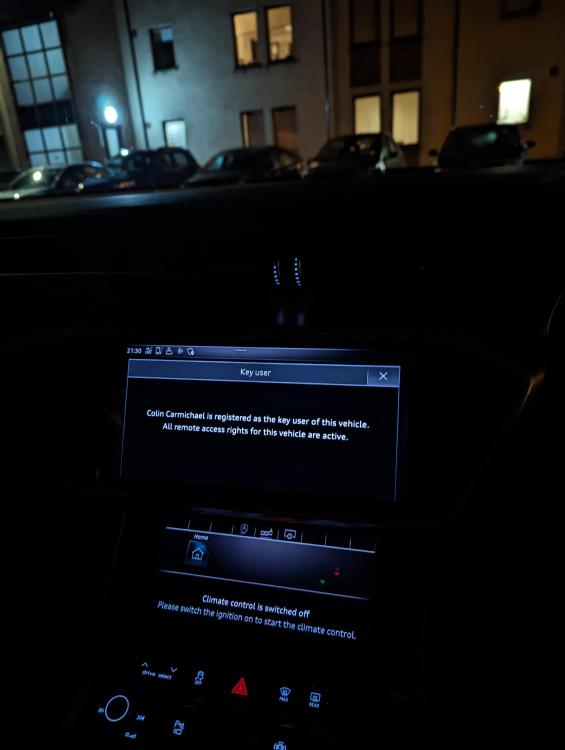
  3. Thanks for the reply ykes but I am the registered key user but I don't want the message coming up every time I turn off the car. Is there any way of it not coming up?
  4. Hello, I've had my S6 for less than a week but every time I turn off the car a message comes up on the top screen saying xxxx is registered as the key user of this vehicle. Does anyone know how to remove it?


Background Picker
Customize Layout

Account

Navigation

Search

Search

Configure browser push notifications

Chrome (Android)
  1. Tap the lock icon next to the address bar.
  2. Tap Permissions → Notifications.
  3. Adjust your preference.
Chrome (Desktop)
  1. Click the padlock icon in the address bar.
  2. Select Site settings.
  3. Find Notifications and adjust your preference.