




Skip to content
View in the app

A better way to browse. Learn more.

Audi Owners Club (UK)

A full-screen app on your home screen with push notifications, badges and more.

To install this app on iOS and iPadOS
  1. Tap the Share icon in Safari
  2. Scroll the menu and tap Add to Home Screen.
  3. Tap Add in the top-right corner.
To install this app on Android
  1. Tap the 3-dot menu (⋮) in the top-right corner of the browser.
  2. Tap Add to Home screen or Install app.
  3. Confirm by tapping Install.


wesn

Members
  • Joined

  • Last visited

Everything posted by wesn

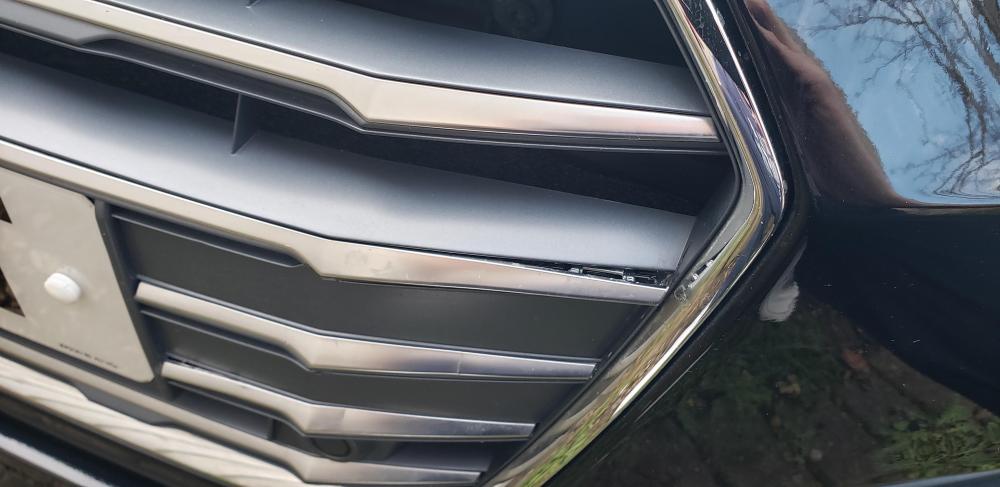
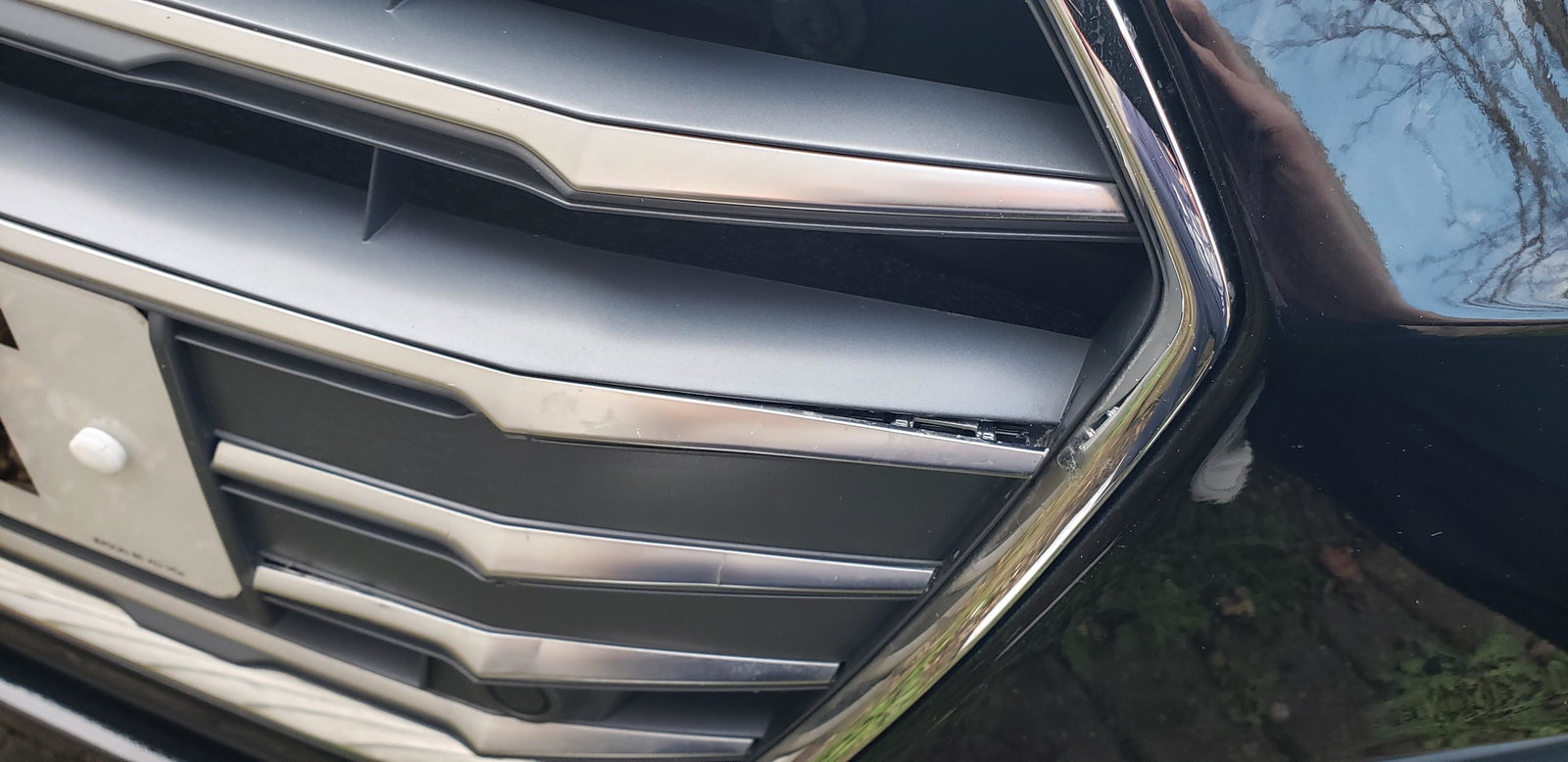
  1. Thanks all. After speaking to the dealership that sold the car to me, they are replacing the grill free of charge. Initial attempt to press it back in worked, but then it popped out again during the day, whilst the car was stationary. Following that, the trim wouldn't stay in.
  2. Afternoon, New to the forums so first time posting. Recently bought an A5 2019, and generally content with it. I've noticed today that one of the "trims" (for want of a better word) on the front to the right of the number plate, second trim down has come loose at the side. Will the whole row of "trim" need replacing or is it a case that it'll need some kind of resin or adhesive to put it back into place? Thanks in advance.


Background Picker
Customize Layout

Account

Navigation

Search

Search

Configure browser push notifications

Chrome (Android)
  1. Tap the lock icon next to the address bar.
  2. Tap Permissions → Notifications.
  3. Adjust your preference.
Chrome (Desktop)
  1. Click the padlock icon in the address bar.
  2. Select Site settings.
  3. Find Notifications and adjust your preference.