




Skip to content
View in the app

A better way to browse. Learn more.

Audi Owners Club (UK)

A full-screen app on your home screen with push notifications, badges and more.

To install this app on iOS and iPadOS
  1. Tap the Share icon in Safari
  2. Scroll the menu and tap Add to Home Screen.
  3. Tap Add in the top-right corner.
To install this app on Android
  1. Tap the 3-dot menu (⋮) in the top-right corner of the browser.
  2. Tap Add to Home screen or Install app.
  3. Confirm by tapping Install.


Graham S

Members
  • Joined

  • Last visited

  1. Thank you guys, once you told me what it was I needed !, I have found one on ebay, and should have by middle of next week. i very much appreciate your help Graham
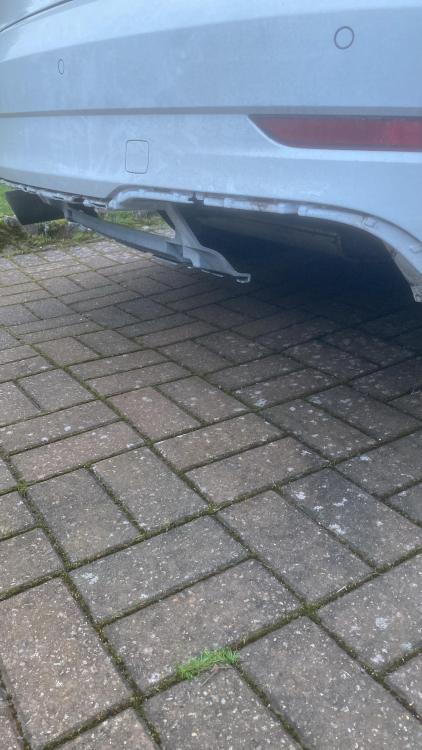
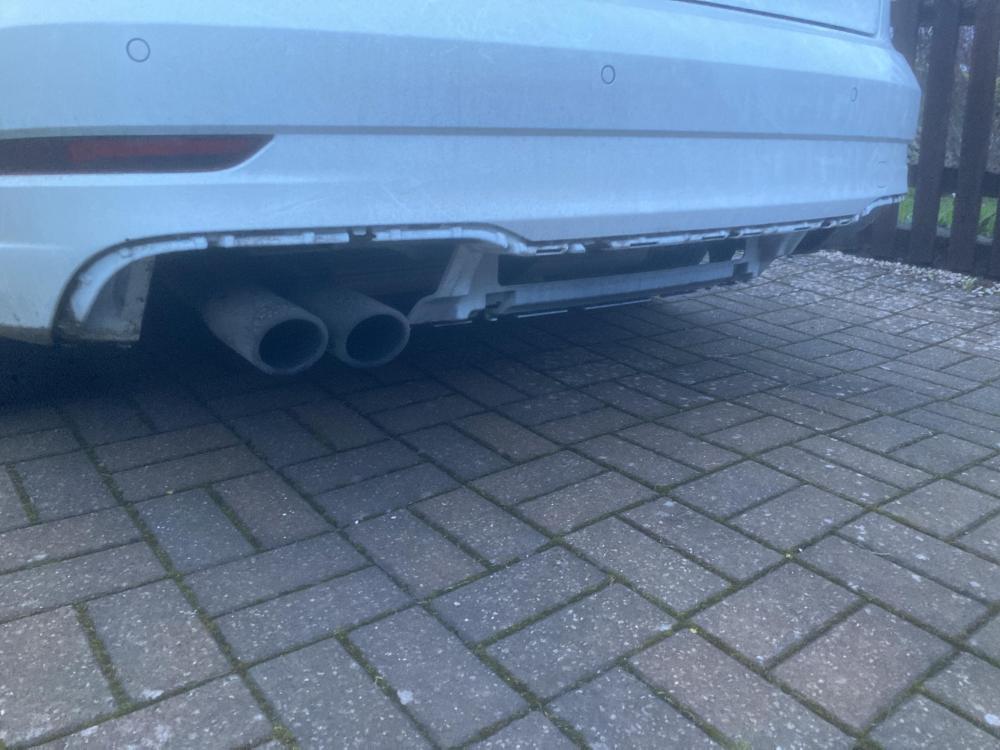
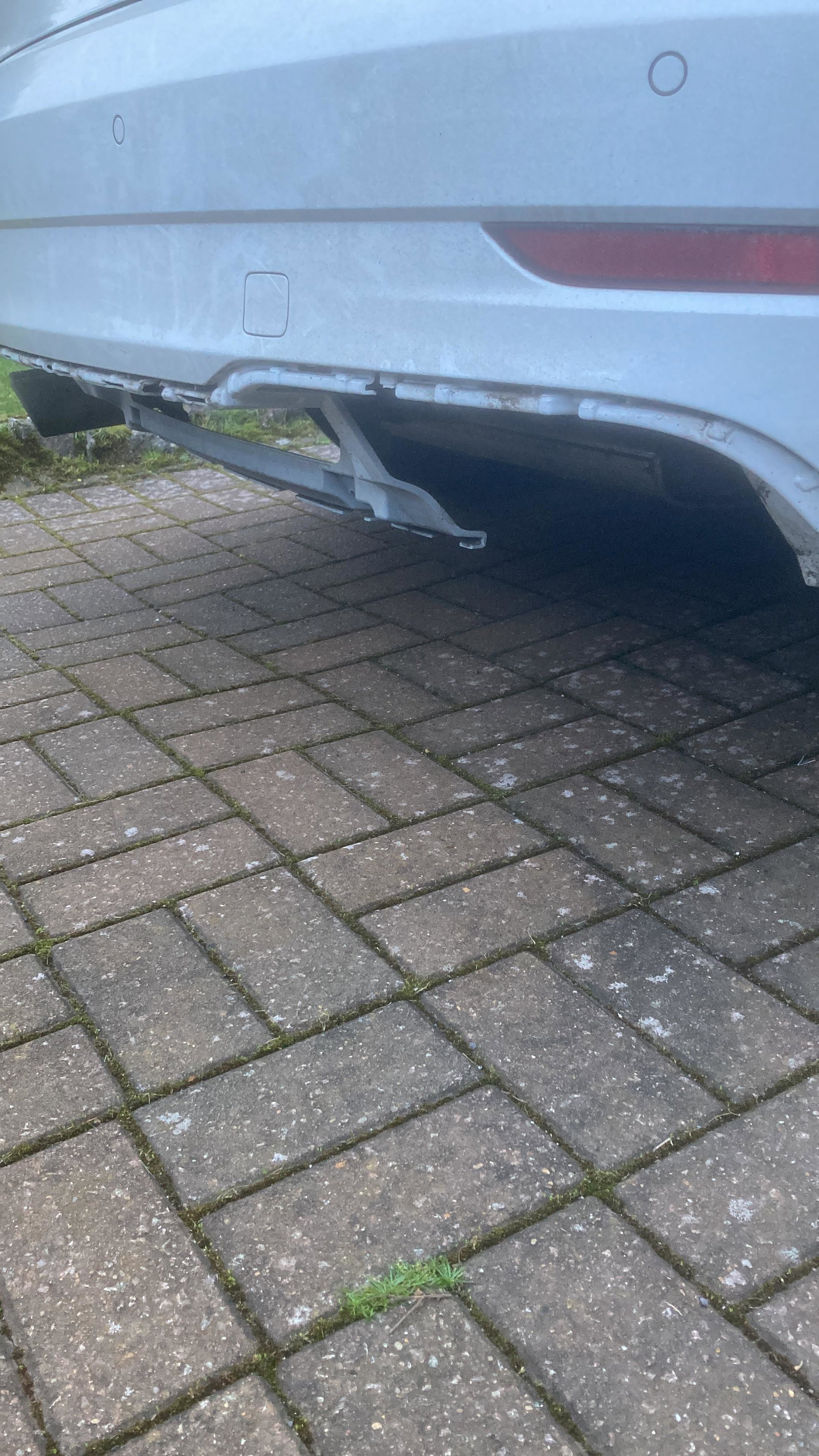
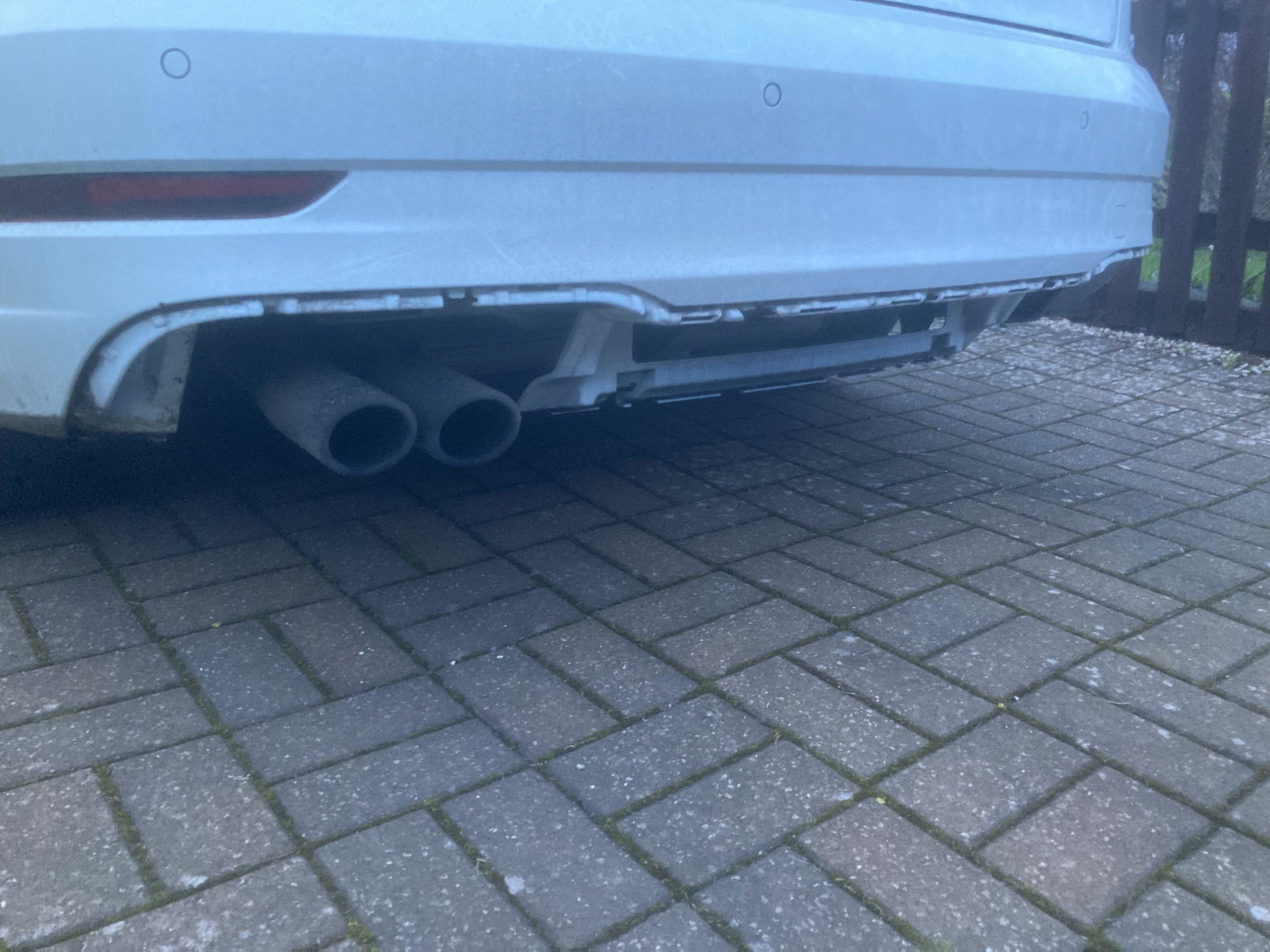
  2. Hi all, My wife ran over a exhaust while driving at night in the fast lane of a motorway, and it ripped off part of her rear bumper, I confess I know nothing about cars, it's not the whole bumper just a small section underneath, my local audi garage wants £600 for a new one, and that's before painting or fitting, it's out of my range, but the nice man wouldn't tell me the part number so I can try to get one somewhere else, i have no idea what it called or if it even has a specific name, I also have no idea how to find a part number? can anybody help me please. Heres Hoping Cheers

Background Picker
Customize Layout

Account

Navigation

Search

Search

Configure browser push notifications

Chrome (Android)
  1. Tap the lock icon next to the address bar.
  2. Tap Permissions → Notifications.
  3. Adjust your preference.
Chrome (Desktop)
  1. Click the padlock icon in the address bar.
  2. Select Site settings.
  3. Find Notifications and adjust your preference.