





alixldn
Members
-
Joined
-
Last visited
Everything posted by alixldn
-
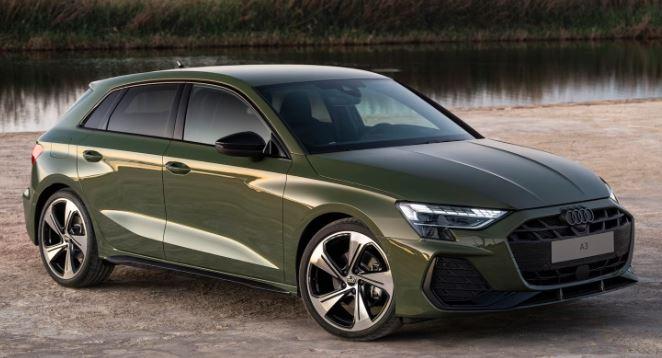
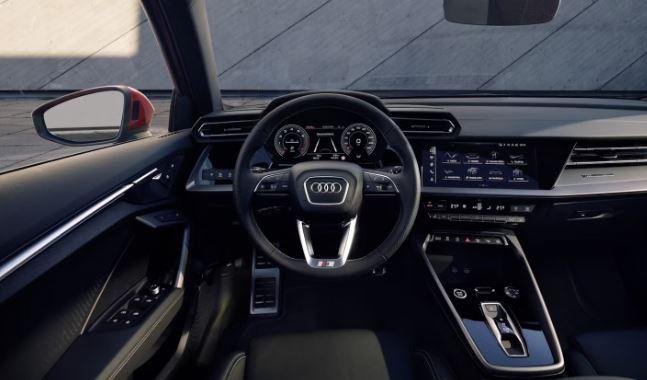
Most likely because a new facelift coming out this year, some countries already have it - new headlights and minor interior changes, also the gear selection level is different, audi badge on front sits slightly higher My dealer just incorrectly said we are discontinuing the saloon (so hurry up and order as we have only a few left) then I had a long rant to them saying how can you say discontinued when a faceleft A3 including saloon versions just was revealed online in March, if I knew this I would have waited 6 months to order my new car.
-
So annoying why these basic things arent standard in an Audi, when I ordered the car in store this pack wasn't even mentioned by the sales person - for just £175 I would have defintiely opted for it. I have a new A3 Saloon 2024, any idea if this storage part will fit my car, I presume so as the dash is all the same? I messaged one ebay seller and he said no, to my surprise as I was ready to order. My dealer is no good either! The parts department basically said nothing comes up on his screen for accessories for my car, and it would have had to be selected at time of order.