Skip to content
View in the app

A better way to browse. Learn more.

Audi Owners Club (UK)

A full-screen app on your home screen with push notifications, badges and more.

To install this app on iOS and iPadOS
  1. Tap the Share icon in Safari
  2. Scroll the menu and tap Add to Home Screen.
  3. Tap Add in the top-right corner.
To install this app on Android
  1. Tap the 3-dot menu (⋮) in the top-right corner of the browser.
  2. Tap Add to Home screen or Install app.
  3. Confirm by tapping Install.


leythdave

Members
  • Joined

  • Last visited

Everything posted by leythdave

  1. What are xtrons please?
  2. I think I may have solved the problem in a fashion. Separate Apple car play unit mounted to the dash with an FM transmitter using the stereo system. Would this work?
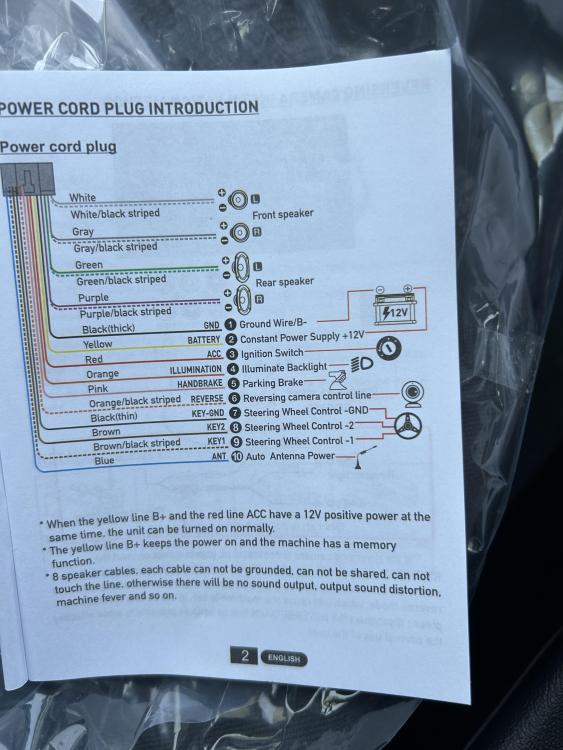
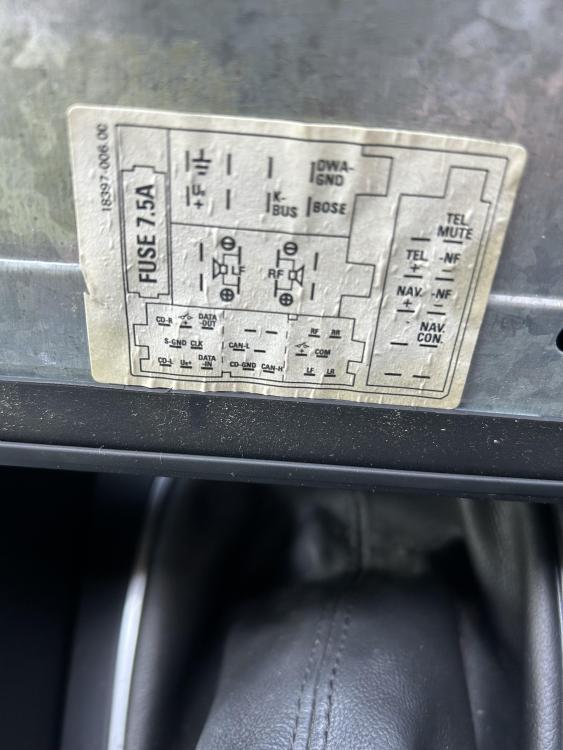
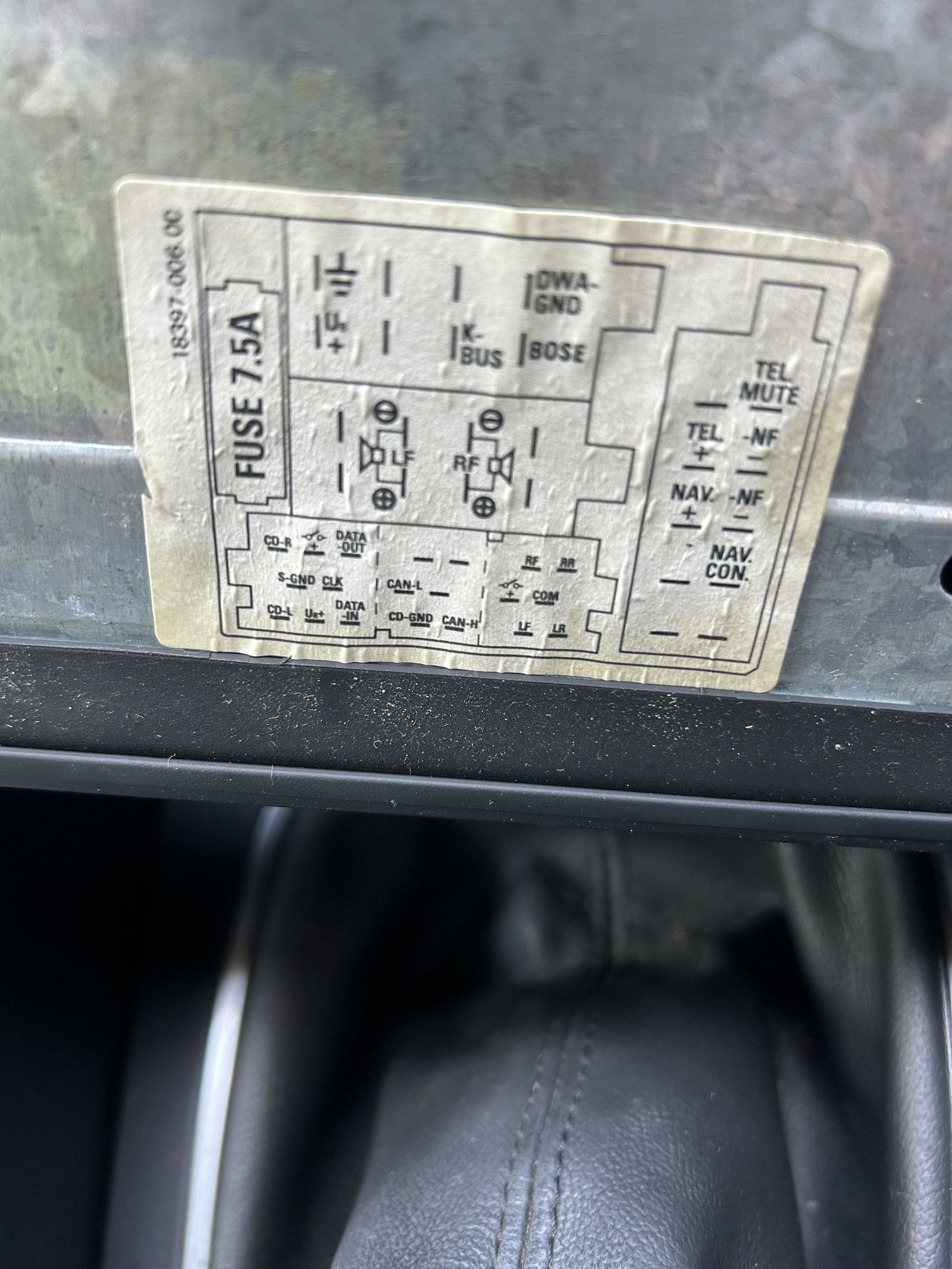
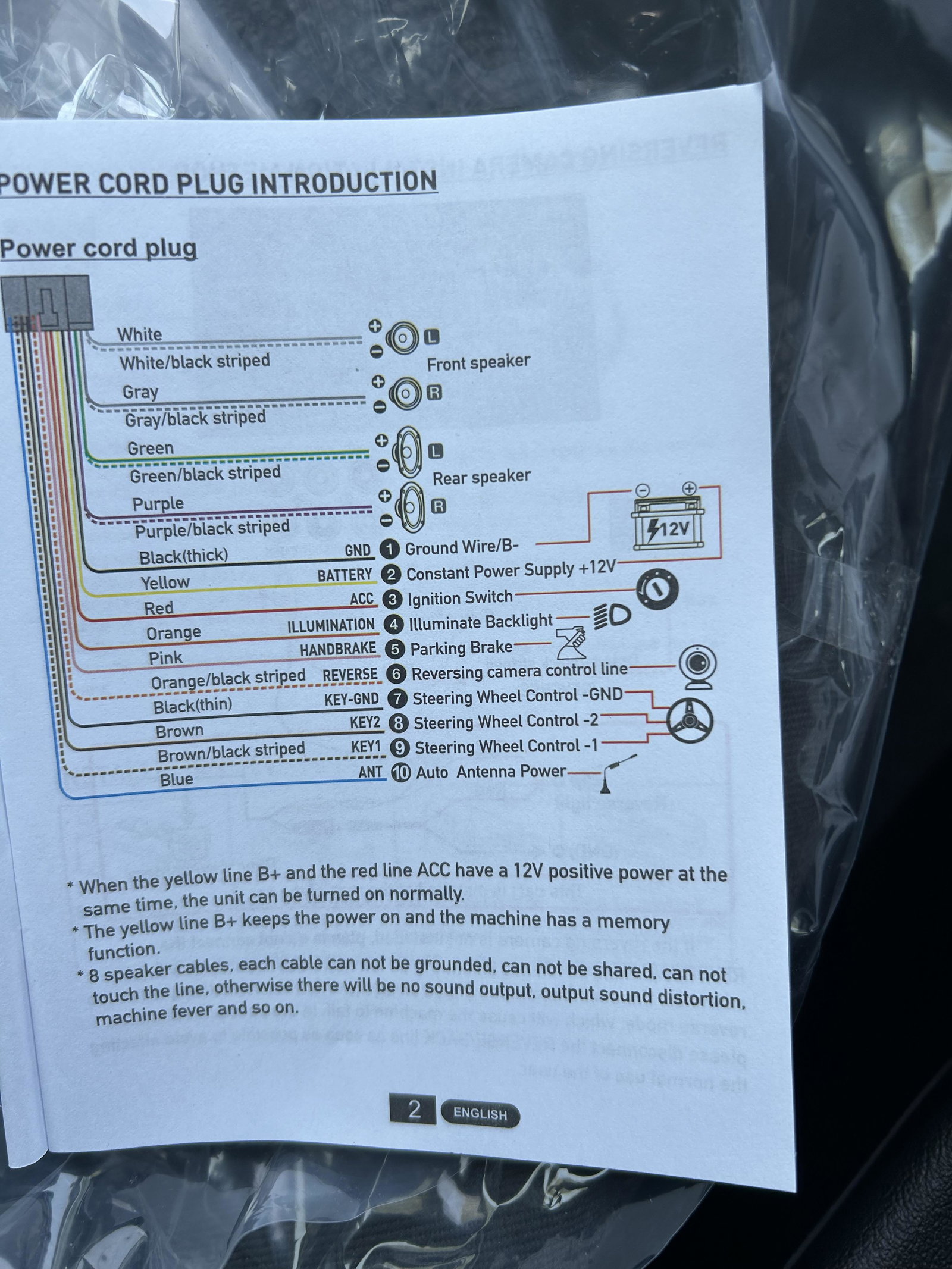
  3. Still struggling to make sense of the wiring.
  4. Where do I find these please?
  5. How do we know if it’s Bose or not?
  6. I have just purchased a single din android/apple play unit, to replace the Audi one off eBay.
  7. Hi all, I bought an apple/android play unit single din to replace the Audi Concert CD player. The wiring on it is a nightmare. Can anyone help me to identify which wire goes where please?
  8. Hi all, just picked up a 2005 1.6 petrol as a run around. Hopefully be able to get it running like it’s new from the advise off here!


Background Picker
Customize Layout

Account

Navigation

Search

Search

Configure browser push notifications

Chrome (Android)
  1. Tap the lock icon next to the address bar.
  2. Tap Permissions → Notifications.
  3. Adjust your preference.
Chrome (Desktop)
  1. Click the padlock icon in the address bar.
  2. Select Site settings.
  3. Find Notifications and adjust your preference.