Mikester349
Members
-
Joined
-
Last visited
-
Hi Gareth, where can I find this? Are you talking about the black wire that's coming from the ground terminal? Yes, this new battery has more CCA than the last as well. Today I'll be checking that, the fuse box, relays under the wheel and also the ECU relays, possible also crankshaft sensor if I can get under.
-
Thanks Mark, I'll have a look at that tomorrow, also forgot to check the fuses but the starter is turning so I doubt it's the fuse.
-
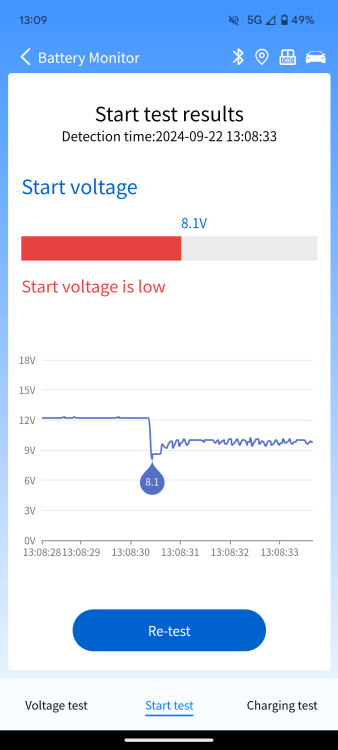
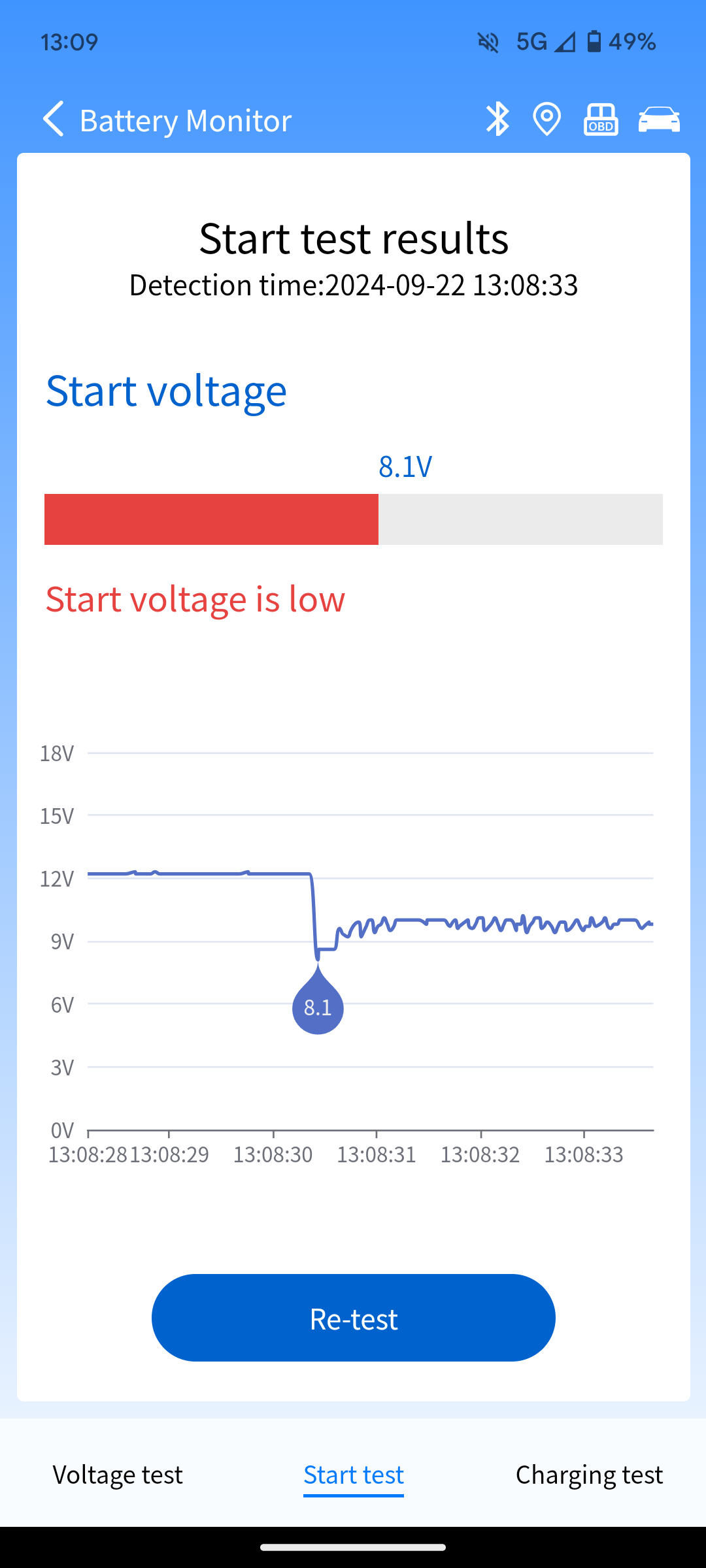
Hi all, I have read mods post and any help given will be much appreciated and reciprocated. For the last couple days I haven't been able to get my 2.0tdi A4 to start. OBD showed no fault codes but battery light is on when turning on the electrics. Noticed the battery was sitting at 12/12.6V idle but dropping right down to 8V when cranking. When hooked up to another vehicle for a jump start to goes up to 13.7V but still drops down to around 9V when attempting to start it just cranks and doesn't ignite. Got a replacement battery today but still have the same issues with a brand new battery. I was told this might be a DPF issue or a glow plug issue. What do you all think? Also within the last couple months I've had the EGR replace and the timing belt and pump replaced too. Screenshot is from a couple days ago, still showing the exact same reading with the new battery.