




Skip to content
View in the app

A better way to browse. Learn more.

Audi Owners Club (UK)

A full-screen app on your home screen with push notifications, badges and more.

To install this app on iOS and iPadOS
  1. Tap the Share icon in Safari
  2. Scroll the menu and tap Add to Home Screen.
  3. Tap Add in the top-right corner.
To install this app on Android
  1. Tap the 3-dot menu (⋮) in the top-right corner of the browser.
  2. Tap Add to Home screen or Install app.
  3. Confirm by tapping Install.

Steve Porritt

Members
  • Joined

  • Last visited

Everything posted by Steve Porritt

  1. Oh that is fantastic information. Many thanks
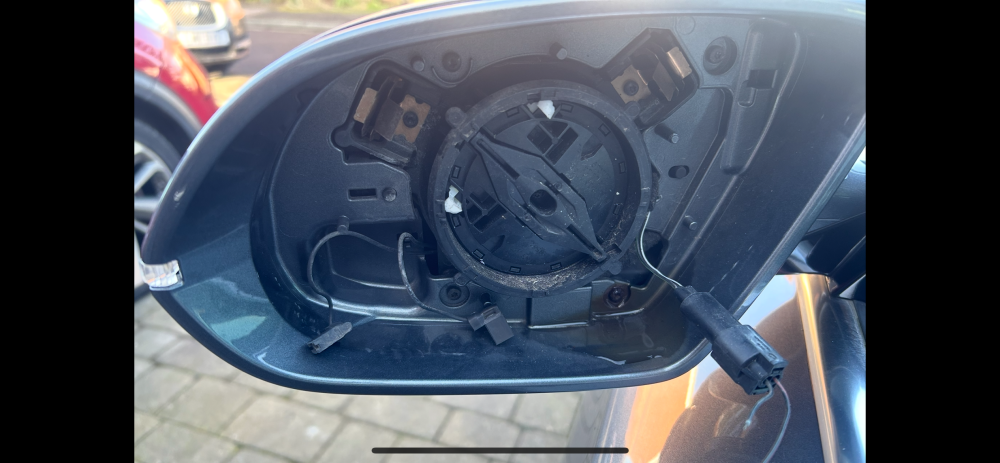
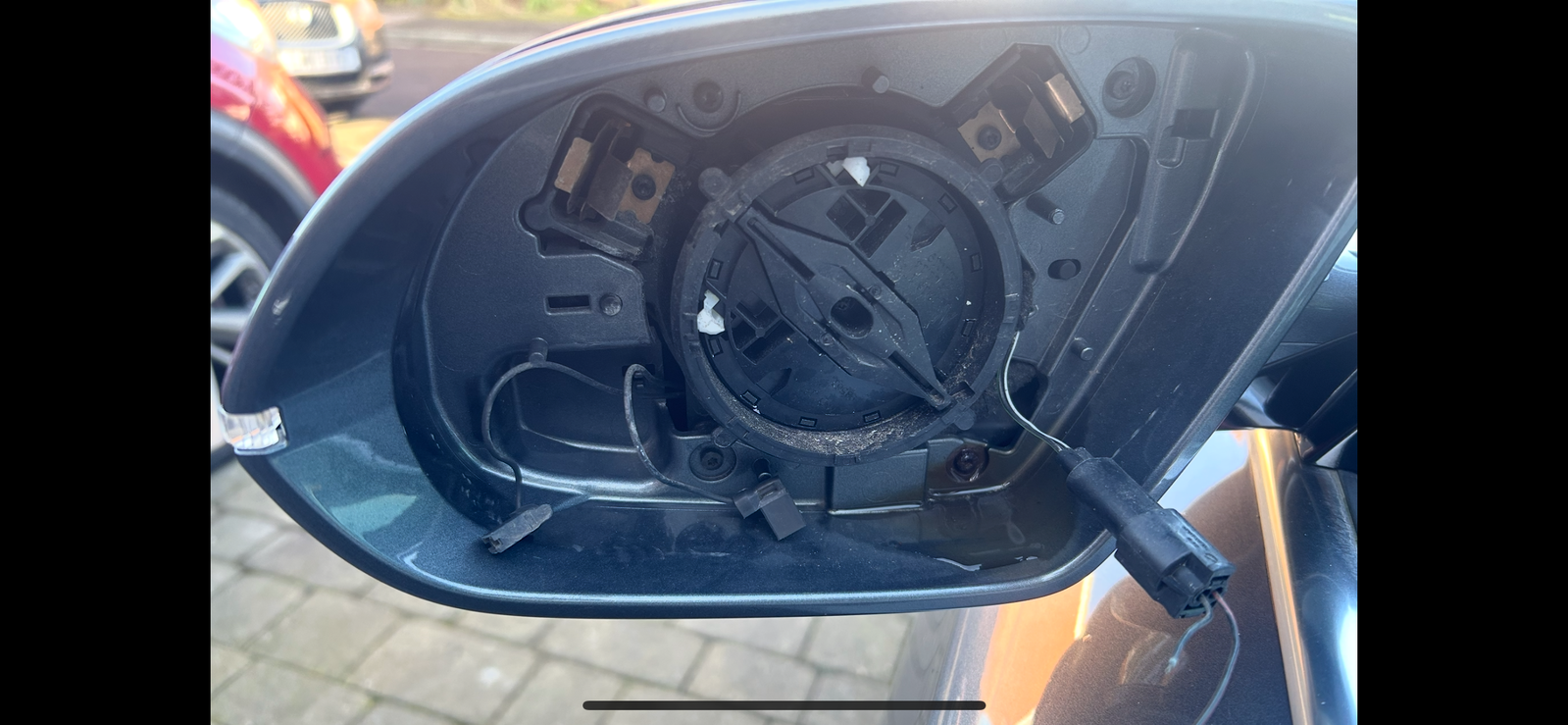
  2. Good day to you all. I am new here and in need of some advice. My passenger mirror glass fell to the road whilst driving for some unexplained reason. I could not recover it. I guess it just worked loose over time. I am have ordered a replacement glass with all the gubbins attached to the rear. I am having trouble identifying where the two wires in the bottom right corner of the picture go to. The plugs for the heated side of the glass are present, but I cannot fathom the two bare ended wires. Anybody had experience of this issue ?


Background Picker
Customize Layout

Account

Navigation

Search

Search

Configure browser push notifications

Chrome (Android)
  1. Tap the lock icon next to the address bar.
  2. Tap Permissions → Notifications.
  3. Adjust your preference.
Chrome (Desktop)
  1. Click the padlock icon in the address bar.
  2. Select Site settings.
  3. Find Notifications and adjust your preference.