Schoess
Members
-
Joined
-
Last visited
Everything posted by Schoess
-
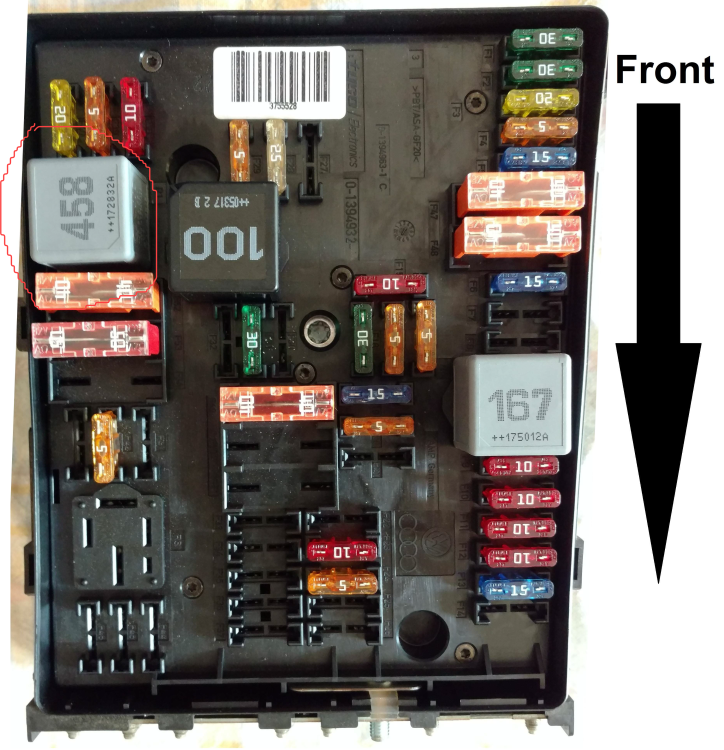
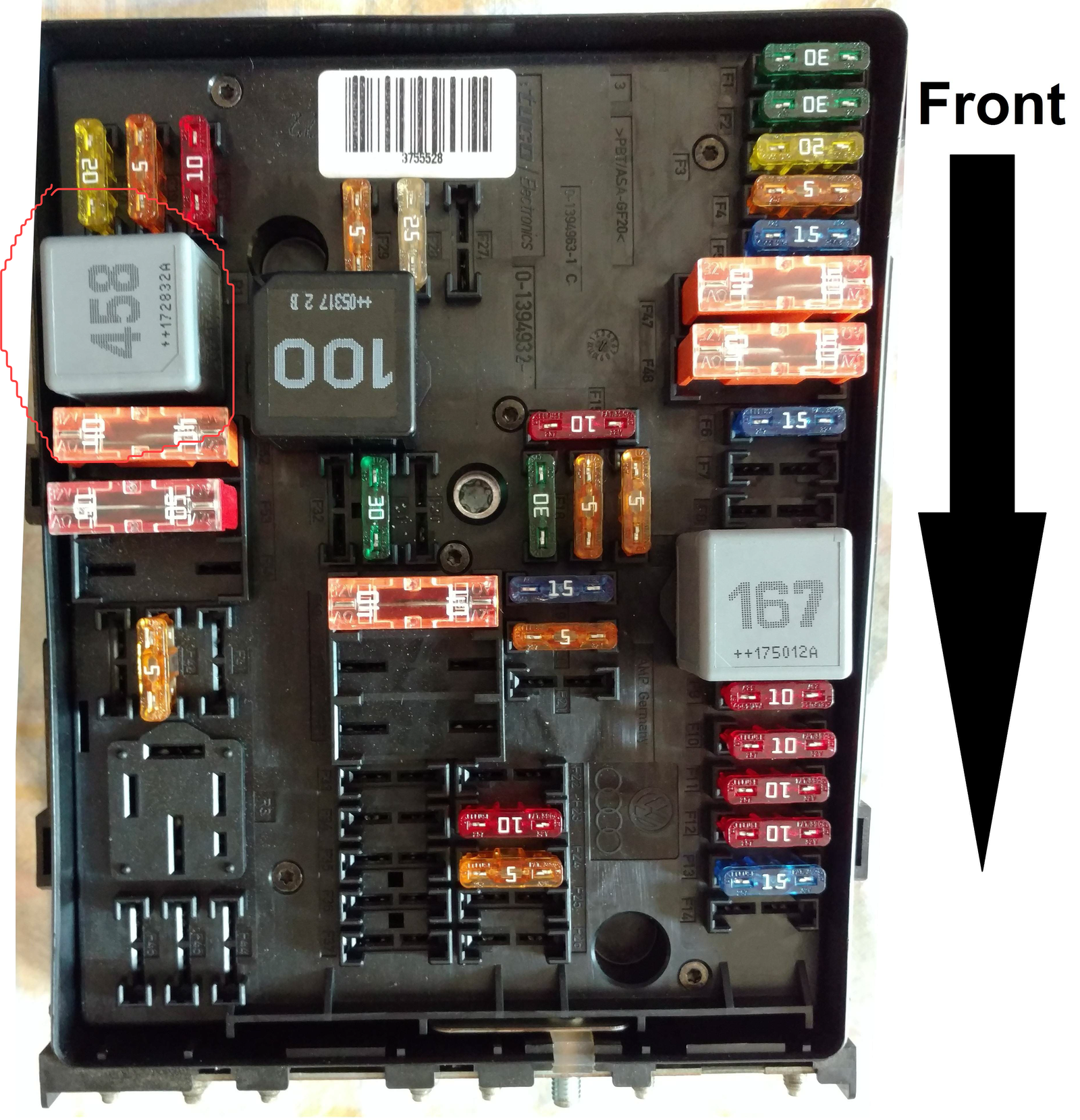
Hey guys, wanted to share my solution here. My 06 2.0t A3 had an issue where it would crank and crank and crank but no start. Eventually I got it to stumble start and it was then running down on at least 1 cylinder. After giving it some gas it would finally clean up and then run fine. I did not immediately have a CEL, but when checking with an OBD2 reader I got these 5 codes, P0688 - ECM/PCM Power Relay Sense Circuit/Open P2149 - Fuel Injector Group B Supply Voltage Circuit/Open P0300 - Random/Multiple Cylinder Misfire Detected P0303 - Cylinder 3 Misfire Detected P0302 - Cylinder 2 Misfire Detected After some research here and online, no clear answers were given. I saw a lot of people replacing a lot of parts and spending money by blindly throwing parts at the car. When reading over the codes, I felt like most of them were "symptom" codes. The misfires are probably related to injector issues and the injectors not getting power is probably related to the PCM code. So I decided to replace my PCM relay, which in my car was not listed online or in the manual hardly anywhere. Here is a photo of the fusebox. The PCM relay is slot R1, circled in red. After replacing the PCM relay, my car is running properly without issue. Hope this helps someone :)