Ollington
Members
-
Joined
-
Last visited
Everything posted by Ollington
-
That did cross my mind but they said it was appropriate for my chassis. I believe it was direct from Audi but I cannot be 100% sure without giving them a call. It's just confusing as the Aux +, - and ground are all connected so surely it should detect the connection?
-
I'd like to think so, I pulled the head unit out and the Aux is terminated correctly, so I guess it must be firmware?
-
It was an independent dealer, I gave them a call and they recommended I go to a car audio specialist -.-
-
Well I only recently purchased this car. The old head unit needed changing because it was stuck in safe mode and even the radio codes couldn't revive it. So the dealership ordered a new unit in. So I'm not sure if the aux port worked prior to this. It must either be a firmware issue or a wiring issue. But I have no means of checking either of these (radio removal keys or diagnostic tool).
-
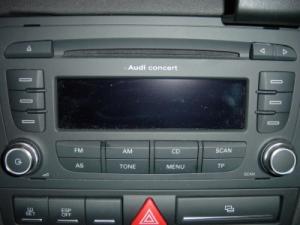
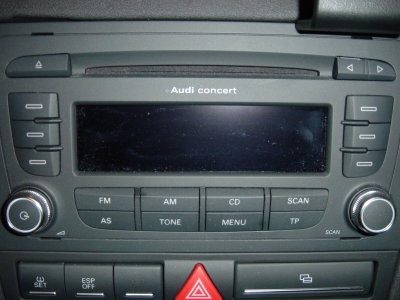
I have a 2010 Audi A3 S-Line with the Audi Concert II+ 2-DIN head unit recently installed to replace the old head unit of the same model and the standard fitted AUX input near the cigarette lighter. (See attached images) It doesn't seem to me like the AUX input is working. I'm not sure if there is a cryptic way to change source, if so what would this be? With it being a standard fitted AUX input I would have assumed this would be pre-wired into the wire cluster therefore would just be plug and play? If anyone could shed any light on this that would be helpful. Cheers! :)