




Skip to content
View in the app

A better way to browse. Learn more.

Audi Owners Club (UK)

A full-screen app on your home screen with push notifications, badges and more.

To install this app on iOS and iPadOS
  1. Tap the Share icon in Safari
  2. Scroll the menu and tap Add to Home Screen.
  3. Tap Add in the top-right corner.
To install this app on Android
  1. Tap the 3-dot menu (⋮) in the top-right corner of the browser.
  2. Tap Add to Home screen or Install app.
  3. Confirm by tapping Install.

Fuzzdemon

Members
  • Joined

  • Last visited

Everything posted by Fuzzdemon

  1. Thanks for confirming that. If I find out what it is I will post back here
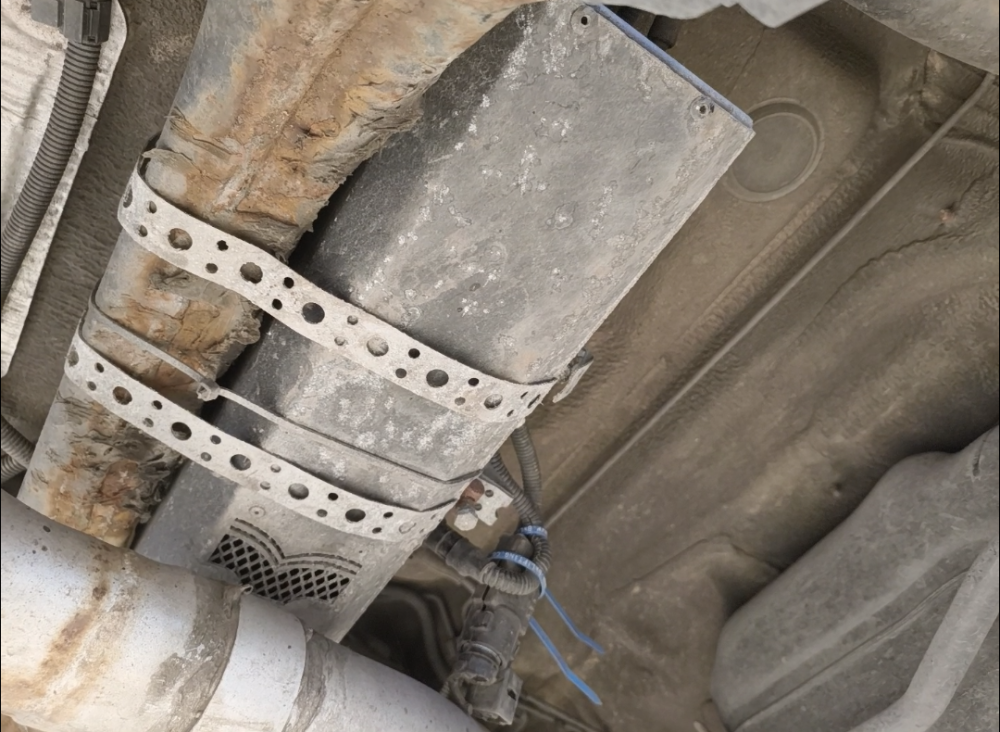
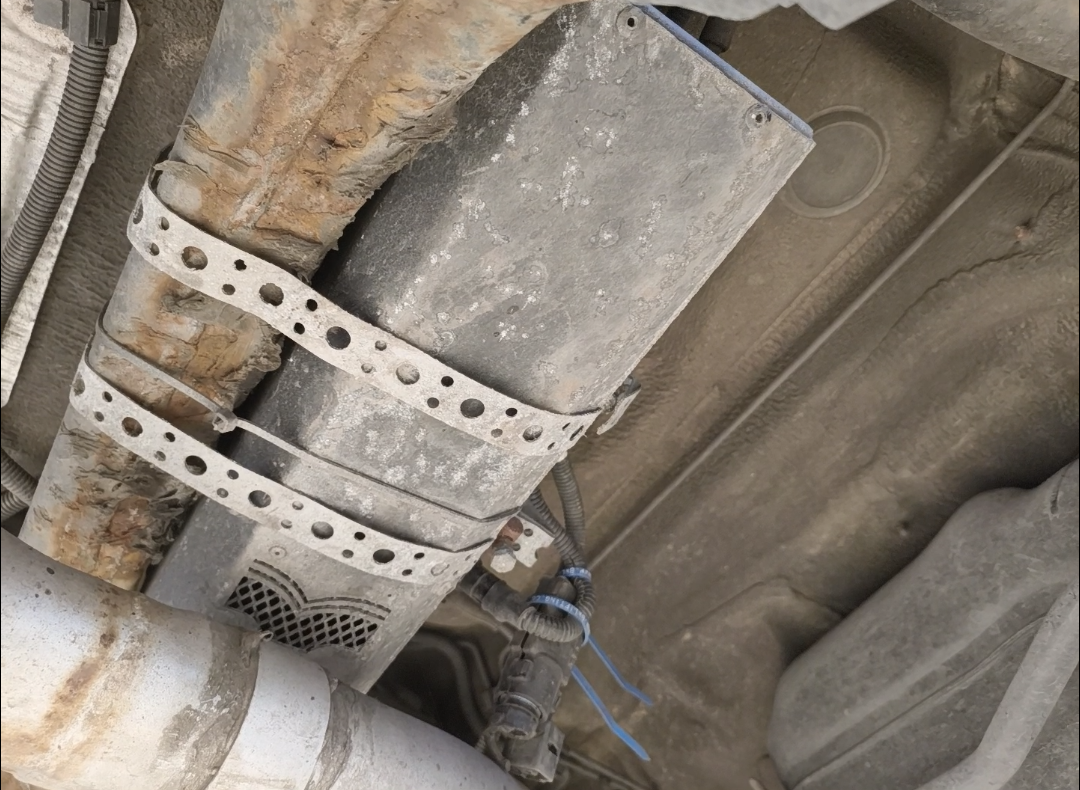
  2. Hi all. Just looking for some help. I have an Audi A4 Avant 2016 and while having the brake discs and pads replaced the mechanic pointed out a black box under the car that is not seen before and asked me what it is. I've tried Google lens and asking friends but nobody knows what it is Can anybody help identify this please? Thanks


Background Picker
Customize Layout

Account

Navigation

Search

Search

Configure browser push notifications

Chrome (Android)
  1. Tap the lock icon next to the address bar.
  2. Tap Permissions → Notifications.
  3. Adjust your preference.
Chrome (Desktop)
  1. Click the padlock icon in the address bar.
  2. Select Site settings.
  3. Find Notifications and adjust your preference.