




Skip to content
View in the app

A better way to browse. Learn more.

Audi Owners Club (UK)

A full-screen app on your home screen with push notifications, badges and more.

To install this app on iOS and iPadOS
  1. Tap the Share icon in Safari
  2. Scroll the menu and tap Add to Home Screen.
  3. Tap Add in the top-right corner.
To install this app on Android
  1. Tap the 3-dot menu (⋮) in the top-right corner of the browser.
  2. Tap Add to Home screen or Install app.
  3. Confirm by tapping Install.

Ruski82

Members
  • Joined

  • Last visited

  1. Ruski82 replied to Ruski82's topic in Audi A1 Club
    I will give it a go but I couldn’t get it to clip in when I last tried
  2. Ruski82 replied to Ruski82's topic in Audi A1 Club
    Hi Steve, Yeah, I thought it would be as simple as clipping it into the right place but I can’t figure it out
  3. Ruski82 started following Bumper trim
  4. Ruski82 posted a topic in Audi A1 Club
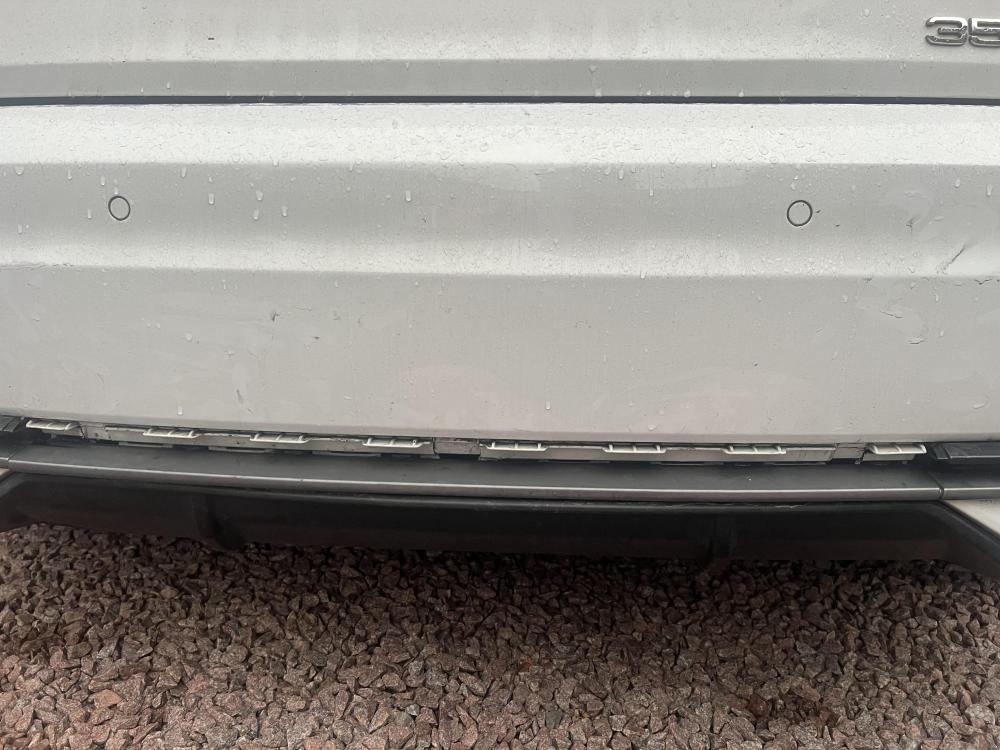
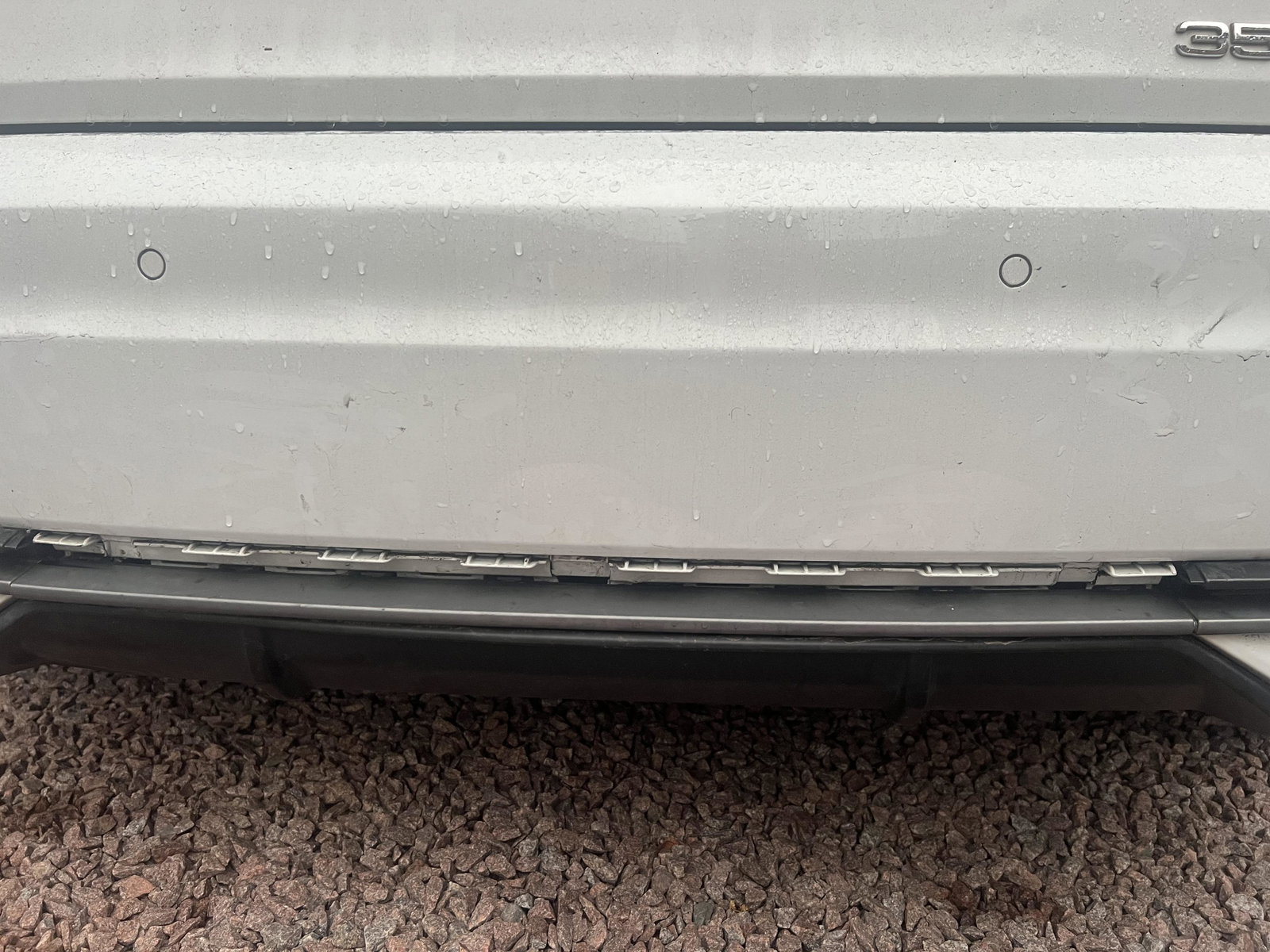
    Hi i wondered if anyone would know how I fit part number 82A807644Y9B onto my car I actually forgot to take a picture of the part and now I am out for the day however this is the what the bumper looks like where it attaches to


Background Picker
Customize Layout

Account

Navigation

Search

Search

Configure browser push notifications

Chrome (Android)
  1. Tap the lock icon next to the address bar.
  2. Tap Permissions → Notifications.
  3. Adjust your preference.
Chrome (Desktop)
  1. Click the padlock icon in the address bar.
  2. Select Site settings.
  3. Find Notifications and adjust your preference.