User220196
Members
-
Joined
-
Last visited
Everything posted by User220196
-
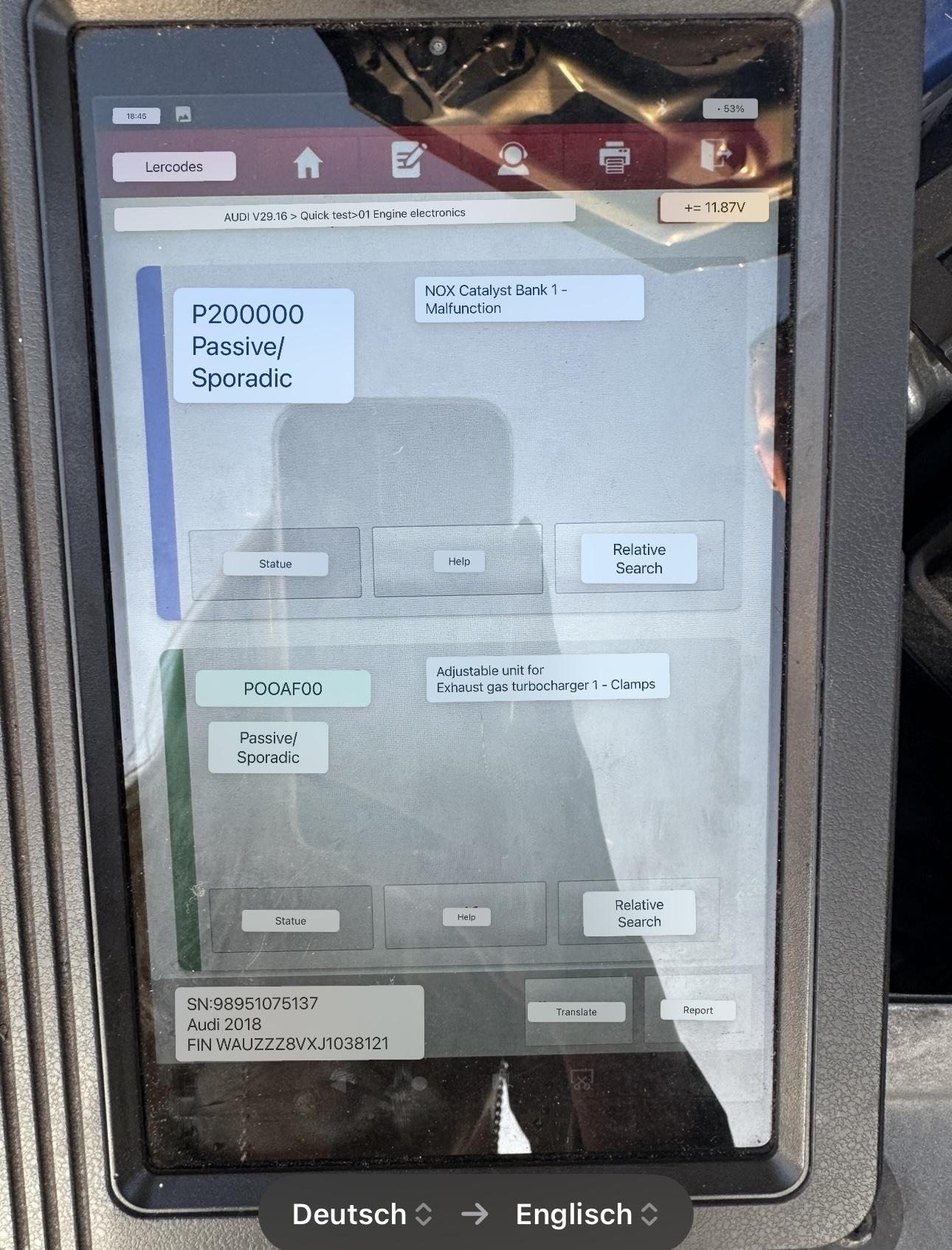
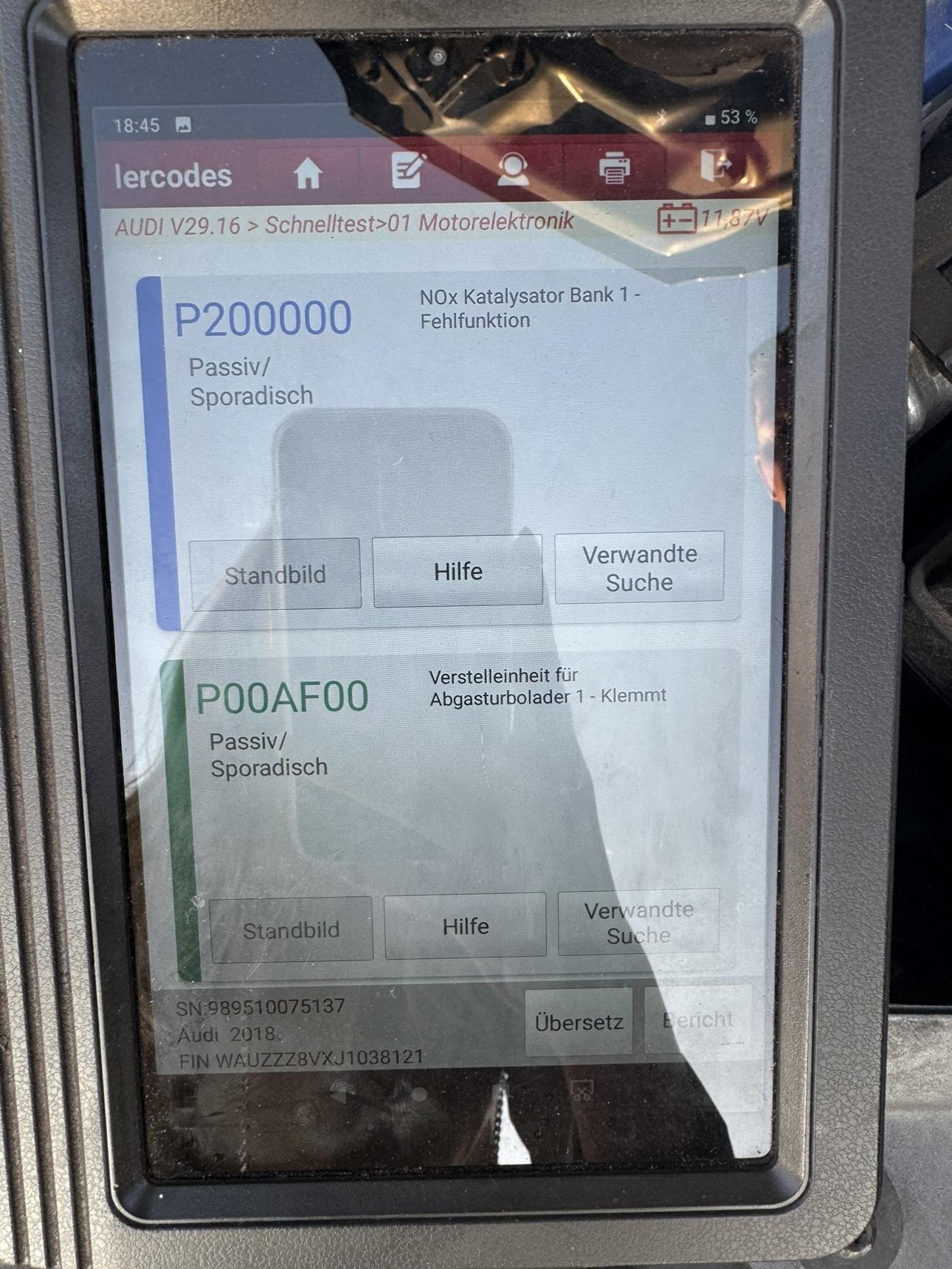
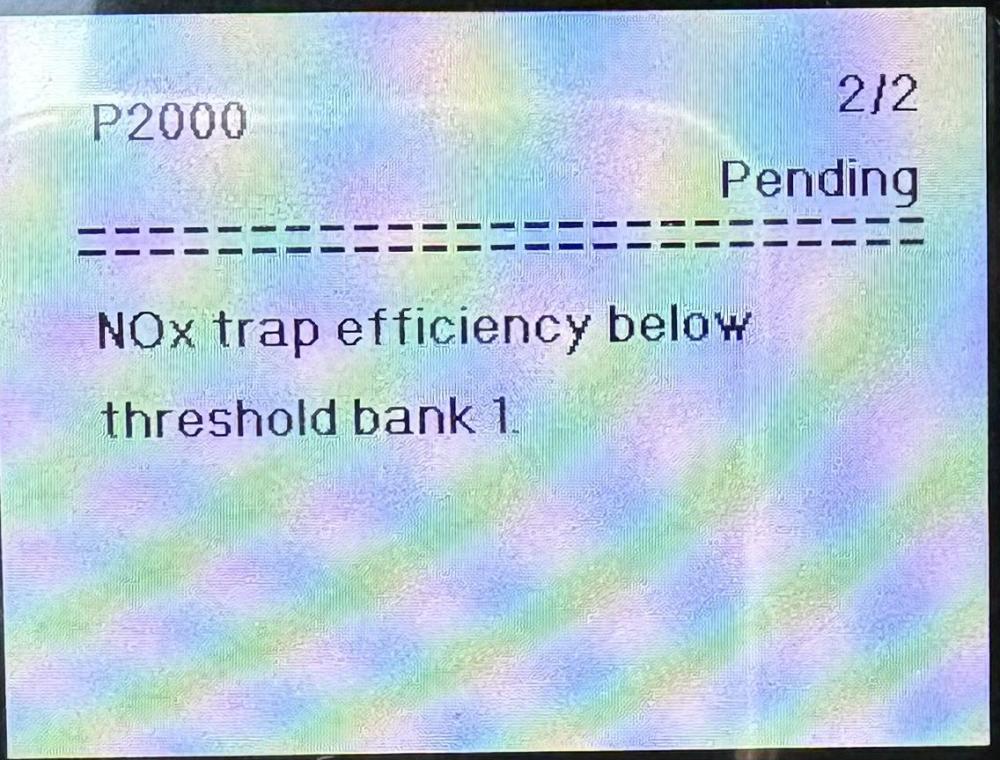
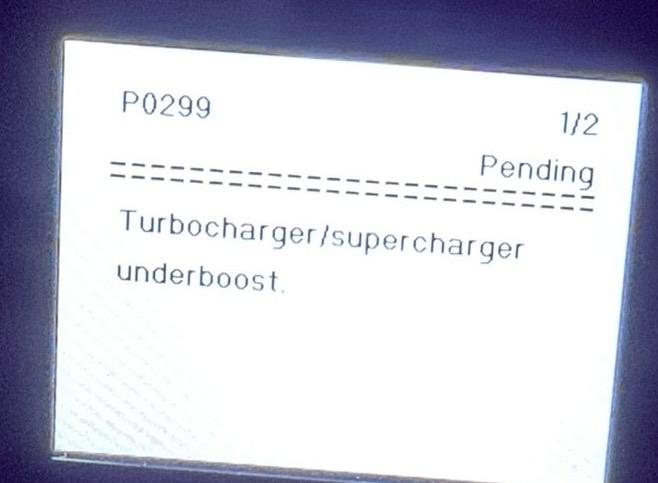
So, the problem is still not solved 😞 i took it to the mechanic and he was driving it 200km/h without any problems, testing it and no errors. I took it back and here they are again, but this time I got the codes. First comes check engine and it goes into the safe mode and then comes the glow plug starts blinking. any ideas?
-
But u havent replaced turbocharger ? I have read your post. I will let u know if I will manage to solve anything. Think about checking the fuel pumps. That is what I am going to do after my turbocharger is checked again. I was also thinking about replacing ECU. Also, calibrating is also a very important thing. After changing any part You have to tell your car’s computer - “this is your new part”. And I am not sure are people doing it properly.
-
I did return the car to the fitting shop but they couldnt find what is causing the problem. I have thought that maybe Audi just need to do calibration or software update, but apparently they didnt do that. I will take it again on Saturday to someone who has code reader and hopefully I will have an error code. thank you!😊
-
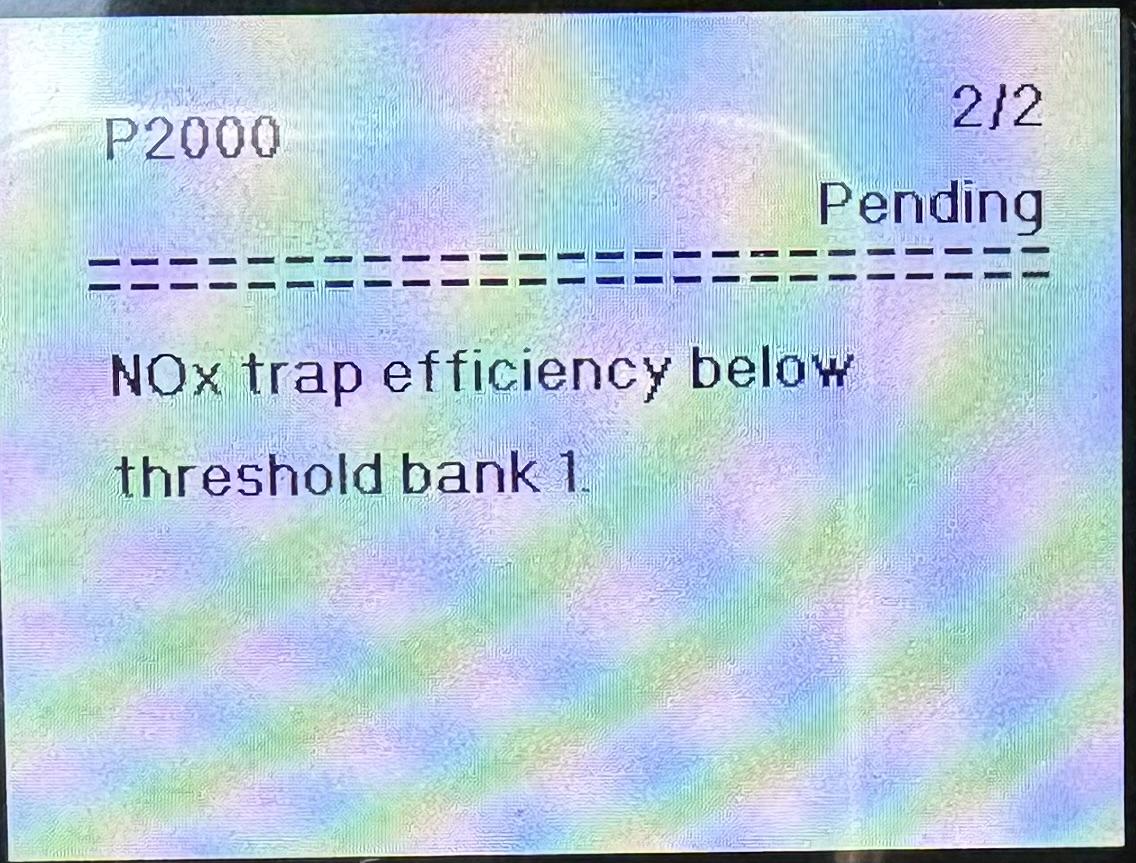
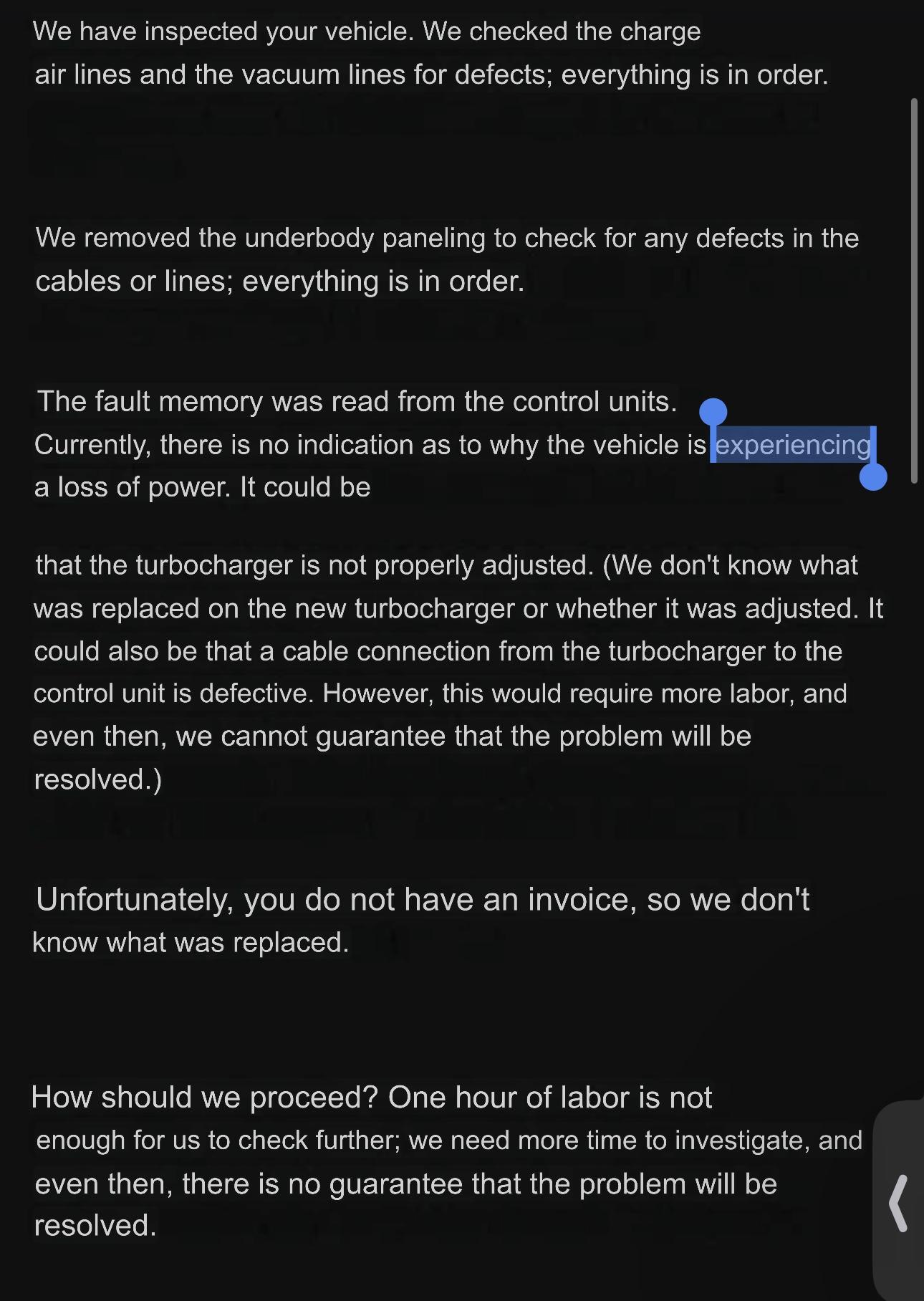
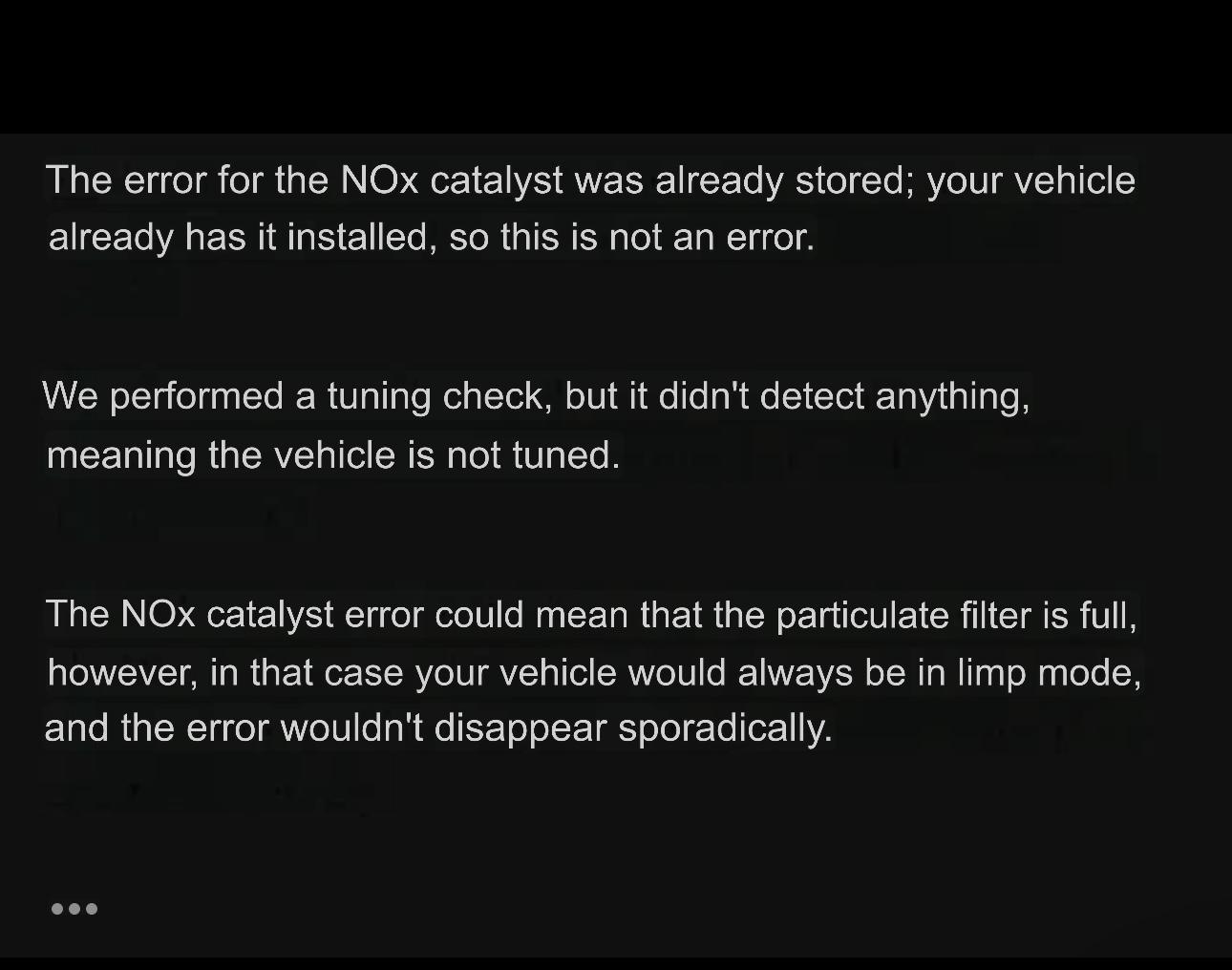
Hi Cliff, thank you for your answer. I will attach below the picture from the first diagnostic check (before the turbocharger was replaced) and the last two emails from Audi this week. Actually, Audi might be able to find the issue, but they dont know how long the search will take, and one hour costs 240€. On top of that they cannot guarantee anything, which means I could spend a large amount of money and still end up at the starting point. I have already paid 650€ at Audi so far and the car is still in the same condition. I was also shocked when they refused to give me the diagnostic report with the error codes, claiming that they dont have diagnostic that show error codes. Even the machanics who replaced the turbocharged did not want to show me the error that appeared after the warning lights came back on. would it be a good option to buy this small device, I saw there are some for 50€ on the internet. Could any of those be able to show the codes? Any recommendations?
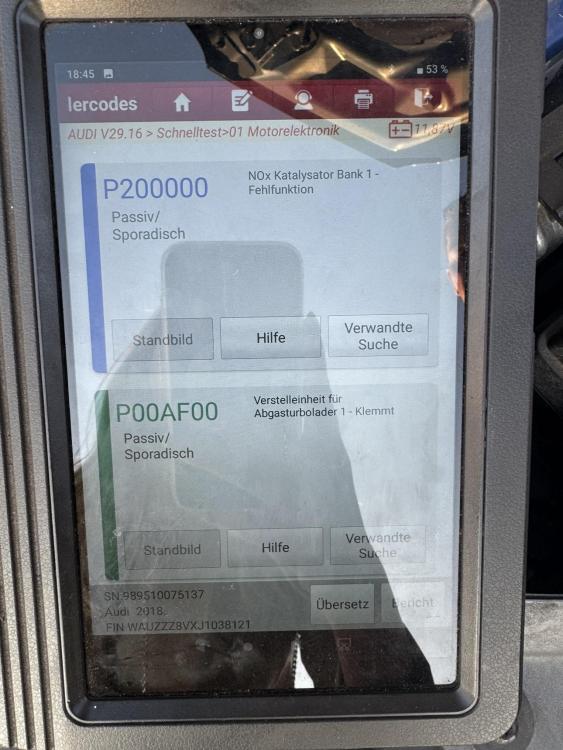
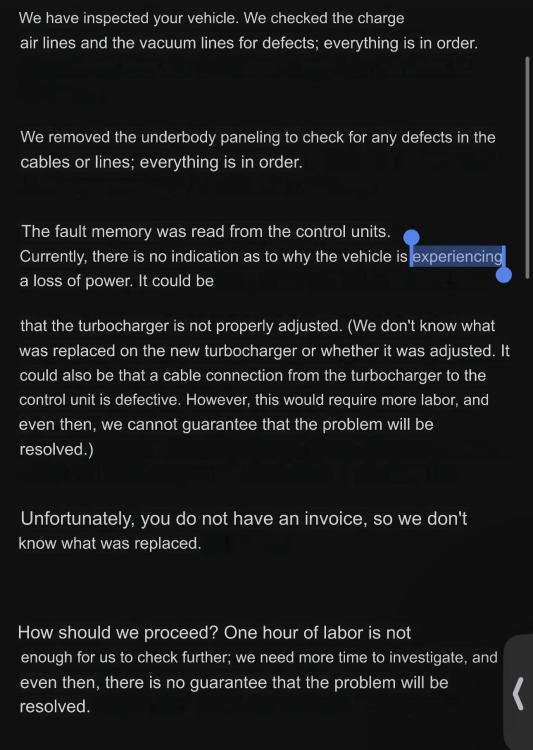
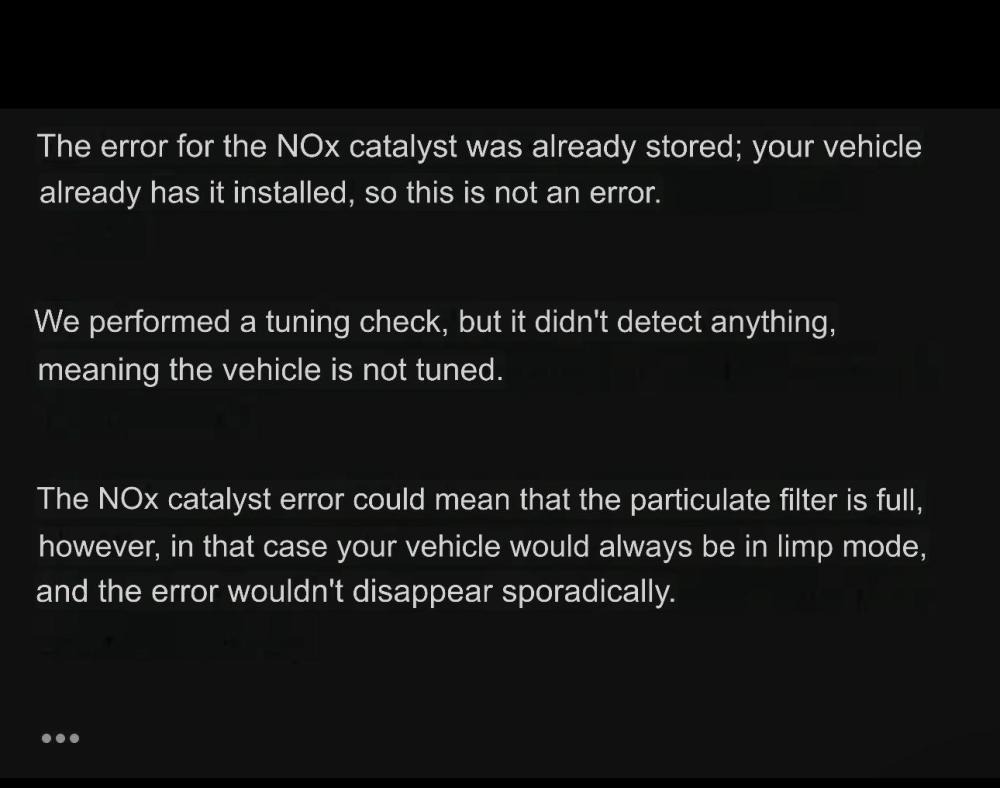 Hi everyone! Hi everyone, I recently bought my Audi and I’m having an issue that I can’t seem to fix. My check engine light and the glow plug warning light keep coming on, and the car goes into safe mode, but not always. When I drive through the city, everything is fine. The problem happens mostly on the highway, at 120 km/h or more, during a longer drive. After that drive, when I stop, turn the car off and then start it again, both lights appear and the car loses power. I already changed the turbocharger, but that didn’t solve the problem. I also replaced a turbo sensor (boost/pressure/air sensor), but the issue is still there. I’ve already spent a lot of money and nothing has fixed it. From what I understand, these symptoms could point to a problem with the fuel pumps (low-pressure or high-pressure fuel pump), but Audi could not detect anything through diagnostics, and other mechanics are not suggesting this either. I would really appreciate if anyone here has had a similar experience or any advice on what else I should check. Thanks in advance!