Skip to content
View in the app

A better way to browse. Learn more.

Audi Owners Club (UK)

A full-screen app on your home screen with push notifications, badges and more.

To install this app on iOS and iPadOS
  1. Tap the Share icon in Safari
  2. Scroll the menu and tap Add to Home Screen.
  3. Tap Add in the top-right corner.
To install this app on Android
  1. Tap the 3-dot menu (⋮) in the top-right corner of the browser.
  2. Tap Add to Home screen or Install app.
  3. Confirm by tapping Install.

rps1988

Members
  • Joined

  • Last visited

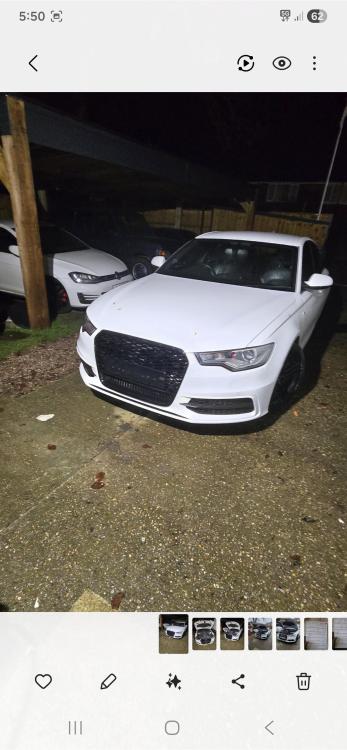
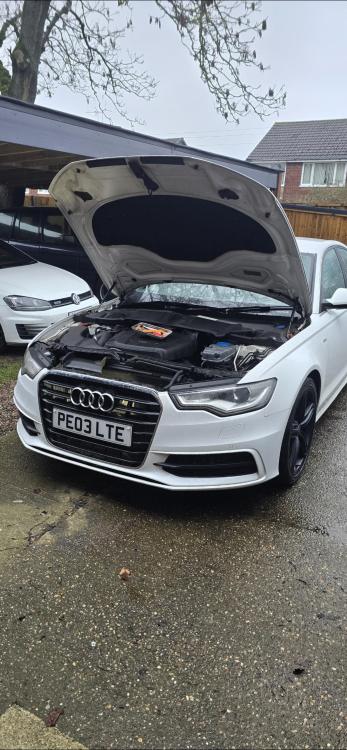
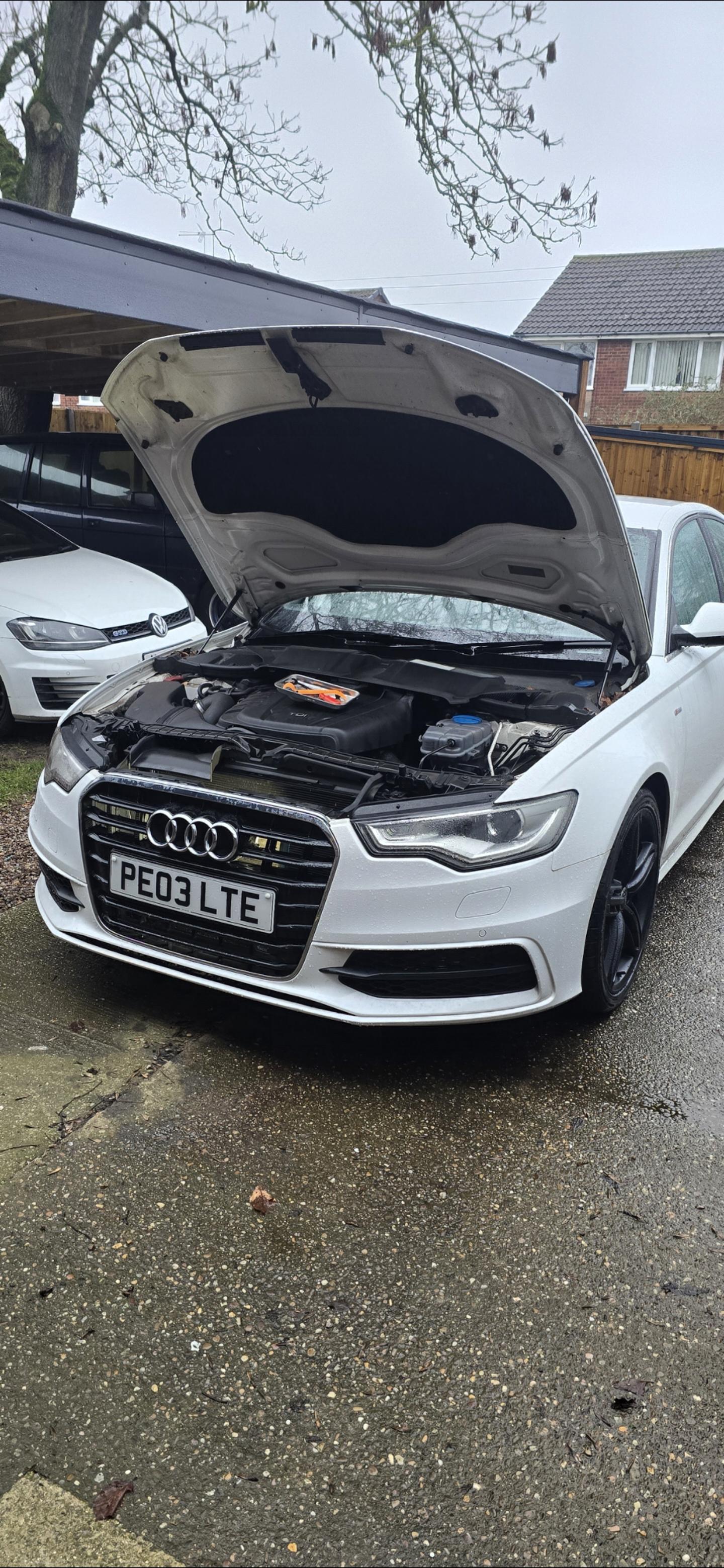
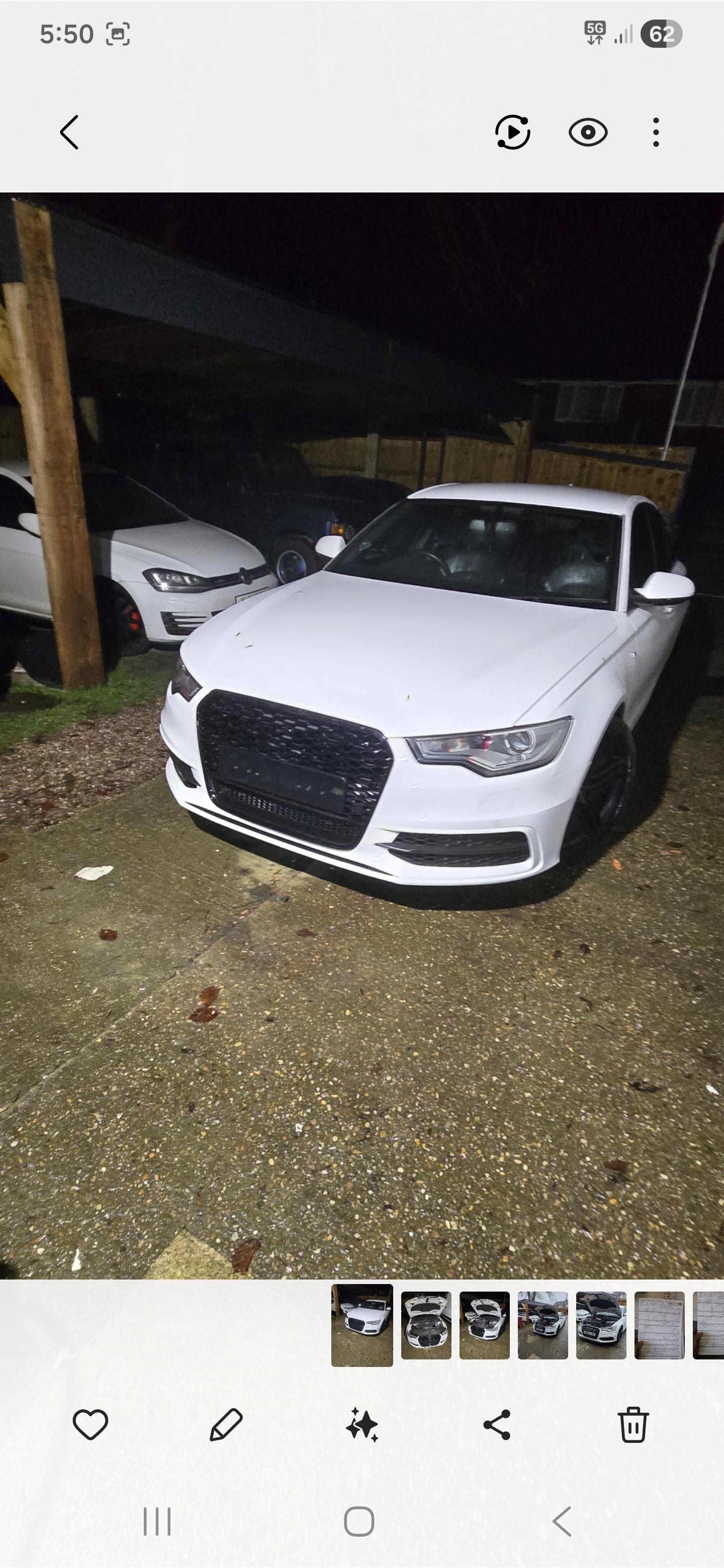
  1. Im doing all the badging black and windows so il put them on too hopefully it might help someone whos deciding which way to go also
  2. For anyone who was intrested here are the before and afters
  3. rps1988 started following Grill options
  4. Hi im looking at swapping my grill on my 2012 and im just wondering if anyone has any pics of theres theyve swapped. I like the rs6 honeycomb style and yes i could just look at an rs6 but i knew my 2.0 tdi wont look the same at the front with just the grill so id prefer to see a normal a6 with diffrent grills if poss. Thanks alot to anyone who can help and ive only just got the car so im new here but im sure il be poking round the forums ect


Background Picker
Customize Layout

Account

Navigation

Search

Search

Configure browser push notifications

Chrome (Android)
  1. Tap the lock icon next to the address bar.
  2. Tap Permissions → Notifications.
  3. Adjust your preference.
Chrome (Desktop)
  1. Click the padlock icon in the address bar.
  2. Select Site settings.
  3. Find Notifications and adjust your preference.