




Skip to content
View in the app

A better way to browse. Learn more.

Audi Owners Club (UK)

A full-screen app on your home screen with push notifications, badges and more.

To install this app on iOS and iPadOS
  1. Tap the Share icon in Safari
  2. Scroll the menu and tap Add to Home Screen.
  3. Tap Add in the top-right corner.
To install this app on Android
  1. Tap the 3-dot menu (⋮) in the top-right corner of the browser.
  2. Tap Add to Home screen or Install app.
  3. Confirm by tapping Install.

Bob 72

Members
  • Joined

  • Last visited

Everything posted by Bob 72

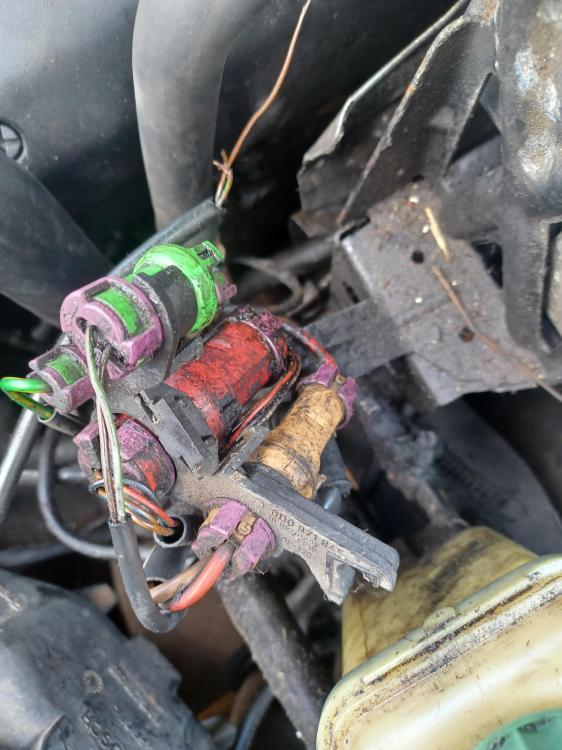
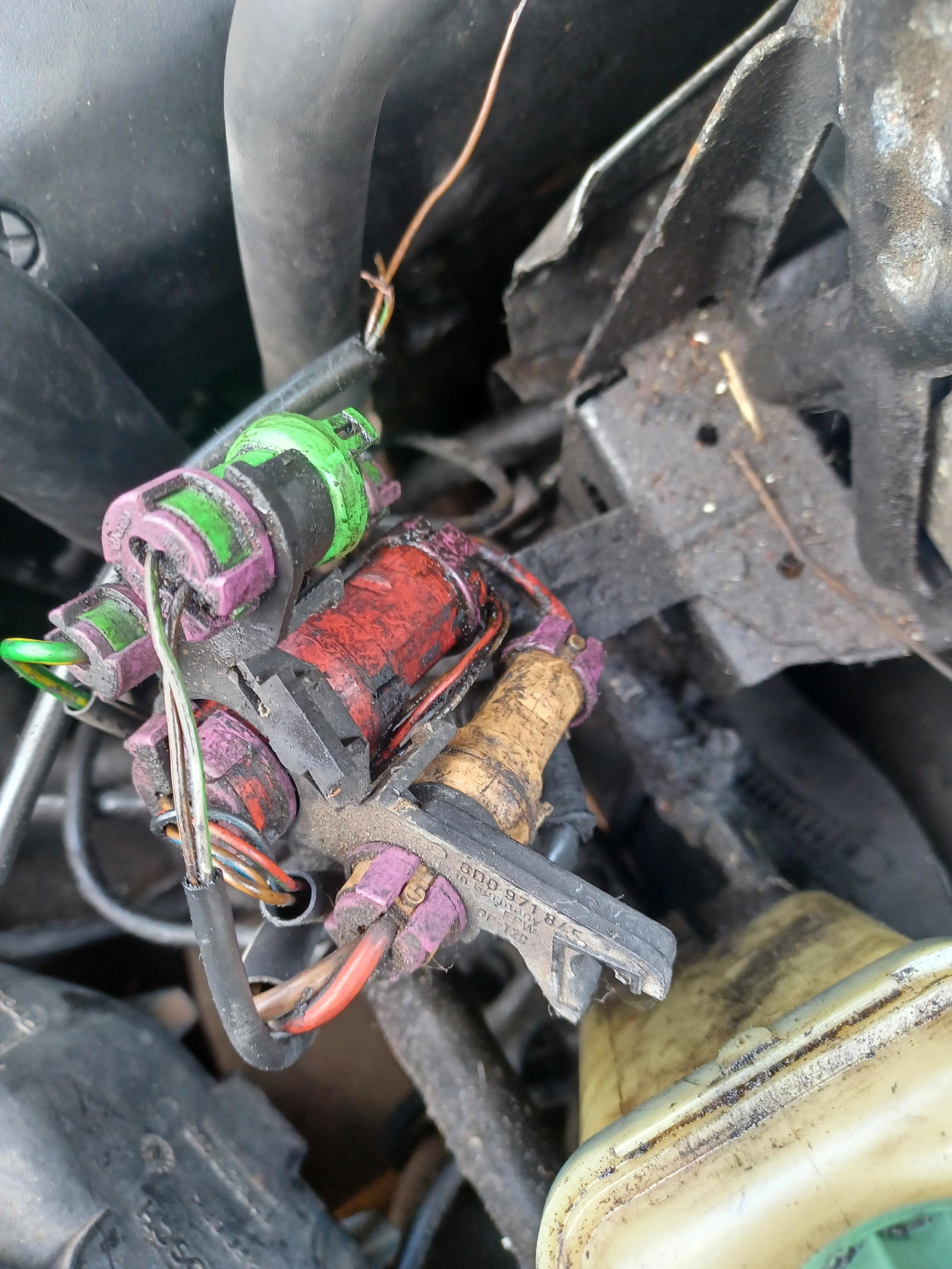
  1. Hi, Thankyou for the info I will try and trace it back to its source, I just assumed that the green connector on the left of the picture which is missing a connection was that cable the colours are the same, I have checked in the engine bay and can't see anywhere else it could go but will look again. Thanks again bob
  2. Hi, I'm wondering if anyone knows what the 4 electrical connectors are situated under the power steering cover, I seem to have a cable that's come adrift somehow, I have an A4 b5 2.8 30v quattro thanks


Background Picker
Customize Layout

Account

Navigation

Search

Search

Configure browser push notifications

Chrome (Android)
  1. Tap the lock icon next to the address bar.
  2. Tap Permissions → Notifications.
  3. Adjust your preference.
Chrome (Desktop)
  1. Click the padlock icon in the address bar.
  2. Select Site settings.
  3. Find Notifications and adjust your preference.