




Skip to content
View in the app

A better way to browse. Learn more.

Audi Owners Club (UK)

A full-screen app on your home screen with push notifications, badges and more.

To install this app on iOS and iPadOS
  1. Tap the Share icon in Safari
  2. Scroll the menu and tap Add to Home Screen.
  3. Tap Add in the top-right corner.
To install this app on Android
  1. Tap the 3-dot menu (⋮) in the top-right corner of the browser.
  2. Tap Add to Home screen or Install app.
  3. Confirm by tapping Install.

CHM

Members
  • Joined

  • Last visited

  1. Thank-you. Sofar I have not been successful. I am in the north of Scotland and the one local audio specialist can't help.
  2. Unfortunately the 2 websites given do not help. Does anyone have any other suggestions? I have tried ebay and the devices available are not suitable for my version of MMI. Is it possible to exchange the MMI module for one out of a British car?
  3. Thank you 😊 🙏.
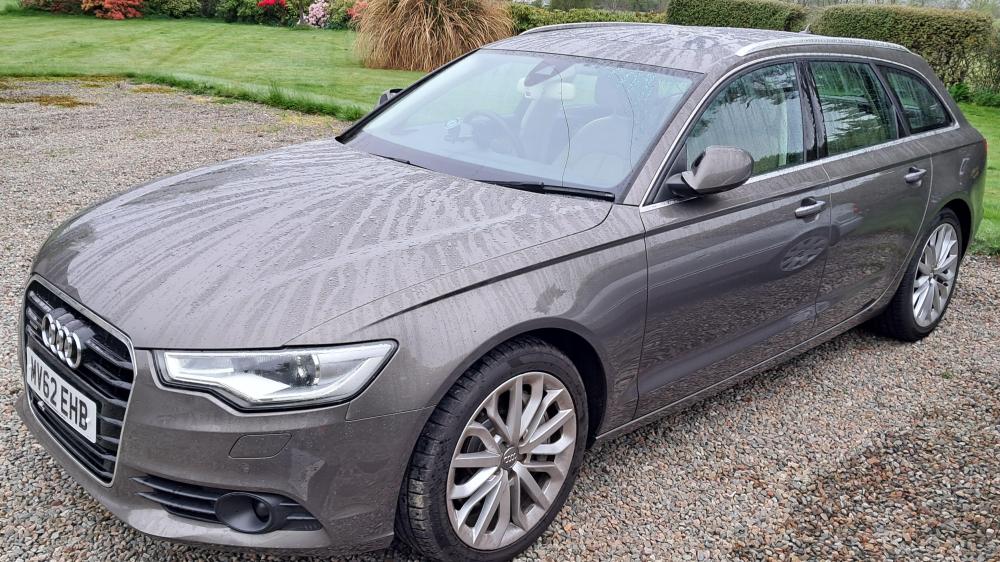
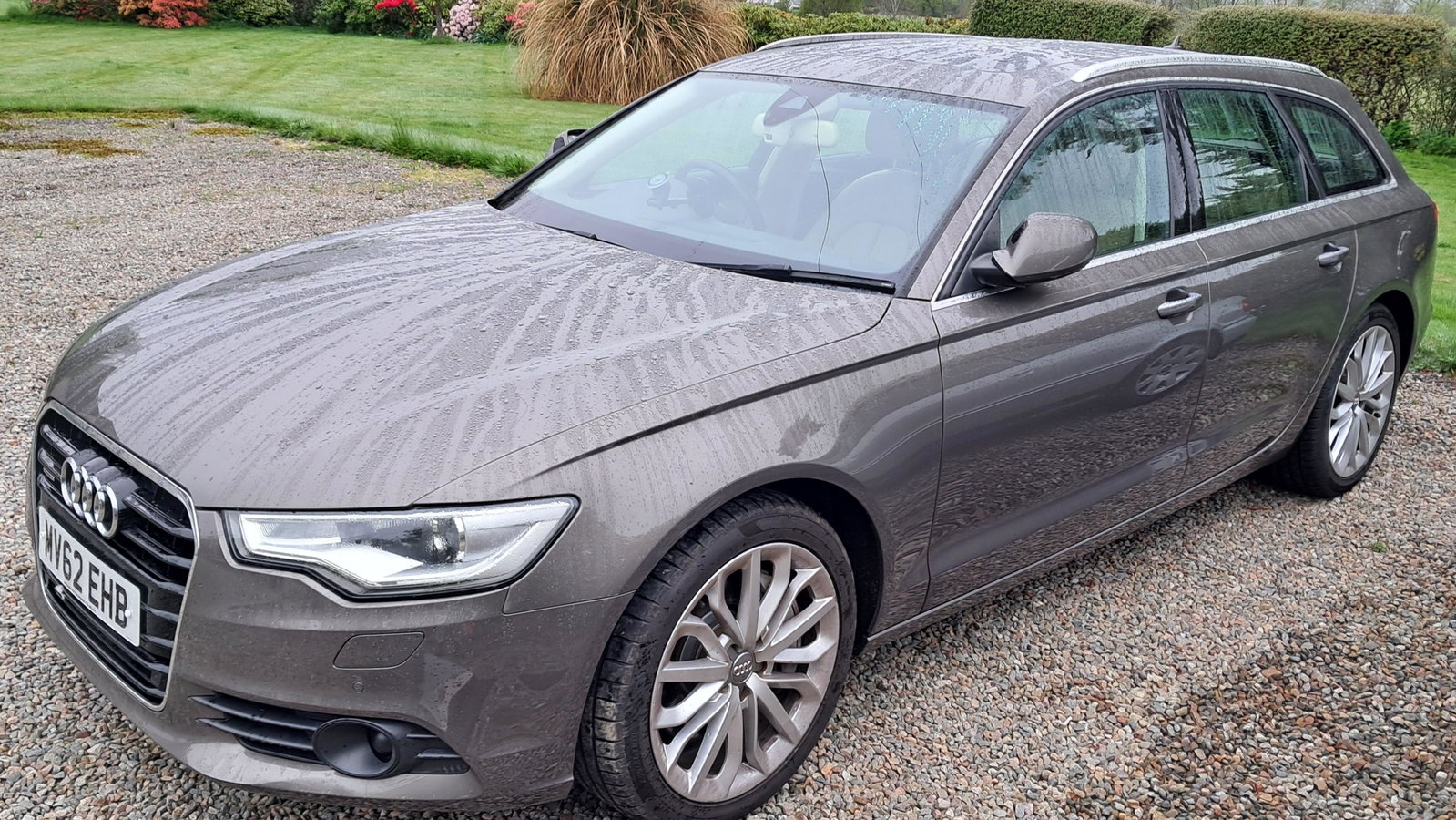
  4. Dear all. I have recently purchased a japanese Import 3.0 A6 Avant allroad. The MMI shows FM, AM and LW but no DAB. Is/was there an upgrade available from Audi or aftermarket when DAB became more commonplace.(Vauxhall offered DAB upgrade for my 2014 Zafira in 2015).
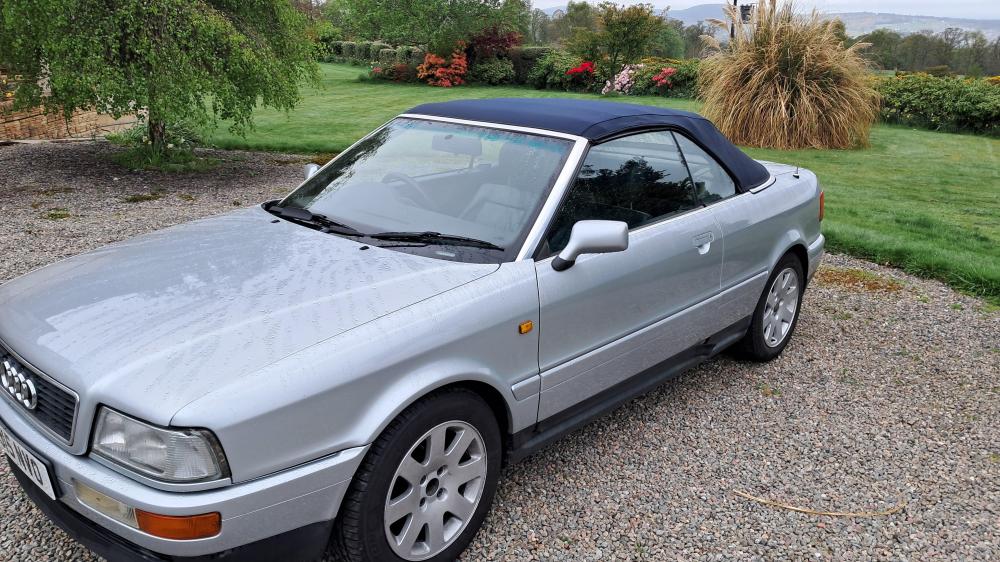
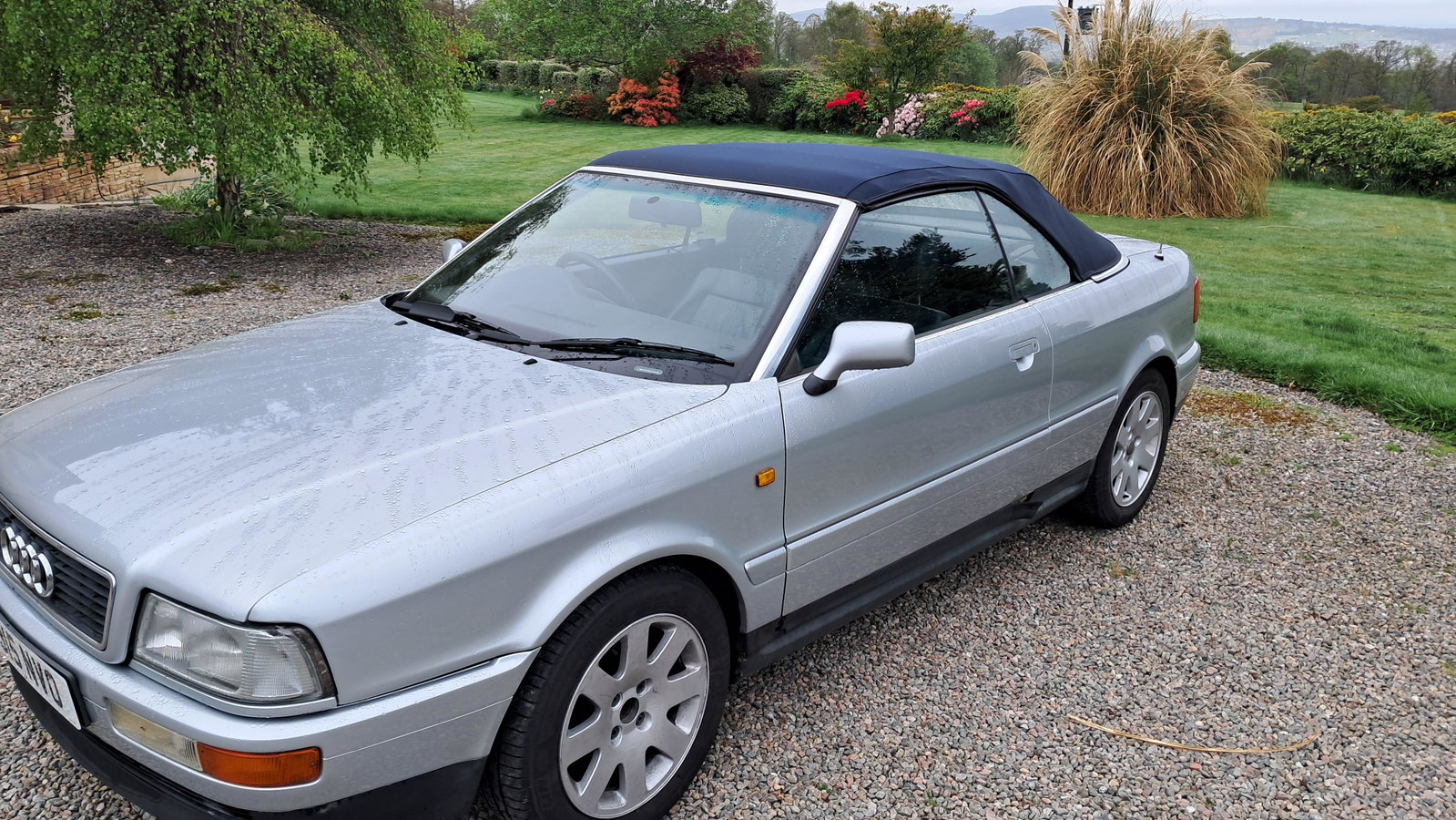
  5. Dear audi owners club members. I would like to introduce myself. I am a first time Audi owner and have recently aquired a project 1998 Audi Cabriolet 2.6l (I always liked the shape when the roof is down) and more by chance than intention a 2013 A6 avant allroad 2.8l, japanese import, which appears to be in good nick. I am in the north of Scotland and an looking forward to meet fellow enthusiasts in the region. Together with a friend we drove both cars up from England. The cabriolet looked better in the pictures and had some immediate issues (Boot and roof not opening etc) some I have been able to solve. I am hoping to use the cabriolet over the summer with minor intervention and start restoration in the autumn. Hopefully the A6 Avant behaves as it looks and does only require regular servicing.

Background Picker
Customize Layout

Account

Navigation

Search

Search

Configure browser push notifications

Chrome (Android)
  1. Tap the lock icon next to the address bar.
  2. Tap Permissions → Notifications.
  3. Adjust your preference.
Chrome (Desktop)
  1. Click the padlock icon in the address bar.
  2. Select Site settings.
  3. Find Notifications and adjust your preference.