jimbof
Members
-
Joined
-
Last visited
Everything posted by jimbof
-
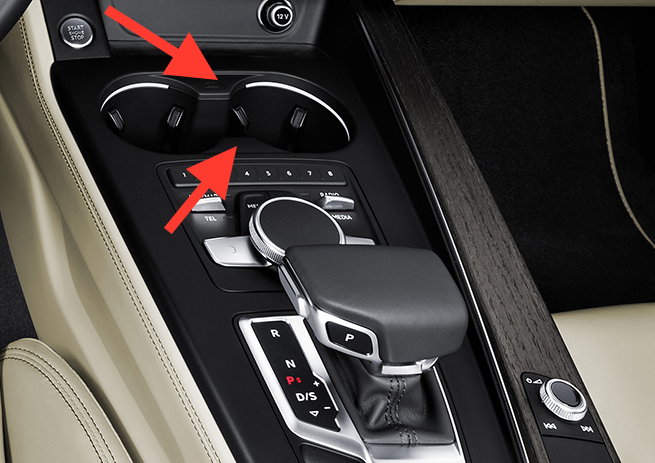
A friend has spilt fizzy pop in his MMI controls in his brand new 2016 A4 (I think it actually is a B9?), which has gummed the button action (ouch). I'm trying to sort it for him, and have a complete set of plastic bojo pry tools, but for the life of me can't get the trim off the top around the MMI - it seems totally stuck around the two peaks of the cup holder cutout, and that pulling it is just going to snap something. Had a look around the ERWIN site but the 2008> interior manual looks totally different to his centre console, which has the MMI controls between the cupholder at the front and the gearstick at the back. I've managed to release the entire top trim apart from the two areas highlighted. It almost feels like they've screwed it down from the underside (perhaps to reduce component theft risk?) or come up with some fiendish clip which needs prodding somewhere to release. Any help appreciated.