




Skip to content
View in the app

A better way to browse. Learn more.

Audi Owners Club (UK)

A full-screen app on your home screen with push notifications, badges and more.

To install this app on iOS and iPadOS
  1. Tap the Share icon in Safari
  2. Scroll the menu and tap Add to Home Screen.
  3. Tap Add in the top-right corner.
To install this app on Android
  1. Tap the 3-dot menu (⋮) in the top-right corner of the browser.
  2. Tap Add to Home screen or Install app.
  3. Confirm by tapping Install.


MammothVaux

Members
  • Joined

  • Last visited

  1. Thanks Trevor. Is it a easy swop or is it a fiddle to connect the new lights? Like do you need connectors etc?
  2. MammothVaux changed their profile photo
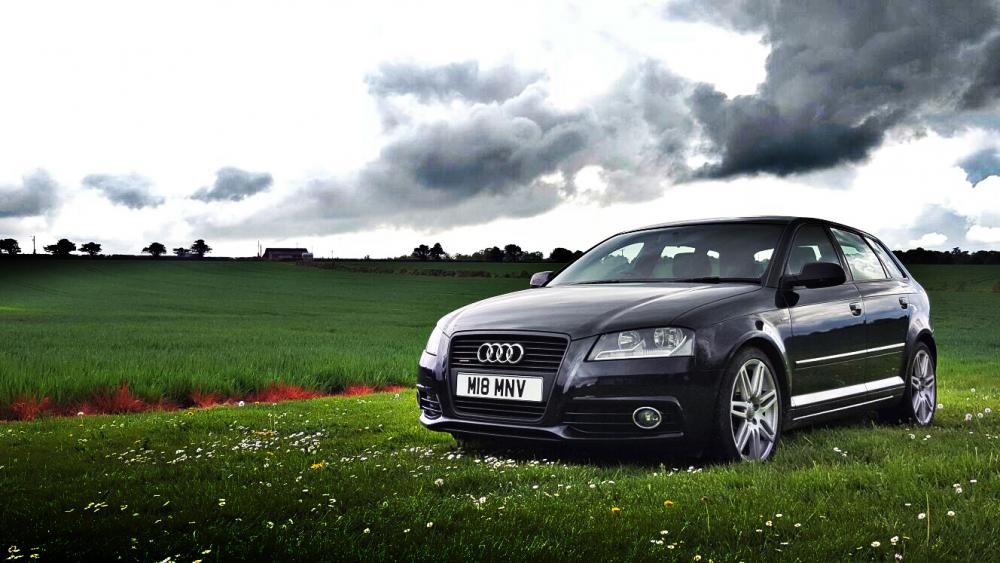
  3. Hi guys, i'm new here. Had my A3 for about 6months now. Want to upgrade the whole headlights now as they have the standard old yellow bulbs in. Its 2011 and looks gorgeous but the bulbs let it down. Really love the headlights the new A3s have. Can I upgrade with those ones? If so, what codes should I be searching for? Many thanks

  4. Hi guys, i'm new here. Had my A3 for about 6months now. Want to upgrade the whole headlights now as they have the standard old yellow bulbs in. Its 2011 and looks gorgeous but the bulbs let it down. Really love the headlights the new A3s have. Can I upgrade with those ones? If so, what codes should I be searching for? Many thanks


Background Picker
Customize Layout

Account

Navigation

Search

Search

Configure browser push notifications

Chrome (Android)
  1. Tap the lock icon next to the address bar.
  2. Tap Permissions → Notifications.
  3. Adjust your preference.
Chrome (Desktop)
  1. Click the padlock icon in the address bar.
  2. Select Site settings.
  3. Find Notifications and adjust your preference.